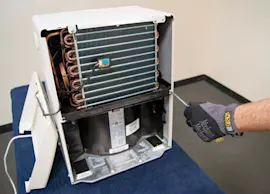
Owner’s manual
 Error Codes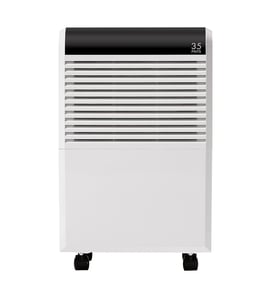


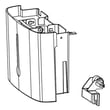

Can a GE dehumidifier be repaired?
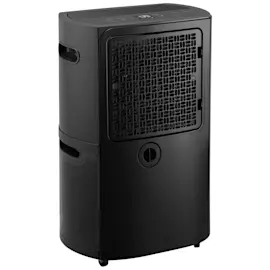
Yes. We repair GE dehumidifiers like model ADEL50LWW1 by troubleshooting common causes (bucket not seated, dirty air filter, drain issues, low room temperature) and replacing failed parts when needed. Start with the checks in the ADEL50LWW1 owner's manual before ordering parts.
What we check first (fast DIY triage)
- Confirm the water bucket is locked and fully seated; the unit will not run if the bucket is out of position.
- Empty and rinse the bucket; keep the foam piece in the bucket assembly in place.
- Clean the air filter; the manual calls for checking and cleaning it about every 250 hours of operation.
- If using a hose, verify the hose connection is tight and routed to a proper drain.
- Make sure the room is above 41°F (5°C); moisture removal drops at low temperatures.
- Close doors and windows so you are not dehumidifying the outdoors.
Parts that commonly fix “won’t run” or “poor moisture removal”
If basic checks do not solve it, these model-matched parts are common repair items:
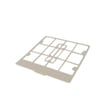
- Dehumidifier air filter WK85X21722 (restricted airflow can reduce performance)
- Dehumidifier water bucket WK10X24555 (cracks, poor seating, or damage can stop operation)
- Float WK11X21724 (a stuck float can act like the bucket is full)
Symptom-to-fix quick guide
| Symptom | Most likely cause | What to do |
|---|---|---|
| Unit will not run | Bucket not seated, float stuck | Reseat bucket; inspect float movement |
| Water on floor | Loose hose connection | Tighten/replace hose; confirm routing |
| Frost on coil | Low temp or recent start | Wait up to ~60 minutes; warm the room |
| Runs a lot | Area too large, doors/windows open | Reduce load; close openings |
Why it matters
A dehumidifier is designed to shut down for safety when the bucket is full or not positioned correctly. Keeping airflow and drainage correct prevents nuisance shutdowns, leaks, icing, and weak moisture removal.
Last updated: February 2026
Does GE dehumidifier have a filter?
Yes. The GE ADEL50LWW1 dehumidifier uses a washable air filter, and the control panel includes a filter timer that reminds you to clean it after about 250 hours of operation. For the exact removal and cleaning steps, follow the ADEL50LWW1 owner's manual.
Where the filter is and how you access it
On this GE dehumidifier, you typically access the filter by removing the water bucket first, then sliding the filter out from the intake area behind it.
Basic access and cleaning steps
- Turn the unit off and unplug it before servicing.
- Pull the bucket straight out to create access to the filter area.
- Remove the filter and clean it (vacuum or rinse, then let it dry fully).
- Reinstall the filter, then slide the bucket back in until it seats securely.
- Press the Filter Timer button to reset the “Clean the Filter” reminder.
When to clean vs. when to replace
The filter is designed to be cleaned regularly, but if it is torn, warped, or will not come clean, replacement is the better fix.
| Situation | Best action |
|---|---|
| “Clean the Filter” light is on | Clean the filter and reset the timer |
| Airflow seems weak or musty | Clean the filter; check for blockage around the grille |
| Filter media is damaged | Replace the filter |
If you need a replacement that matches this model, use the dehumidifier air filter WK85X21722.
Why it matters
A restricted or dirty filter reduces airflow, which can make the ADEL50LWW1 remove moisture poorly and can contribute to performance complaints. Keeping the filter clean helps the fan move air across the coil efficiently.
Last updated: February 2026
How long is the warranty on a GE dehumidifier?
GE dehumidifiers like model ADEL50LWW1 are covered by a one-year limited warranty from the date of original purchase for failures due to defects in materials or workmanship. During that period, GE replaces the unit (new or refurbished) under the warranty terms in the ADEL50LWW1 owner's manual.
What the one-year warranty covers
- Coverage period: 1 year from the original purchase date
- Covered issue: defect in materials or workmanship
- Remedy: replacement unit (may be new or refurbished)
- Replacement coverage: the replacement is covered for the remainder of the original one-year period
What you need to make a warranty claim
Having these ready speeds up the process:
- Proof of purchase (receipt or other purchase-date evidence)
- Your model and serial number (typically on a label on the back of the dehumidifier)
- A short description of the problem (for example: not running, not collecting water, leaking)
Quick reference table
| Item | What to expect |
|---|---|
| Warranty length | 1 year |
| Start date | Date of original purchase |
| Covered failures | Defects in materials or workmanship |
| Outcome | Replacement unit (new or refurbished) |
Why it matters
Warranty coverage determines whether it makes sense to troubleshoot and replace parts (like a clogged air filter) or to pursue a warranty replacement first. For routine maintenance that helps prevent performance issues, follow the cleaning and care steps in the ADEL50LWW1 owner's manual.
Last updated: February 2026
How many hours a day should you run a dehumidifier?
For the GE ADEL50LWW1 dehumidifier, we run it continuously for the first 24 hours when first using it, then let it cycle as needed to hold your target humidity; the unit will shut off when it reaches the preset level or the bucket is full (and restart when conditions change). See the ADEL50LWW1 owner's manual.
Recommended daily runtime (practical guidance)
- Day 1 (startup): 24 hours continuous operation to pull down moisture.
- After that: Run it as long as needed to maintain comfort; many homes land around 6 to 12 hours/day depending on conditions.
- Basements, rainy seasons, or laundry areas: Expect longer runtimes.
- If the room is below 41°F: Moisture removal drops and frost can form; the unit will defrost automatically.
What changes how long it needs to run
- Room size and how damp it is to start
- Doors/windows left open (outside air adds moisture)
- Airflow around the unit (keep the front and back clear)
- Humidity setting (lower % means more runtime)
- Filter condition (a dirty filter restricts airflow)
Quick checks if it seems to run “all the time”
| What you notice | Most common cause | What we do |
|---|---|---|
| Runs constantly, little improvement | Humidity set too high or space too large | Lower the setpoint; consider a larger-capacity unit |
| Runs a lot, weak airflow | Restricted airflow or dirty filter | Clear obstructions; clean or replace the dehumidifier air filter WK85X21722 |
| Stops often | Bucket full or reached preset | Empty and reseat the bucket; confirm the setting |
Why it matters
Running long enough to reach a stable humidity level helps prevent musty odors and condensation, and keeping airflow clear (including a clean air filter) helps the compressor remove moisture efficiently.
Last updated: February 2026
How much will my electric bill go up with a dehumidifier?
Running a GE ADEL50LWW1 dehumidifier typically adds about $10 to $40 per month to your electric bill, depending on how many hours it runs each day and your local electricity rate. You can estimate your exact cost using the wattage listed in the ADEL50LWW1 owner's manual.
How to estimate your exact monthly cost
Use this formula:
- Watts ÷ 1,000 = kW
- kW × hours per day = kWh per day
- kWh per day × your $/kWh rate = cost per day
- Cost per day × 30 = cost per month
Example cost table (common scenarios)
| Dehumidifier power | Run time | Energy used | Cost at $0.16/kWh |
|---|---|---|---|
| 500 W | 8 hrs/day | 4.0 kWh/day | about $0.64/day (about $19/mo) |
| 700 W | 10 hrs/day | 7.0 kWh/day | about $1.12/day (about $34/mo) |
| 900 W | 12 hrs/day | 10.8 kWh/day | about $1.73/day (about $52/mo) |
What makes the cost go up (or down)
These factors change how often the compressor runs and how much power you use:
- Humidity level (very damp basements make the unit run longer)
- Room size vs. unit capacity (oversized areas increase run time)
- Temperature (moisture removal drops in cooler rooms; many models are designed for operation above 41°F)
- Airflow restrictions (a dirty filter reduces efficiency)
- Doors/windows left open (outside air adds moisture load)
Quick ways to reduce operating cost
- Clean or replace the air filter regularly; use the dehumidifier air filter WK85X21722 when it is worn or won’t clean up well.
- Keep doors and windows closed while dehumidifying.
- Set a realistic humidity target (many homes feel comfortable around 45% to 55%).
- Place the unit where airflow is not blocked.
Why it matters
A dehumidifier that runs nonstop usually costs more because it is fighting constant moisture or restricted airflow. Keeping the filter clean and the space sealed helps the ADEL50LWW1 reach its set humidity faster and cycle off more often.
Last updated: February 2026