 Owner’s manual
 Error Codes




What is the most common problem with a Bosch washing machine?
The most common problem we see with Bosch washers like model WAT28402UC is a drain-related issue: slow draining or not draining at all due to a clogged drain pump filter or a restriction in the drain hose. The next most common complaints are door seal leaks and no-spin symptoms tied to draining or load balance (see the WAT28402UC owner's manual for model-specific checks).
- Washer will not drain or drains slowly: clean the pump filter and check the drain path.
- Washer will not spin: confirm it fully drained, then reduce load size and redistribute items.
- Water leaking at the door: inspect the door boot for tears, gaps, or debris on the sealing surface.
- Won’t start: verify the door closes and latches firmly; check power at the outlet.
- Noise during tumble/spin: look for coins, screws, or bra wires trapped near the door boot area.
If symptoms point to a common wear item, these model-matched parts are frequent fixes:
| Symptom | Likely area | Model-matched part example |
|---|---|---|
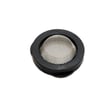
| Not draining / drain errors | Pump filter or drain path | Washer drain pump filter 00647920 |
| Leaking at door | Door seal (boot) | Washer door boot 00772662 |
| Boot won’t seal after replacement | Clamp not seated | Washer door boot spring clamp 00670743 |
| Won’t drain even after cleaning | Drain pump | Washer drain pump 00145753 |
Drain restrictions can stop the cycle, prevent high-speed spin, and leave clothes soaking wet. Catching a clog early also reduces strain on the drain pump and helps prevent leaks around the door boot.
- Use Bosch-specific fault guidance in Bosch nexxt front load washer error codes to match symptoms to likely causes.
Last updated: February 2026
What does E12 mean on a Bosch washing machine?
On the Bosch WAT28402UC washer, an E12 error points to a water supply problem (the washer is not filling correctly). We fix it by confirming the water valves are fully open, the inlet screens are clear, and the fill hoses are not kinked; then we retry the cycle using the steps in the WAT28402UC owner's manual.
- Make sure both hot and cold shutoff valves are fully open.
- Verify the hoses are not kinked, crushed, or routed behind the washer too tightly.
- Check household water pressure; the washer needs a strong, steady flow.
- Clean the small inlet screens in the washer fill connection (sediment can block flow).
- If you use flood-safe hoses, confirm they have not tripped shut.
We use this simple flow test to separate a home plumbing issue from a washer issue:
| Test | What to do | What it tells us |
|---|---|---|
| Bucket fill rate | Run water from the supply into a bucket for 60 seconds | Low flow means a supply/valve/plumbing restriction |
| Hose restriction | Disconnect and inspect hose ends and screens | Debris at the screen can trigger E12 |
| Hot vs. cold comparison | Test both valves separately | One weak side can still cause fill errors |
If water flow is strong and screens are clean, the problem is usually inside the washer, such as a fill path restriction or a valve that is not opening consistently.
Common next steps:
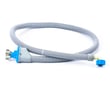
- Inspect internal hoses for blockage; a damaged or restricted hose can be replaced with a model-matched hose 00265958.
- Check for pinched or leaking drain hose routing that can cause abnormal fill behavior; replace if needed with a washer drain hose 00656689.
- If the washer is also showing related fill errors, use the Bosch nexxt front load washer error codes guide to match symptoms to the right checks.
A washer that cannot fill correctly may stop mid-cycle, rinse poorly, or repeatedly time out. Fixing the water supply restriction first prevents unnecessary replacement of electrical parts like the control module.
Last updated: February 2026
How to reset error code on Bosch washing machine?
To reset an error code on your Bosch washer model WAT28402UC, we recommend canceling the current cycle, powering the washer fully off, then restarting it. Many Bosch front-loaders clear a temporary fault after a proper power reset and a fresh cycle start.
- Press Start/Pause to stop the cycle.
- Turn the cycle selector to Off.
- Unplug the washer (or switch the breaker off) for 2 to 5 minutes.
- Restore power.
- Select Drain/Spin (or a short cycle) and press Start/Pause.
- If the code returns immediately, write it down before doing anything else.
Some codes come back because the washer still detects the problem (drain, door lock, fill, or control issue). Use these checks before replacing parts:
- Drain problem: Clean the pump filter and check the drain hose for kinks or clogs.
- Door/lock problem: Make sure the door closes firmly; check the door boot for items stuck at the seal.
- Fill problem: Confirm both water supply valves are fully open and inlet hoses are not kinked.
- Control glitch: Power reset again after the washer sits off for 10 minutes.
| Method | What it clears | Best for |
|---|---|---|
| Selector to Off + unplug 2 to 5 min | Temporary control faults | Random code after a power flicker |
| Cancel cycle + restart | Cycle logic only | Code appears mid-cycle once |
| Diagnose the cause | Recurring faults | Code returns every load |
If you confirm a drain-related code or repeated no-drain symptom, these model-matched parts are common suspects:
Resetting clears the display, but it does not fix the underlying condition. If the washer cannot drain, fill, or lock the door correctly, the control will re-trigger the error to protect the motor, prevent leaks, and avoid incomplete rinsing.
For code definitions and model-family troubleshooting, use our Bosch nexxt front load washer error codes reference, then confirm operating steps in the WAT28402UC owner's manual.
Last updated: February 2026
Is it worth getting a 12kg washing machine?
A 12 kg washer is worth it when you regularly wash bulky items (comforters, blankets, large towel loads) or you want to reduce the number of weekly loads for a busy household. For Bosch model WAT28402UC, the best choice comes down to your typical load size, available space, and how often you wash.
A 12 kg class washer makes sense if most weeks you:
- Wash bedding, thick blankets, or bulky outerwear
- Run many loads back-to-back and want fewer cycles overall
- Have multiple people generating heavy laundry (sports, work uniforms)
- Prefer washing larger loads instead of frequent small loads
- Have enough room for the washer footprint and door swing
For model-specific capacity and loading guidance, use the WAT28402UC manual.
| Factor | 12 kg class washer | Smaller capacity washer |
|---|---|---|
| Bulky items | Easier to fit and tumble | Often requires multiple loads |
| Loads per week | Fewer loads | More loads |
| Small loads | Easy to underload | Better match for frequent small loads |
| Detergent dosing | Easier to over-dose | Easier to dose correctly |
- Load by volume; keep items loose so they tumble and rinse well.
- Do not pack the drum tight; overloading causes poor cleaning and vibration.
- Use HE detergent and measure carefully; underloaded large drums can oversuds.
- For bulky items, balance the load (mix similar items, avoid one heavy piece alone).
- If you see drain or spin errors, check for clogs and clean the washer drain pump filter 00647920 as part of routine maintenance.
Choosing the right capacity affects cleaning performance, cycle time, and wear on parts such as the door boot, suspension, and drain system. A larger drum only pays off when you routinely fill it appropriately.
Last updated: February 2026





