Installation guide
 Owner’s manual
 Error Codes




How do you reset a Maytag Gemini double oven?
A Maytag “Gemini” double oven uses different controls than the Maytag MER8650FZ1 electric range, but the most effective reset for either style is a power reset: cancel cooking, shut the unit down, then turn power off at the breaker for a few minutes and restore it. For MER8650FZ1-SPECIFIC control details, use the MER8650FZ1 owner's manual.
Reset steps that work for most Maytag Gemini double ovens
- Press Cancel/Off to stop any bake, broil, or clean cycle.
- Turn all cooktop knobs to Off (if your model has a cooktop).
- Switch the range or oven circuit breaker OFF (or unplug if accessible).
- Wait 2 to 5 minutes.
- Restore power, then set the clock and test Bake.
If the display is blank after “resetting”
On Maytag electronic controls, a blank display is often a mode or power issue, not a failed oven.
- If Energy Save is active, press any key to wake the display.
- Check for a tripped breaker or blown fuse and reset/replace as needed.
- If the breaker trips again, stop and have an electrician check the circuit.
What reset method to use
| Situation | Best reset | What it clears |
|---|---|---|
| Control frozen or unresponsive | Breaker power reset | Temporary control glitches |
| Display blank but oven works | Wake display (press any key) | Energy Save blank display |
| Repeated lockups or error behavior | Power reset, then troubleshoot | Confirms if issue is repeatable |
Why it matters
A power reset reboots the electronic oven control and is the fastest way to clear a one-time glitch. If problems return immediately after resetting, you can move on to targeted troubleshooting using the MER8650FZ1 owner's manual.
Last updated: January 2026
How to fix F9 error code Maytag oven?
On the Maytag MER8650FZ1 electric range, an F9 (or F9 E0) error points to a problem with the door lock system or the range’s electrical supply. Start with a power reset, then check for a tripped breaker or miswired outlet; if the code returns, focus troubleshooting on the door lock and control circuit using the MER8650FZ1 owner’s manual.
Quick reset and safety steps
- Turn the oven off and let it cool completely.
- Unplug the range (or switch the range breaker off) for 5 minutes, then restore power.
- If the display is blank due to Energy Save, press any key to wake the control.
- If the oven door is locked, do not force it open; wait for the lock to release after the reset.
- If the code returns immediately, stop and move to electrical checks below.
Check the electrical supply first (common cause)
The manual notes that an F9/F9 E0 can appear when the home electrical supply is incorrect.
- Confirm the range is on a dedicated 240V circuit (typical for electric ranges).
- Check for a tripped double breaker (one side can trip without looking fully off).
- If a fuse is used, replace any blown fuse.
- If the breaker trips again, have an electrician verify the outlet and wiring.
What you’ll see vs. what it usually means
| What happens | Most likely cause | Best next step |
|---|---|---|
| F9 appears and cooktop also acts odd | Supply/wiring issue | Verify breaker and outlet wiring |
| F9 appears after self-clean or lock cycle | Door lock mechanism issue | Inspect lock/latch area for binding |
| F9 returns after reset with normal power | Lock circuit or control issue | Test components and wiring harness |
If it’s a door lock issue
On ranges with a motorized latch, F9 commonly shows up when the latch is stuck, the lock switch is not changing state, or wiring to the lock circuit is damaged.
- Look for debris or misalignment around the door latch opening.
- Listen for the latch motor during lock/unlock; no movement can indicate a failed lock motor or control.
- Inspect accessible wiring for heat damage or loose connections.
Why it matters
The oven control uses the door lock feedback to run features safely (especially self-clean). If the control thinks the door is locked or unlocked at the wrong time, it will stop operation and post F9 to prevent unsafe heating.
Last updated: January 2026
What is the average lifespan of MER8650FZ1?
A Maytag electric freestanding range like model MER8650FZ1 typically lasts 13 years with normal household use and basic maintenance (keeping vents clear, avoiding harsh cleaners on the cooktop, and addressing heating issues early). Use the MER8650FZ1 owner's manual for care guidance that helps it reach that lifespan.
What affects lifespan most
- Heating component wear: bake and surface elements cycle on and off and eventually fatigue.
- Control stress: power surges and overheating behind the console can shorten control life.
- Cooktop care: scratches and burned-on spills can lead to hot spots and harder cleaning.
- Door use: heavy leaning on the door can strain hinges and alignment.
- Electrical connection quality: loose connections can overheat and damage wiring.
Typical lifespan by major system
| System | Typical service life | Common symptoms when aging |
|---|---|---|
| Surface elements | 8 to 12 years | Slow heating, uneven heat, cycling issues |
| Bake element | 8 to 12 years | No bake heat, poor baking, visible blistering |
| Electronic control | 10 to 15 years | Dead display, erratic temps, random beeping |
| Door hinges | 10+ years | Door won’t close evenly, heat leaks |
Maintenance that helps you get the full 13 years
- Keep the oven cavity clean so heat reflects properly.
- Avoid slamming the oven door; close it gently to protect hinges.
- Use cookware that matches burner size to reduce element stress.
- Clean glass cooktop spills after cooling; use a proper scraper like the cooktop scraper WA906B when needed.
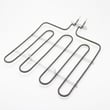
- If baking becomes inconsistent, inspect the bake element for damage and replace if needed (for this model, see the bake element W10779716).
Why it matters
Knowing the expected lifespan helps you decide whether to repair (often cost-effective for elements, switches, and hinges) or plan for replacement if multiple major systems are failing.
Last updated: March 2026