 Installation guide
 Owner’s manual
 Error Codes






How do I reset my Kenmore Elite electric oven?
For the Kenmore electric range model 79042502310, the most reliable “reset” is a power reset: turn the range off at the breaker for 1 minute, then restore power and set the clock. This clears many control glitches without changing your cooking settings.
Quick reset options (start here)
- Power reset (recommended): Switch the range circuit breaker OFF for 60 seconds, then ON.
- Cancel an active cycle: Press STOP to cancel Bake, Broil, Cook Time, or Delay Start.
- Unlock the controls (if “Loc” shows): Press and hold STOP for 3 seconds to toggle Oven Lock.
- After a self-clean stop: Press STOP, then wait for the DOOR LOCKED light to turn off before opening.
If the display shows “Loc” (Oven Lock is on)
Oven Lock can look like the oven is “stuck,” but it is just disabling the keys.
| What you see | What it means | What to do |
|---|---|---|
Loc in the display |
Oven Lock is active | Press and hold STOP for 3 seconds |
| DOOR LOCKED light flashing | Latch motor is moving | Wait about 15 seconds; do not pull the door |
For the exact lock/unlock steps and timing, follow the 79042502310 owner's manual.
When a “factory reset” is not needed
Many issues that feel like a reset problem are actually a heating or sensing problem. If the oven temperature is inaccurate or the oven will not regulate heat, check the oven temperature sensor circuit and connections; the sensor itself is a common failure item on electric ranges.
- If the oven overheats or underheats consistently, inspect/replace the range oven temperature sensor 5304504897.
- If the oven will not start and no keys respond, confirm the breaker is on and the control is not locked.
- If an error code appears, use the Kenmore 790 self-cleaning range error codes guide to match the code to the likely cause.
Why it matters
A breaker reset clears temporary electronic control faults, while STOP and Oven Lock address normal control states. Using the right “reset” prevents unnecessary part replacement and helps you pinpoint whether the issue is the control, a lock condition, or a sensor/heating problem.
Last updated: February 2026
What is the F1 code on a Kenmore oven?
On the Kenmore 79042502310 electric range, an F1 error code points to a problem in the oven’s electronic control system, most often the oven control board or a stuck key/short in the control panel circuit. A failing oven temperature sensor or damaged wiring can also trigger F1.
What to do first (safe, quick checks)
- Press STOP/CANCEL to clear the code and see if it returns.
- Turn power off at the breaker for 1 minute, then restore power.
- If the range was moved in from a cold area, let it sit at room temperature before powering it back on (cold power-up can damage controls per the installation guide).
- If F1 returns immediately, avoid using the oven until the cause is corrected.
Most common causes and likely fixes
| Likely cause | What you’ll notice | Typical fix |
|---|---|---|
| Electronic control board fault | F1 appears randomly or right after power-up | Replace the control board (often the long-term fix) |
| Keypad/control panel short or stuck key | Beeping, unresponsive buttons, F1 after pressing keys | Inspect/replace the control panel or overlay |
| Temperature sensor circuit issue | Temperature swings, preheat problems, F1 during baking | Test/replace sensor or repair wiring |
| Wiring/connector problem | Intermittent F1, especially after moving range | Reseat connectors, repair harness damage |
Parts we commonly check for F1 symptoms
- Range oven temperature sensor 5304504897 (sensor that reports oven temperature to the control)
- Range oven control board 5304515641 (main electronic control that runs bake/broil)
- Range control panel 318296602 or range oven control overlay 139091301 (user interface components that can short or stick)
Why it matters
F1 is an electronic control fault; if the control is misreading inputs (keypad) or temperature feedback (sensor), the oven can heat incorrectly or shut down unexpectedly. Correcting the root cause restores reliable bake and broil performance.
For model-specific operating details and control features, use the 79042502310 owner’s manual.
Last updated: February 2026
What is the delay start feature on a Kenmore oven?
On the Kenmore 79042502310 electric range, Delay Start lets us program the oven to begin Bake or Self Clean later, based on the time of day. It is designed for timed convenience, not for holding perishable food at unsafe temperatures (see the 79042502310 owner's manual).
What Delay Start does (and does not do)
- Starts Bake at a later time you choose, then can shut off automatically when paired with Cook Time.
- Starts Self Clean at a later time you choose.
- Uses the clock time as the reference, so the clock must be set correctly.
- Does not work with Broil on this model.
- Has a maximum Delay Start setting of 11 hours 59 minutes.
Quick setup overview
- Set the clock first (time of day must be correct).
- Choose the cooking mode:
- Press Bake (set temperature), or
- Press Self Clean (choose 2, 3, or 4 hours).
- Press Delay Start.
- Use the Up/Down arrows to select the start time.
- If baking, set Cook Time if you want the oven to stop automatically.
Safety and food guidance (why it matters)
Delay Start can create a food-safety risk if food sits warm for too long before or after cooking. We only recommend using Delay Start for items that are safe to sit out briefly (or for an empty oven during Self Clean).
| Use case | Good fit for Delay Start? | Why |
|---|---|---|
| Self Clean | Yes | Oven is empty; no food involved |
| Baking cookies/bread | Usually | Low spoilage risk |
| Meat, poultry, fish, eggs, dairy casseroles | No | Higher risk if held too long |
Related help
If your display shows an error while setting timed cooking, use the Kenmore 790 self-cleaning range error codes reference to match the code to the most likely cause.
Last updated: February 2026
What was the size of the Kenmore 79042502310 oven?
The Kenmore 79042502310 is a standard 30-inch class electric range; the installation requirements call for 30 inches (76.2 cm) between base cabinets. For the exact oven capacity (cubic feet) and any model-specific dimensions, we use the specs listed in the 79042502310 owner's manual.
What “size” can mean (and what we can confirm)
When customers ask for oven “size,” it usually refers to one of these:
- Range width (fit in the opening): typically 30 inches
- Cabinet opening requirement: 30 inches between base cabinets (confirmed)
- Oven capacity: measured in cubic feet (varies by model/series)
- Overall dimensions: height, depth, and width (vary with leveling legs and handle style)
Installation fit: key measurement we have for 79042502310
The installation instructions for this Kenmore range specify the cabinet spacing needed for proper fit.
| Measurement | What it’s used for | Value |
|---|---|---|
| Base cabinet spacing | Opening width for the range | 30 in (76.2 cm) |
| Hood projection (if cabinets above) | Helps reduce reach hazard | 5 in (12.7 cm) minimum |
How to get the exact oven capacity and exterior dimensions
Use the model-specific spec section in the manual, then compare it to your space (including countertop overhang and electrical connection clearance).
- Check the “Product specifications” or “Before setting oven controls” sections
- Measure your cutout and verify clearance at the back for the power cord/conduit
- Confirm whether your countertop style needs extra clearance at the front edge
- If you are planning a replacement, match width, depth, and door swing
For step-by-step fit and electrical placement guidance, we follow the 79042502310 installation guide.
Why it matters
Getting the correct size prevents countertop gaps, door clearance problems, and electrical hookup issues. It also helps you avoid buying a range that will not sit level or align with surrounding cabinets.
Last updated: February 2026
Why is my Kenmore Elite stove not working?
If your Kenmore electric range model 79042502310 is not working, the most common causes are a power supply problem, the clock not being set (which can prevent oven operation), or a control or heating circuit issue. Start with the basic power and control checks in the 79042502310 owner's manual.
Quick checks we recommend first
- Confirm the range power cord is fully plugged into the outlet.
- Check the home circuit breaker or fuses for a tripped breaker or blown fuse.
- If there was a power outage, turn all controls off; when power returns, reset the clock.
- Set the time of day; on this model, the oven may not operate until the clock is set.
- Verify you are using the correct knob for the surface element you want to heat.
- Make sure the oven controls are set for the cooking mode you want (Bake, Broil, etc.).
What “not working” usually means (and what to check)
| Symptom | Most likely cause | Best next step |
|---|---|---|
| Entire range is dead (no display, no heat) | No power to the range | Check outlet, breaker/fuses, cord connection |
| Cooktop works but oven will not heat | Clock not set or oven controls not set correctly | Set clock, reselect Bake/Broil settings |
| One surface element will not heat | Wrong knob selected, failed element, or failed switch | Try another element; inspect element and switch |
| Oven heats incorrectly or acts erratic | Temperature sensing/control issue | Test/replace sensor if needed |
Parts that commonly fix “won’t heat” problems
If basic settings and power are correct, these model-matched parts are common fixes:
- Range oven temperature sensor 5304504897 (helps the control regulate oven temperature)
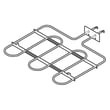
- Range broil element 5304521498 (if broil does not heat)
- Range coil surface element, 6-in 318372211 (if a small burner will not heat)
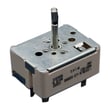
- Range surface element control switch 318293830 or range surface element control switch 318293831 (if a burner stays off or heats unpredictably)
Why it matters
A range that is completely dead points to a power supply issue, while an oven-only failure on model 79042502310 is often a control setup issue (especially the clock) or a failed heating/sensing component. Checking the simple items first prevents unnecessary parts replacement.
Last updated: February 2026
Why is my Kenmore electric range not heating up?
If your Kenmore electric range model 79042502310 is not heating, the most common causes are a failed oven heating circuit (bake or broil), a bad temperature-sensing input, or a control problem. Start with safe power checks, then test the heating components for continuity.
Quick checks first (no tools)
- Confirm the range is getting full power; an electric oven typically needs 240 VAC to heat properly.
- Make sure you are using Bake (not Delay Start or a timed feature that is not running).
- If the cooktop works but the oven does not, the issue is often in the oven heating circuit (elements, sensor, control, wiring).
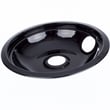
- If the cooktop is coil-style, keep drip bowls installed; missing pans can expose wiring to heat and damage (see the 79042502310 owner's manual).
What usually fails when the oven will not heat
- Broil element or bake element: visible blisters, cracks, or a section that does not glow.
- Oven temperature sensor: can misread temperature and prevent normal heating; consider testing or replacing the range oven temperature sensor 5304504897.
- Control board or relay: may not send power to the elements.
- Wiring/terminal connections: loose or overheated connections can interrupt power.
Basic diagnostic path (safe and effective)
- Shut off power at the breaker before opening panels.
- Inspect element(s) for damage.
- Check the sensor connection and harness for heat damage.
- Use a multimeter to check continuity on suspect parts (elements and sensor).
Common symptoms and likely causes
| Symptom | Most likely cause | What we check next |
|---|---|---|
| Oven will not heat on Bake or Broil | No 240 VAC supply, control not sending power | Breaker, terminal block, control output |
| Broil works, Bake does not | Failed bake circuit | Bake element, wiring, control relay |
| Heats but temperature is wrong | Sensor out of range | Sensor resistance, sensor harness |
| Heats briefly then stops | Overheat protection or control issue | Cooling airflow, safety thermostat, control |
Why it matters
An electric oven that is not heating is usually a power-delivery or feedback problem. Checking supply voltage, then verifying the sensor and heating circuit, prevents unnecessary part replacement and gets your Kenmore range back to baking safely.
Last updated: February 2026




