 Installation guide
 Owner’s manual







What is the most common problem with a GE dishwasher?
On the GE PDT715SYN2FS dishwasher, the most common service issues we see are drain-related problems (water left in the tub from a clog or restricted drain path), followed closely by won’t start complaints (door not fully latched, control lock, or an electrical/control issue) and leaks from seals or loose connections. See the PDT715SYN2FS owner’s manual for model-specific troubleshooting steps.
Most common symptoms and what they usually mean
- Water standing in the bottom: clogged filters, air gap/disposer restriction, kinked drain hose, or a weak drain pump
- Dishwasher won’t run: door not latched, control lock enabled, power issue, or control fault
- Poor cleaning: clogged filters, low inlet water temperature, blocked spray arms, or loading issues
- Leaks: door gasket wear, loose hose clamps, or installation alignment problems
- No fill or slow fill: water supply valve off, low water pressure, or inlet valve problem
Quick checks we recommend first (fast, no parts)
- Cancel and drain the cycle (press and hold Start for 3 seconds on many GE models), then restart.
- Clean the filters and re-seat them correctly.
- Confirm hot water is at least 120°F at the sink before starting a cycle.
- Check the air gap (if you have one) and make sure the disposer inlet plug was removed.
- Verify the drain hose is routed correctly (high loop/air gap) per the PDT715SYN2FS installation instructions.
When a part is the likely fix
If basic cleaning and installation checks do not help, these model-compatible parts are common culprits:
| Problem area | What fails | Model-compatible example part |
|---|---|---|
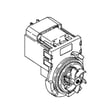
| Not draining | Drain pump weak/jammed | Dishwasher drain pump WD19X25461 |
| Won’t start | Door latch not sensing closed | GE dishwasher door latch lock WD21X10490 |
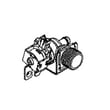
| No fill/underfill | Water inlet valve not opening | Dishwasher water inlet valve WD15X26078 |
Why it matters
Drain restrictions and low water temperature can trigger poor cleaning, odors, and repeat error conditions. Catching the root cause early helps prevent pump strain, leaks, and cycle interruptions.
Last updated: January 2026
Can a clogged drain cause an FTD error?
Yes. On the GE PDT715SYN2FS dishwasher, an FTD error can happen when the unit can’t drain the tub properly, so it detects leftover water when it expects the tub to be empty before (or during) a fill. A clog in the drain path is a common cause.
What to check first (fast, no parts)
- Cancel the cycle and let the dishwasher drain; if it won’t drain, the drain path is restricted.
- Check the sink/disposer drain; if the sink drains slowly, the dishwasher often can’t drain either.
- If you have an air gap, clean it (a clogged air gap can block draining).
- Inspect the filters in the bottom of the tub and clean out food debris.
- Look for a kinked or crushed drain hose under the sink or behind the dishwasher.
For model-specific operating and cleaning steps, follow the Care and Cleaning and Troubleshooting guidance in the PDT715SYN2FS owner’s manual.
Parts that commonly relate to an FTD (drain) problem
If the drain path is clear but the dishwasher still won’t drain, the issue often shifts from “clog” to “failed drain component.” These are common suspects for this model:
- Drain pump
- Drain hose/high-loop hose
- Sump check valve
If you determine the pump isn’t running or is noisy and not moving water, the dishwasher drain pump WD19X25461 is the correct replacement part listing for this model.
Quick comparison: clog vs. failed drain pump
| What you notice | More likely cause | What we recommend |
|---|---|---|
| Water drains sometimes, slow drain, debris found in filters | Clog/restriction | Clean filters, air gap, disposer inlet, and check hose routing |
| Pump hums/grinds but water stays in tub | Pump issue or obstruction at pump | Inspect pump inlet area; replace pump if damaged |
| No drain sound at all during cancel/drain | Electrical/control or pump failure | Check wiring/diagnostics; test/replace pump as needed |
Why it matters
FTD is often triggered because the dishwasher needs an empty tub to measure fill level correctly. When water remains due to a clog or a weak drain pump, the control can stop the cycle to prevent improper filling and poor wash performance.
Last updated: January 2026
How to do a hard reset on a GE dishwasher?
To hard reset a GE dishwasher model PDT715SYN2FS, we recommend canceling the current cycle first (press and hold Start for 3 seconds), then restoring normal operation by restarting a cycle. If the controls are still glitchy, power-cycling the dishwasher at the breaker for a few minutes will fully reboot the control.
Reset methods for PDT715SYN2FS
1) Cancel and drain (fastest “reset”)
This clears the current cycle and forces the dishwasher to drain.
- Open the door and press Start.
- Press and hold Start for 3 seconds.
- Close the door; the dishwasher should drain and the cycle light should turn off.
- After draining, select a new cycle and press Start, then close the door within a few seconds.
(These steps match the operating sequence in the PDT715SYN2FS owner’s manual.)
2) Power reset (hard reset)
Use this when the control panel is frozen, lights are stuck, or the dishwasher will not respond.
- Turn the dishwasher OFF at the circuit breaker (or wall switch if your installation uses one).
- Wait 2 to 5 minutes.
- Turn power back ON.
- Wait about 5 to 10 seconds before pressing Start so the control can initialize.
Quick checks if it “won’t reset”
These are the most common reasons a reset seems to fail on PDT715SYN2FS:
- Door not fully latched (cycle will not start until the door is closed properly).
- Control lock is enabled (unlock before trying to start a cycle).
- Delay start is selected (cycle will not begin immediately).
- Dishwasher is beeping because the door is open during operation.
- A drain issue is preventing the unit from completing cancel/drain.
When a reset points to a parts issue
If the dishwasher repeatedly loses power, will not respond, or cancels unexpectedly after resets, a component in the power or control circuit may be involved.
| Symptom after reset | Common area to inspect | Example compatible part |
|---|---|---|
| No response, dead panel | Control power protection | Dishwasher control board fuse WD21X25696 |
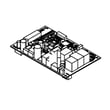
| Starts then stops, erratic behavior | Main control | Configured machine control board WD21X27998 |
| Beeps, won’t start unless door is pushed | Door latch | GE dishwasher door latch lock WD21X10490 |
Why it matters
A proper reset clears a stuck cycle and reinitializes the electronic control so the dishwasher can fill, wash, drain, and dry normally. If resets only help temporarily, that pattern helps narrow troubleshooting to the control, latch, or power circuit.
Last updated: January 2026





