Owner’s manual
 Error Codes



What size is a Kenmore Elite washer?
For the Kenmore Elite washer model 79641983410, the cabinet size is 29 in. wide x 32 in. deep x 40 3/4 in. high. With the door open, total depth is 58 1/16 in.; confirm your space and clearance details in the 79641983410 owner's manual.
Here are the key measurements we use when planning an install for this Kenmore Elite front-load washer:
- Washer dimensions (cabinet): 29 in. (W) x 32 in. (D) x 40 3/4 in. (H)
- Depth with door open: 58 1/16 in.
- Rear clearance (minimum): 4 in.
- Side clearance (minimum): 1 in. each side
- Front clearance to open door (minimum): 26 1/16 in.
| Measurement | Size |
|---|---|
| Width | 29 in. |
| Depth (door closed) | 32 in. |
| Height | 40 3/4 in. |
| Depth (door open) | 58 1/16 in. |
| Minimum clearance (sides / rear) | 1 in. / 4 in. |
Correct sizing is more than “will it fit.” The right clearances help prevent hose kinks, improve airflow, and reduce vibration and noise, especially with a high-speed spin cycle. If the washer is squeezed too tightly, you can also make future service (like replacing a drain pump) much harder.
- Measure the tightest point of the path (doorways, hallways, laundry closet opening), not just the final spot.
- Plan for the door swing and the 26 1/16 in. front clearance.
- Leave room behind the washer so the water inlet hoses and drain hose are not crushed.
- Install on a solid, rigid floor to minimize vibration.
- If you’re stacking or placing under cabinetry, verify overhead space and ventilation in the 79641983410 owner's manual.
Last updated: February 2026
What is the average lifespan of a Kenmore washer?
A Kenmore washer typically lasts 10 to 15 years with normal household use. For the Kenmore Elite 79641983410 front-load washer, regular cleaning, correct HE detergent use, and quick attention to leaks or draining issues are the biggest factors in reaching the high end of that range (see the 79641983410 owner's manual).
- Load size and frequency: daily heavy loads shorten life faster than moderate use.
- Detergent choice: use HE (high-efficiency) detergent to reduce oversudsing and stress on the drain system.
- Water quality: hard water can increase scale and residue buildup.
- Drain performance: slow draining strains the pump and can leave standing water.
- Vibration and balance: chronic out-of-balance spinning wears shocks, bearings, and the tub system.
- Loud rumbling during spin (often points to tub bearing wear)
- Frequent draining problems or repeated pump clogs
- Door won’t lock reliably or cycles stop mid-cycle
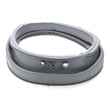
- Persistent leaks around the door boot area
- Multiple error codes that return after basic fixes
- Run a monthly tub-clean cycle (or the hottest cycle recommended in the manual)
- Wipe the door boot dry after laundry and leave the door cracked open
- Check pockets to reduce coins, pins, and debris entering the drain path
- Keep the washer level to reduce vibration and suspension wear
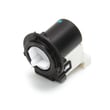
- If draining slows, inspect the drain filter and pump area; replace worn components such as the drain pump motor (4681EA2001T) - washer part by lg electronics 4681EA2001T
| Usage pattern | Typical lifespan | What usually fails first |
|---|---|---|
| Light (few loads/week) | 12 to 15 years | Door boot leaks, inlet valve issues |
| Average (most households) | 10 to 13 years | Drain pump, shocks, door lock |
| Heavy (daily, large loads) | 7 to 10 years | Bearings, suspension, control issues |
Planning around a 10 to 15 year lifespan helps you decide when a repair is worth it. If a single part like a drain pump or inlet valve is failing, repair often restores reliable operation; repeated major failures (bearing, tub, multiple electronics) usually signal it’s time to replace.
Last updated: February 2026
What model is my Kenmore Elite washer?
Your Kenmore Elite washer’s model number is printed on a rating label on the cabinet; on model 79641983410, the manual identifies the model family as 796.4198* (the * is the color code). Use the label to match the full model number exactly when ordering parts or looking up error codes in the 79641983410 owner's manual.
Check these common label locations on Kenmore Elite front-load washers:
- Behind the door, on the door opening (door jamb)
- Along the inner edge of the front panel near the door opening
- On the side of the main cabinet near the bottom (visible when you pull the washer forward)
- Occasionally on the back of the control panel area
On this washer series, you may see the model written like 796.4198* in documentation. The * represents the color/finish code, so your full model will look like 79641983410 (no dot) plus the exact ending digits/letters shown on the label.
| What you see | What it means | What to use for parts |
|---|---|---|
| 796.4198* | Model family/series | Use the full label number |
| 79641983410 | Full model number | Use this exact number |
Using the exact model number helps us match the correct Kenmore (LG-built) parts, wiring, and troubleshooting info. Even small model-number differences can change the correct door lock, drain pump, or water inlet valve.
- Write down the full model number exactly as shown on the label
- If you’re ordering a common repair part, match it to your symptom first
- For draining issues, a frequent replacement is the drain pump motor (4681EA2001T) - washer part by lg electronics 4681EA2001T
Last updated: February 2026
When was Kenmore Elite made?
Kenmore Elite is a long-running premium Kenmore line, and your Kenmore Elite washer model 796.4198* (model 79641983410) was produced as part of the 796-series front-load platform rather than being tied to one single “made in” year. For the most accurate identification details for your exact unit, use the model and serial information in the 79641983410 owner's manual.
We date a specific Kenmore Elite washer by its serial number, not the “Kenmore Elite” name. On model 79641983410, the serial tag is typically found around the door opening or on the cabinet frame.
- Find the model and serial label on the washer
- Write down the full serial number exactly as shown
- Use the serial format guidance in the manual to interpret the manufacture date
- If the label is damaged, check for a second label on the cabinet side or rear
- Keep the serial number handy when ordering parts like a drain pump or door lock
“Kenmore Elite” identifies a higher-feature Kenmore product tier (often with larger capacity, more cycle options, and upgraded controls). It does not point to a single launch year for all Kenmore Elite washers.
| Item | What it tells you | Best place to confirm |
|---|---|---|
| Model number (79641983410) | Series and configuration | 79641983410 owner's manual |
| Serial number | Manufacture date code | Serial label + manual |
| Parts list | What fits your washer | Sears PartsDirect model parts list |
Knowing the manufacture date helps us match the correct version of parts and instructions, especially for common repairs like draining problems (pump and filter), door locking issues, and water fill concerns.
If you are troubleshooting symptoms that started recently, these parts are commonly involved on front-load washers:
- Drain pump motor (4681EA2001T) - washer part by lg electronics 4681EA2001T
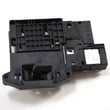
- Lg washer door lock EBF61315802
- Washer drain pump filter 383EER2001A
Last updated: February 2026
How to hard reset a Kenmore Elite washer?
To hard reset your Kenmore Elite washer model 79641983410, we recommend doing a power reset first: turn the washer off, unplug it (or switch the breaker off) for a few minutes, then restore power and try a cycle again. For model-specific control behavior, use the 79641983410 owner's manual.
- Press POWER to turn the washer off.
- Unplug the washer (or turn the dedicated breaker OFF).
- Wait 3 to 5 minutes to let the control fully discharge.
- Restore power.
- Press POWER, select a Rinse/Spin or Drain/Spin cycle, and press Start/Pause.
These checks fix most “won’t start,” “stuck,” or “glitchy display” complaints after a reset:
- Make sure the door fully closes and latches; a failed lock can stop operation.
- Confirm the washer is not in a paused state; press Start/Pause once.
- If the tub is full of water, drain it before retrying a cycle.
- If you hear humming but it will not drain, check the pump filter area for blockage.
| Symptom after reset | Most common cause | What to check next |
|---|---|---|
| Won’t lock or start | Door lock issue | Inspect/replace lg washer door lock EBF61315802 |
| Won’t drain, water left in tub | Clogged filter or weak pump | Clean filter; consider drain pump motor (4681EA2001T) - washer part by lg electronics 4681EA2001T |
| Fills slowly or not at all | Water supply/valve issue | Verify hoses; consider inlet valve testing |
A proper hard reset clears temporary control errors and restores normal cycle logic. If the same symptom returns immediately, the washer is usually reacting to a real condition (door not locking, drain restriction, or a failing pump or control component).
Last updated: February 2026
How to force a Kenmore Elite washer to drain?
To force-drain a Kenmore Elite washer model 79641983410, use the built-in Drain & Spin function: press POWER, press SPIN SPEED (choose NO SPIN for drain-only), then press START/PAUSE. If the tub is too full to unlock, this drains the water safely; follow the steps in the 79641983410 owner's manual.
- Drain-only (no spin): POWER, SPIN SPEED to NO SPIN, START/PAUSE.
- Drain and spin: POWER, SPIN SPEED to a higher setting, START/PAUSE.
- If the door will not unlock: keep the door closed; draining is required before it can unlock.
- If draining is slow or stops: clean the drain pump filter (see below).
A clogged filter can prevent proper draining. Use the front lower access panel to drain water and clear debris.
- Unplug the washer.
- Open the lower drain pump filter access panel.
- Pull out the small drain hose, place it in a shallow pan, and remove the plug to drain.
- Remove the pump filter, clear lint and objects, reinstall, and close the panel.
If the washer still will not drain after cleaning, the drain pump motor is a common replacement part for this model, such as the drain pump motor (4681EA2001T) - washer part by lg electronics 4681EA2001T.
| What you see | What to do | Likely cause |
|---|---|---|
| Door locked, water level high | Run Drain-only (NO SPIN) | Normal safety lock condition |
| Hums but drains slowly | Clean drain pump filter | Filter or hose restriction |
| No pump sound, no draining | Check power, then inspect pump/filter | Pump issue or blockage |
Forcing the door open with water in the tub can damage the door and lock system. Using Drain & Spin protects the door lock and helps prevent leaks and overflow.
Last updated: February 2026
Where is the filter located on a Kenmore Elite washing machine?
On the Kenmore Elite washer model 79641983410, the “filter” most owners mean is the water inlet screen filter, and it’s located inside the hot and cold water inlet valves at the back of the washer, right where the fill hoses screw on. Cleaning these screens helps prevent slow fill and fill-related errors.
For model 79641983410, the manual describes inlet filters in the water valves. You access them from the rear of the washer after removing the fill hoses; see the 79641983410 owner's manual.
- Location: back of washer, inside the hot and cold water inlet valve ports
- Access: unscrew the fill hoses, then pull the small screens out carefully
- Cleaning: soak screens in white vinegar or a lime scale remover, rinse, reinstall
- Important: do not run the washer with the inlet filters removed
- Turn OFF both water faucets.
- Unplug the washer.
- Unscrew the hot and cold fill hoses from the back of the washer.
- Carefully remove the small screen filters from the valve ports.
- Clean, rinse, and press the screens back into place.
- Flush a few gallons of water through the hoses into a bucket before reconnecting.
| Symptom | What it usually means | What to check first |
|---|---|---|
| Slow fill | Restricted water flow | Inlet screen filters, hose kinks |
| No fill | Blocked screens or closed faucet | Faucets fully open, screens clear |
| Intermittent fill | Debris shifting in screens | Screens and hose washers |
If cleaning the inlet screens does not restore normal filling, the inlet valve itself can be the next suspect.
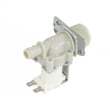
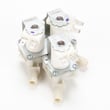
- Lg washer water inlet valve 5220FR2075L
- Lg washer single-solenoid water inlet valve 5220FR2006H
- Check for kinked hoses, weak household water pressure, or clogged hose washers
A restricted inlet screen filter can make cycles take longer, reduce cleaning performance, and trigger fill problems. Keeping the inlet screens clean protects the inlet valve and helps your Kenmore Elite washer run consistently.
Last updated: February 2026