 Error Codes





How to reset Kenmore stove?
To reset your Kenmore electric freestanding range model 9119344190, cut power to the range for about 1 minute, then restore power. This clears many control glitches and can restore normal heating and display operation.
Quick reset steps (power cycle)
- Turn OFF the range circuit breaker (or unplug the cord if accessible).
- Wait 60 seconds.
- Turn the breaker ON (or plug back in).
- Set the clock if it flashes or shows a default time.
- Test Bake at 350°F for 10 to 15 minutes.
If the oven still will not heat after a reset
A reset fixes control lockups, but it will not fix a failed heating part or a power supply problem.
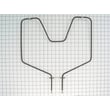
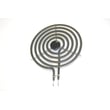
- If broil works but bake does not, the bake element is a common cause; see g.e. range bake element WB44K5012.
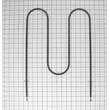
- If bake works but broil does not, inspect the broil element and its supports for damage.
- If the display is dead or the range is intermittent, check the power cord connection area; a burned connection at the terminal block can stop the range from getting full power.
- If the oven light is out, replacing the bulb is separate from resetting; see 40a15bulb 40A15.
Safety and power checks (important)
- Turn off the breaker before removing any panels.
- Electric ranges typically need 240 volts to heat properly; a tripped breaker or a lost leg of power can leave lights working but prevent heating.
- If you see scorching, melted wiring, or a hot electrical smell, stop and have the wiring repaired before using the range.
What the reset does (and does not do)
| Action | What it helps | What it will not fix |
|---|---|---|
| 60-second power reset | Frozen display, stuck keypad, minor control glitches | Burned-out element, broken wire, failed switch |
| Heating test after reset | Confirms the oven can reach temperature | Does not diagnose which part failed |
Why it matters
Resetting first saves time because it rules out a simple control glitch before you replace parts like a bake element, surface element switch, or wiring components.
For replacement parts for model 9119344190, use the parts list for this model or search by model number on Sears PartsDirect.
Last updated: February 2026
How do I know what model my Kenmore oven is?
Your Kenmore oven’s model number is printed on the appliance’s rating label. On Kenmore electric freestanding ranges like model 9119344190, the label is typically in the oven door jamb, behind the storage drawer, or on the back panel near the vent.
Where to look on a Kenmore range
Check these common spots in this order:
- Open the oven door and look along the frame (door jamb) on the left or right side
- Pull out the bottom storage drawer and look on the frame behind it
- Look on the back of the range near the upper vent area
- If there’s a lower kick panel, look behind it (some installations)
What the model label looks like
Most labels include a few key fields. Use the model number for parts lookup.
| Label field | What it means | Use it for parts? |
|---|---|---|
| Model | The exact model identifier (example: 9119344190) | Yes |
| Serial | Unique unit ID | No |
| Electrical rating | Voltage/amps info | No |
Why it matters
The exact model number ensures you get parts that fit your specific Kenmore range, especially for components that vary by revision, such as a bake element, surface element control switch, or oven door hinge.
Next step after you find it
Once you confirm the model number, use the parts list for your range to match the correct replacement. If you need to search beyond what’s shown, we also support model lookups on Sears PartsDirect.
Last updated: February 2026
How big is the Kenmore 9119344190?
The Kenmore 9119344190 is a 30-inch class electric freestanding range. Most ranges in this class measure about 30 inches wide, roughly 25 to 28 inches deep (not counting the door handle), and about 36 inches tall to the cooktop; use these as planning dimensions for fit.
Typical dimensions you can plan around
Because we do not have model-specific dimension documentation for Kenmore 9119344190 here, these common freestanding-range measurements help you estimate space needs:
- Width: ~30 in
- Height to cooktop: ~36 in (adjustable leveling legs can change this slightly)
- Depth (cabinet): ~25 to 28 in
- Depth with door handle: often ~27 to 30+ in
- Recommended clearance: leave a little extra behind and at the sides for cord routing and airflow
How to measure your range (quick checklist)
Use a tape measure and record three numbers so you can compare to your cabinet opening:
- Measure width at the widest point (usually the cooktop edge)
- Measure height from floor to cooktop; check with leveling legs set as installed
- Measure depth from the back panel to the front (then measure again to the end of the handle)
- If you are sliding it out, shut off power first and avoid pulling on the oven door
Why it matters
Correct sizing prevents installation headaches like a range that will not slide in, a pinched power cord, or a door that cannot open fully. If you are troubleshooting heat issues while you have the unit pulled out, common service parts for this model include the g.e. range bake element WB44K5012 and the terminal block assembly 330031.
Common size reference table
| What you are checking | What to use for planning |
|---|---|
| Cabinet opening width | 30 in class |
| Counter height match | ~36 in to cooktop |
| Front clearance | Depth with handle |
| Rear clearance | Space for cord and anti-tip bracket |
You can order replacement parts for Kenmore 9119344190 from the parts list for this model, or search by model number on Sears PartsDirect.
Last updated: February 2026
How to remove Kenmore oven handle?
On the Kenmore 9119344190 electric freestanding range, the oven door handle typically comes off from the inside of the door. Open the oven door, support the outer door glass, then remove the two handle mounting screws and lift the handle away.
Before you start (safety and prep)
- Turn the range off and let the oven cool completely.
- Open the door fully so it cannot swing while you work.
- Place a towel on the door to protect the finish and glass.
- Use the correct screwdriver so you do not strip the screw heads.
- Keep a hand on the handle as you remove the last screw so it does not drop.
Step-by-step: removing the handle
- Open the oven door.
- From the inside edge of the door, locate the two screws that secure the handle posts.
- Hold the handle with one hand; remove the screws.
- Pull the handle straight off the door.
- If the handle feels stuck, wiggle gently; do not pry against the glass.
If the screws spin, strip, or will not come out
- Press inward on the screwdriver while turning to keep it engaged.
- Try a different bit size (Phillips heads vary slightly).
- If the screw head is damaged, use a rubber band between the bit and screw for extra grip.
- If the handle is loose because the mounting area is worn, inspect the door hinge alignment; a sagging door can stress the handle mounts.
Common parts you may need while servicing the door
| Symptom | What to check | Example part on this model page |
|---|---|---|
| Door feels heavy, drops, or does not close evenly | Door hinges | Hinge WB14X104, hinge WB14X103 |
| Heat leaks around the door | Door gasket condition and seating | Oven door gasket WB2K5319 |
Why it matters
A secure handle helps you open and close the door without twisting the door frame. That reduces stress on hinges, helps the gasket seal evenly, and supports consistent baking temperatures.
If you need replacement parts for the door or hinges, order from the parts list for model 9119344190, or search by model number on Sears PartsDirect.
Last updated: February 2026
What causes a Kenmore oven to stop working?
On a Kenmore electric freestanding range model 9119344190, an oven that stops working is usually caused by a failed heating circuit (bake or broil element), a power supply problem (tripped breaker or burned connection), or a control issue such as a bad switch or wiring fault.
Most common causes (and what to check first)
- House power issue: a range can have lights but no heat if one leg of 240V power is missing.
- Failed bake element: the oven will not heat in Bake, or heats very slowly.
- Failed broil element: Broil will not heat; some models also use broil to help preheat.
- Burned power connection: a loose or overheated terminal block can interrupt power to the oven.
- Control or wiring problem: a damaged wire, connector, or control switch can stop heating.
Quick troubleshooting steps (safe checks)
- Reset power: turn the range breaker OFF, then ON.
- Confirm full power: if the cooktop and oven both act weak or dead, suspect a supply issue.
- Look for visible damage (with power OFF): blistering, breaks, or holes on elements; scorched wiring.
- Test components with a meter: check continuity on elements and inspect wiring connections.
- Replace the failed part if testing or visible damage points to it.
Parts that commonly fix “oven stopped working” on this model
| Symptom | Likely part | What it affects |
|---|---|---|
| No heat on Bake | G.e. range bake element WB44K5012 | Bake heating circuit |
| No heat on Broil | Broilunt 240 WB44X232 | Broil heating circuit |
| Intermittent power, burning smell at cord area | Terminal block assembly 330031 | Main power connection |
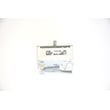
| Surface burner not regulating heat | Range surface element control switch WB23K5027 | Cooktop element control |
Why it matters
When an electric oven “stops working,” the cause is often electrical. Catching a failed element or overheated connection early helps prevent repeated breaker trips, poor baking performance, and damage to wiring.
Getting the right replacement part
Order replacement parts for Kenmore 9119344190 from the parts list for this model, or search by model number on Sears PartsDirect.
Last updated: February 2026




