


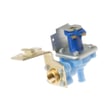
How to do a hard reset on a GE dishwasher?
To hard reset your GE GSD500G-01AW dishwasher, we recommend power-cycling it: turn the dishwasher circuit breaker OFF (or unplug it) for 3 to 5 minutes, then restore power. This clears many control glitches and can stop a stuck cycle or clear a temporary error.
Hard reset steps (power cycle)
- Turn the dishwasher OFF.
- Switch the dishwasher breaker OFF (or unplug the power cord if accessible).
- Wait 3 to 5 minutes.
- Restore power.
- Start a short cycle and listen for normal fill and wash sounds.
Quick reset option (control-panel reset)
Many GE dishwashers also respond to a control reset that cancels the current cycle.
- Press and hold Start/Reset (or Cancel/Drain) for about 3 to 5 seconds.
- Close the door fully (if your model requires it) and allow the unit to drain.
- When the drain stops, select a new cycle and press Start.
If the reset does not fix it
A reset helps when the control is confused, but it will not correct a failed part or a drain blockage. These checks usually pinpoint the real cause:
- Confirm the door latches firmly (a loose latch can prevent starting).
- Check for standing water and a clogged drain path.
- If you hear humming but no wash action, the wash pump or motor circuit may be the issue.
- If it will not drain, the drain solenoid or related linkage can be involved.
- If it fills but water stays cold and drying is poor, the heater circuit can be involved.
Common symptoms and likely next step
| What you notice | What it often points to | Example part for this model |
|---|---|---|
| Won’t drain, water left in tub | Drain restriction or drain actuation problem | Solenoid WD21X802 |
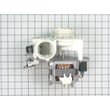
| Poor wash, weak spray, noisy wash motor | Wash pump and motor problem | Asm mech WD26X10013 |
| Not drying, water not heating | Heating circuit problem | 475w heater WD05X26780 |
Why it matters
Resetting restores normal control operation after a power flicker, a paused cycle, or a keypad glitch. If the same problem returns right away, troubleshooting the drain, wash, or heat system prevents repeat shutdowns and protects dishes from poor cleaning.
For code-based troubleshooting on GE units, use our GE dishwasher error codes reference.
Last updated: February 2026
Can a clogged drain cause an FTD error?
Yes. On a GE dishwasher like model GSD500G-01AW, an FTD (fail to drain) error commonly happens when water cannot leave the tub because the drain path is restricted, such as by debris in the sump area, a kinked drain hose, or a blocked disposal or air gap.
What to check first (fast, no-parts steps)
- Cancel the cycle and let the unit attempt to drain; listen for the drain motor running.
- Remove standing water (as needed) so you can inspect the bottom of the tub safely.
- Check the drain hose for kinks, crushing, or a high loop that has slipped down.
- If the hose connects to a garbage disposal, clear the inlet and confirm the disposal knockout plug was removed.
- If you have an air gap, remove the cap and clear any buildup.
Common causes and the likely fix
| What’s clogged or failed | What you’ll notice | Typical fix |
|---|---|---|
| Drain hose or disposal connection | Slow drain or no drain, gurgling | Clear blockage, correct routing |
| Drain solenoid (if equipped) | Motor runs but little or no drain | Inspect linkage; replace solenoid if stuck |
| Pump area obstruction or worn pump parts | Hums, intermittent draining | Clear debris; service pump/motor |
| Overfill protection (float stuck up) | Odd fill/drain behavior | Free the float and clean around it |
Parts that can be involved on this model
If clearing the hose and connections does not restore draining, these model-matched parts are commonly involved in an FTD situation:
- Drain solenoid WD21X802 (controls the drain mechanism on some GE designs)
- Float WD12X334 (helps prevent overfilling; a stuck float can disrupt normal operation)
- Asm mech WD26X10013 (pump and motor assembly; used when the unit cannot move water effectively)
Why it matters
A restricted drain can leave dirty water in the tub, trigger repeated FTD errors, and strain the pump. Clearing the drain path early often prevents a bigger repair and helps restore normal wash and dry performance.
For code interpretation and related symptoms, use our GE dishwasher error codes reference.
Last updated: February 2026
What is the life expectancy of a GE dishwasher?
A GE dishwasher typically lasts 10 to 15 years. For your GE GSD500G-01AW, lifespan depends most on how often you run it, water quality, and whether you keep the wash system clean and fix small leaks or drain issues early.
Typical lifespan and what changes it
- Light use (a few loads per week): often closer to 12 to 15 years
- Heavy use (daily or multiple loads daily): often closer to 8 to 12 years
- Hard water and heavy soil loads: can shorten life if the tub and pump area are not maintained
- Overloading racks: increases wear on rack wheels and can reduce cleaning performance
- Ignoring early symptoms: small problems (slow drain, weak wash) can turn into pump or heater failures
What usually fails first on older dishwashers
Many “end of life” calls are really one worn system causing poor cleaning, poor draining, or leaks.
| Symptom | Common area involved | Example part for GSD500G-01AW |
|---|---|---|
| Not cleaning well, weak spray | Pump and motor, wash system | Asm mech WD26X10013 |
| Not draining or drains slowly | Drain solenoid, drain path | Solenoid WD21X802 |
| Not drying well | Heater circuit | 475w heater WD05X26780 |
| Rack won’t roll smoothly | Rack rollers | Rack roller WD12X271 |
Maintenance that extends dishwasher life
- Clean the filter area and sump regularly (remove debris, labels, glass)
- Run hot water at the sink before starting a cycle to improve wash temperature
- Use the correct detergent amount; too much can cause buildup, too little can reduce cleaning
- Keep the spray arms clear of seeds, paper, and mineral scale
- Check for small leaks at the door and address them early
Why it matters
A dishwasher that is maintained and repaired early usually avoids secondary damage (motor strain, heater overheating, standing water). That is the difference between a simple part replacement and a major breakdown.
For troubleshooting steps tied to GE dishwashers, we use the GE dishwasher error codes guide to match symptoms to likely causes.
Last updated: February 2026
What is the most common problem with GE dishwashers?
The most common problems we see with GE dishwashers, including model GSD500G-01AW, are not draining and won’t start/no run. These usually trace back to a clogged drain path, a drain mechanism that is not shifting, a door-latch/door-switch signal issue, or the float system stopping the cycle for safety.
Most common symptoms and what they point to
- Won’t drain: drain restriction, drain mechanism not shifting, or sink/disposal connection blockage
- Won’t start: door not fully latched, door switch not closing, or control lock settings
- Poor cleaning: spray arm blockage, low water fill, or weak wash circulation
- Leaks: tub edge debris, overfill from a stuck float, or a worn door gasket
Quick checks we recommend first
- Confirm the door closes firmly and the latch engages.
- Lift and release the float in the tub; it must move freely.
- Check the drain hose for kinks and verify the sink/disposal inlet is clear.
- Remove standing water and clear obvious debris from the sump area.
- Run hot water at the sink for 30 to 60 seconds before starting a cycle.
Parts that commonly relate to these problems
| Symptom | Model-compatible part | What it does |
|---|---|---|
| Not draining | Solenoid WD21X802 | Shifts the drain mechanism so water can pump out |
| Overfilling or won’t fill/run | Float WD12X334 | Signals water level and helps prevent overfill |
| Weak wash action or noisy circulation | Asm mech WD26X10013 | Pump and motor assembly that circulates and drains water |
Why it matters
Drain and start issues are common because they are often caused by everyday conditions like food debris, hose routing, or the door not fully latching. Fixing the simple cause first prevents repeat failures and reduces strain on the pump and motor.
Helpful DIY troubleshooting
- Use GE dishwasher error codes to interpret any code or light pattern.
- For a no-start complaint, follow dishwasher wont start video.
- For drain complaints, use dishwasher not draining video.
Last updated: February 2026





