 Installation guide
 Owner’s manual
 Error Codes






How do I turn off the lock on my Kenmore oven?
To turn off the control lock (oven lockout) on your Kenmore wall oven model 79049533314, press and hold the Oven Lockout key for 3 seconds until “Loc” disappears. The DOOR LOCKED indicator may flash while the door unlocks; allow about 15 seconds.
- Make sure the oven is not running a bake, broil, or self-clean cycle.
- Press and hold the Oven Lockout key for 3 seconds.
- Watch for “Loc” to disappear from the display.
- Wait while DOOR and LOCKED flash as the latch releases.
- Confirm the door opens normally and the oven will start.
If the lock was triggered during Self-Clean, the door can stay locked until the oven cools.
- Press STOP to end Self-Clean (if it is running).
- Wait for the oven to cool; after a clean cycle it can take about 1 hour before the lock releases.
- If DOOR LOCKED stays on after cooling, reset power at the breaker for 1 minute, then try the lockout key again.
The oven lockout is designed to prevent the oven from being turned on; it does not shut off everything.
| Feature | Works while locked? |
|---|---|
| Clock display | Yes |
| Timer | Yes |
| Interior oven light | Yes |
| Bake/Broil/Start | No |
Lockout is a safety and control feature that helps prevent accidental starts and unintended keypad use. If the oven is locked, it can look like the oven is “dead” even though the display and timer still work.
For the exact key location and display messages for your control panel, follow the instructions in the owner's manual.
Last updated: February 2026
How to calibrate a Kenmore wall oven?
To calibrate (adjust) the oven temperature on your Kenmore 79049533314 wall oven, use the Bake key to enter the temperature offset, then save it. This changes how the oven heats so the actual temperature matches what you set.
Use this when baking runs consistently hot or cool.
- Press Bake and hold it for 6 seconds until the display shows UPO 0.
- Enter the amount you want to change using the number keys.
- Example: If the oven is about 20°F too hot, enter 20 to lower it.
- Example: If the oven is about 20°F too cool, enter 20 to raise it.
- Press Start to save the change.
- Press Off/Stop to cancel without saving.
For the exact key names and display prompts for your control panel, follow the steps in the owner's manual.
The temperature offset range is limited.
| Adjustment direction | Maximum change |
|---|---|
| Increase (hotter) | Up to +35°F (19°C) |
| Decrease (cooler) | Up to -35°F (19°C) |
Before changing the offset, confirm the oven is truly off by a consistent amount.
- Preheat at least 20 minutes after the preheat beep for a stable reading.
- Use an oven thermometer placed near the center of the rack (not touching the walls).
- Check at 350°F and average a couple readings.
- If you use convection, remember it can automatically lower the set temperature (convection convert).
- If temperatures swing widely or never stabilize, troubleshoot the sensor and controls.
A correct calibration improves baking results (doneness, rise, browning) and helps recipes match expected cook times. If the oven is still inaccurate after calibration, a failing sensor is a common cause; the cooking appliance oven temperature sensor 5304504897 is the temperature-sensing part used to regulate heat.
Last updated: February 2026
How to replace temperature sensor in Kenmore oven?
To replace the temperature sensor in your Kenmore 79049533314 wall oven, we shut off power, remove the sensor mounting screws inside the oven cavity, disconnect the sensor’s wire connector, then install the new sensor and restore power. Use the steps and diagrams in the 79049533314 owner's manual.
Electric wall ovens use high voltage; we always start by disconnecting power.
- Turn off the circuit breaker(s) for the wall oven (double-pole breaker).
- Confirm the display is off and the oven will not heat.
- Let the oven cool completely.
- Wear cut-resistant gloves; sheet metal edges can be sharp.
- Remove oven racks for access.
- Locate the sensor probe on the rear oven wall (a thin metal rod held by screws).
- Remove the mounting screws and gently pull the sensor a few inches into the cavity.
- Disconnect the wire connector (do not pull on the wires).
- Connect the new sensor, tuck the connector back through the opening, and reinstall screws.
- Restore power and test bake temperature.
If you’re replacing the sensor due to inaccurate temperatures, also check the calibration feature described in the manual (oven temperature offset).
For Kenmore 79049533314, the sensor shown in the parts list is the cooking appliance oven temperature sensor 5304504897.
| Symptom | Most likely fix | What to check next |
|---|---|---|
| Oven heats too hot or too cool | Replace sensor | Calibrate temperature offset in controls |
| Oven won’t heat and shows an error | Sensor or wiring issue | Harness connections, control board |
| Temperature swings widely | Sensor drifting | Door seal and airflow issues |
The temperature sensor tells the control board what the oven temperature is. When it drifts out of range, you can get underbaking, overbaking, long preheat times, or error codes.
For code-related symptoms, we use the Kenmore 790 manual clean wall oven error codes guide to match the displayed code to the most likely cause.
Last updated: February 2026
Why is my Kenmore range display not working?
If the display on your Kenmore 79049533314 wall oven is blank or not responding, the most common cause is a power interruption (tripped breaker, loose connection, or a reset condition). Restore power, then reset the control; if the display stays dead, the electronic control or a related wiring/power part needs attention.
- Confirm the oven has power at the home electrical panel; reset the double breaker fully OFF then ON.
- If the oven was recently installed or moved, recheck the power connection at the junction box.
- If the display is flashing after power returns, set the clock (the manual notes the time flashes after an interruption).
- Make sure the control panel is dry and clean; avoid spraying cleaner directly on the display area.
- If the display is on but the oven seems “locked,” try canceling the control lock (Loc) feature.
These steps address the most common “display not working” complaints that are actually a reset or setting issue.
| Symptom | What it usually means | What to do |
|---|---|---|
| Display is completely blank | No power to oven or failed control/power component | Check breaker and wiring; inspect terminal block and harness connections |
| Display flashes time | Power was interrupted | Set the clock using the steps in the owner's manual |
| Display shows “Loc” or door locked indicators | Control lock is active | Press and hold the lock key for about 3 seconds to unlock |
| Beeps seem missing but display works | Silent mode may be enabled | Toggle silent mode per the owner's manual |
If power is confirmed and the display remains blank or resets randomly, these model-compatible parts are common suspects:
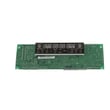
- Wall oven control board 5304507689 (failed control can cause a dead display)
- Terminal block 5304409888 (burned/loose power connection can kill the display)
- Wall oven wire harness 5304506955 (damaged wiring can interrupt power to the control)
A blank display often means the control is not getting stable power. Fixing a loose terminal block connection or replacing a failing control board restores safe, consistent operation and prevents intermittent heating or shutdowns.
Last updated: February 2026





