Installation guide
 Owner’s manual
 Error Codes




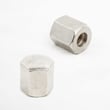
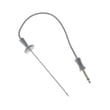
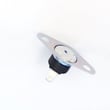
What are the parts of an electric oven?
An electric oven like the GE PT916SM2SS is built around heating elements (bake and broil), temperature sensing and safety controls, airflow parts for cooling and convection, and door and light components. For your exact component layout and features, use the PT916SM2SS owner's manual.
Core parts you will find in most electric wall ovens
- Bake element: primary heat source for baking and roasting
- Broil element: high, top-down heat for broiling and browning
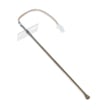
- Oven temperature sensor: tells the control board the actual oven temperature
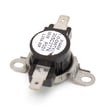
- Safety thermostat: helps prevent overheating
- Cooling blower fan: moves air to protect controls and surrounding cabinetry
- Convection fan system (on convection models): circulates hot air for even baking
- Door system: hinges, gasket, and glass panels to seal in heat
- Oven light system: bulb, lens cover, and lamp holder
Common PT916SM2SS parts customers replace
These are model-matched examples from the PT916SM2SS parts list:
- Bake element WB44T10105
- Range broil element WB44T10106
- Wall oven temperature sensor WB23T10015
- Wall oven safety thermostat WB24T10060
- Oven lamp 40A15
- Oven lamp holder WB08T10002
Quick “what it does” reference
| Part | What it does | Common symptom when it fails |
|---|---|---|
| Bake element | Provides most baking heat | Oven will not heat or heats unevenly |
| Broil element | Provides top heat | No broil, weak browning |
| Temperature sensor | Regulates temperature | Overheats, underheats, temp swings |
| Safety thermostat | Limits unsafe temps | Oven shuts off, won’t heat after overheating |
| Cooling blower fan | Protects electronics | Control area gets very hot, fan noise or no fan |
| Oven light system | Illuminates cavity | Light out, lens damage, intermittent light |
Why it matters
Knowing the major parts helps you troubleshoot faster. For example, a “won’t heat” complaint often points to a bake element or temperature sensor, while a door that leaks heat often points to the gasket, hinges, or door glass.
Ordering the right part
We recommend matching by model number PT916SM2SS and then confirming the part by name and ID in the parts list. You can also search by model on Sears PartsDirect if you are building a larger parts list for your repair.
Last updated: February 2026
How to replace the control panel on a GE oven?
On the GE PT916SM2SS electric wall oven, replacing the control panel typically means shutting off power, removing the oven trim (if the oven must be pulled), then removing the control panel mounting screws so you can lift the panel up and off and transfer the wiring to the new panel one connector at a time. Use the installation guide for safe trim removal and reinstallation details.
Before you start (safety and access)
- Turn off power at the circuit breaker; wall ovens are hard-wired, so do not rely on the control being “off.”
- If the oven must be pulled from the cabinet for access, remove the trim first to prevent damage.
- Have a second person help if you need to move the oven; it is heavy.
- Protect the cabinet edges and oven finish with cardboard or a towel.
- Take photos of every connector before you move any wires.
Basic replacement steps (typical for this model style)
- Disconnect power at the breaker.
- Remove trim first if the oven will be pulled forward (this prevents trim damage).
- Remove the screws securing the control panel.
- Pull the bottom of the panel outward, then lift up to release it.
- Transfer wiring one plug at a time from the old panel to the new panel (match connector shapes and positions).
- Reinstall the panel, reinstall trim, restore power, then test Bake, Broil, and Convection.
Parts and cost expectations
If the display is dead, buttons do not respond, or error codes keep returning after a power reset, the control panel assembly is a common suspect. For PT916SM2SS, the listed replacement is the wall oven control panel WB36T11141. You can also search and order parts by model number on Sears PartsDirect.
| Symptom | What it often points to | Related part on this model page |
|---|---|---|
| No response, blank display | Control panel failure or power issue | WB36T11141 |
| Random beeping, repeated fault after reset | Control issue or sensor issue | WB36T11141, WB23T10015 |
| Oven overheats or shuts down | Safety thermostat or sensor | WB24T10060, WB23T10015 |
Why it matters
The control panel is the user interface and the “brain” for bake, broil, convection, and self-clean. A loose connector or damaged trim during service can create new problems, so careful removal and correct reassembly protect both the electronics and the cabinet fit.
Last updated: February 2026
How to replace GE oven temp sensor?
To replace the oven temperature sensor in your GE PT916SM2SS electric wall oven, we shut off power, remove the sensor’s mounting screw inside the oven cavity, pull the sensor forward a few inches, disconnect the wire connector, then reconnect and secure the new sensor.
Safety first (do this before touching anything)
- Turn off the oven circuit breaker; wall ovens are hard-wired, so unplugging usually is not an option.
- Confirm the display is off and the oven is cool.
- Use cut-resistant gloves; sheet metal edges can be sharp.
- Support the sensor lead so it does not fall back into the insulation.
- If you need to pull the oven out of the cabinet for access, follow the trim and removal notes in the installation guide.
Steps to replace the sensor
- Remove racks for working room.
- Locate the sensor (typically a thin metal probe on the rear oven wall).
- Remove the mounting screw holding the sensor to the liner.
- Gently pull the sensor toward you a few inches until the connector is reachable.
- Disconnect the wire plug by pressing the locking tab and separating the connector.
- Connect the new sensor, tuck the connector back carefully, and reinstall the screw.
- Restore power and test bake.
What part you typically replace
For this model page, the sensor listed is:
| Symptom | Common cause | What to check next |
|---|---|---|
| Oven too hot or too cold | Sensor out of range | Replace sensor, then test temps |
| Error code related to temperature | Sensor or wiring issue | Inspect connector fit, then replace sensor |
| Long preheat, uneven baking | Temperature feedback problem | Sensor first, then control diagnostics |
Why it matters
The temperature sensor tells the control board the actual oven temperature. When it drifts, the oven can overheat, underheat, or trigger temperature-related fault codes, which affects baking results and can stop cooking cycles.
You can order the correct replacement parts from the parts list for PT916SM2SS, or search by model number on Sears PartsDirect.
Last updated: February 2026
Why is my GE oven fan not working?
On the GE PT916SM2SS electric wall oven, the cooling fan and convection fan can run only in certain modes and temperatures; it is also normal for the cooling fan to cycle on and off and keep running after the oven is turned off. If the fan never runs (or is noisy), a failed fan motor circuit, temperature sensing issue, or airflow restriction is the most common cause; use the PT916SM2SS owner's manual to confirm which fan should run in your selected mode.
Quick checks we recommend first
- Confirm the cooking mode: convection modes use a fan; standard bake may not.
- If you open the door during convection cooking, the fan can stop; close the door and recheck.
- Listen after you turn the oven off; the cooling fan may continue running to cool internal parts.
- Check for blocked vents or heavy grease buildup around airflow paths.
- Reset the control by turning power off at the breaker for 1 minute, then restore power.
Most likely causes (and what to do)
| Symptom | Most likely cause | What we do next |
|---|---|---|
| Fan never runs in convection | Failed convection fan circuit (motor, capacitor, wiring) | Inspect wiring connections; test components with power disconnected |
| Fan runs sometimes, oven temps seem off | Temperature feedback problem | Test/replace the wall oven temperature sensor WB23T10015 |
| Fan runs but shuts off early, oven overheats | Safety thermostat opening | Test/replace the wall oven safety thermostat WB24T10060 |
| Fan is loud or scraping | Obstruction or damaged fan blade/housing | Remove obstruction; inspect fan cover/housing for contact |
Why it matters
The fan system controls heat distribution (convection) and protects electronics by cooling internal components. When the fan is not operating correctly, you can see uneven baking, longer preheat, error codes, or overheating that shortens control life.
Parts that commonly solve fan-related problems
- Wall oven temperature sensor WB23T10015 (incorrect temperature feedback can prevent proper fan operation)
- Wall oven safety thermostat WB24T10060 (can interrupt operation if it senses overheating)
- If you need additional fan-related parts (motor, cover, wiring), order from the parts list for PT916SM2SS or search by model at Sears PartsDirect.
Last updated: February 2026