Owner’s manual
 Error Codes


What model Kenmore refrigerator do I have?
If you’re on this Kenmore Elite refrigerator model family, your refrigerator model is 795.72053111. To confirm on the appliance itself, match the full model number from the identification label inside the fresh food compartment to the format shown in the 79572053111 use & care manual.
Where to find the model number label on this refrigerator
On Kenmore Elite 795.72053111 bottom-mount refrigerators, the model and serial number are printed on an identification label located on the interior liner of the refrigerator compartment.
Common places to check:
- Side wall inside the fresh food section
- Ceiling area inside the fresh food section
- Behind or near the crisper drawers
- Door frame area (fresh food doors)
How to read the model number you find
This model is part of a series shown in the manual as 795.7205* (the asterisk is the color code). That means your label may look slightly different at the end, but the base model family still matches.
| What you see on the label | What it means |
|---|---|
| 795.72053111 | Exact model number for parts matching |
| 795.7205* | Model family; * indicates color/finish code |
| Serial number | Production identifier; not used to pick most parts |
Why it matters
We use the exact model number to match compatible parts and diagrams. Even small differences (like a color code or a close model in the same series) can change items such as door bins, filters, or electronic controls.
Parts you may commonly match by model
If you’re identifying the model to order maintenance items, these are common examples for this refrigerator:
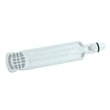
- Water filter (example part page: genuine Kenmore refrigerator water filter 9690 AGF80300801)
- Air filter
- Ice maker assembly
- Door gasket
Last updated: January 2026
Why is my refrigerator not getting cold at the bottom?
If your Kenmore Elite 79572053111 is warm at the bottom of the fresh-food section, the most common cause is restricted airflow, so cold air is not circulating down to the lower shelves and crispers. Start by clearing vents and confirming the temperature settings, then move to fan and defrost checks.
Quick checks we recommend first
- Make sure food packages are not blocking interior air vents (especially near the back wall).
- Confirm the refrigerator and freezer temperatures are set correctly; allow 24 hours after any change.
- Close doors fully and check that gaskets seal all the way around.
- Avoid overpacking; leave space for air to move from top to bottom.
- Check for heavy frost on the freezer back panel (a clue of a defrost problem).
For control ranges and airflow guidance specific to this model, use the 79572053111 use & care manual.
What usually causes “warm bottom” in this model style
In bottom-mount designs like the 79572053111, the freezer creates the cold air and fans move it into the refrigerator compartment. If airflow is blocked or the fan system is not moving air, the bottom area often warms up first.
Common causes and what you’ll notice
| Likely cause | Typical symptom | What to do next |
|---|---|---|
| Blocked vents or overpacked shelves | Top feels cooler than bottom | Reorganize items; keep vents clear |
| Evaporator fan issue | Little to no air blowing in fridge | Inspect fan area; consider fan motor replacement |
| Frosted evaporator from defrost issue | Freezer may still seem cold; airflow weak | Defrost system diagnosis |
| Dirty condenser area | Cooling struggles overall; longer run times | Clean condenser area and grille |
Parts that may be involved (when airflow is the issue)
If you confirm vents are clear but airflow is still weak, these model-compatible parts are commonly involved:
- Refrigerator evaporator fan motor EAU61524007 (moves cold air through the compartments)
- Refrigerator defrost sensor assembly 6615JB2005R (helps control defrost to prevent ice buildup)
- Refrigerator condenser coil ACG73645004 (releases heat so the system can cool properly)
Why it matters
When the bottom of the refrigerator runs warm, food in the crisper and lower shelves can enter the unsafe temperature range sooner, and the compressor may run longer trying to recover. Restoring proper airflow usually fixes the temperature imbalance and improves efficiency.
Last updated: January 2026
How to tell if a Kenmore refrigerator compressor is bad?
On Kenmore Elite refrigerator model 79572053111, a bad compressor is most likely when the refrigerator is not cooling (or cools inconsistently) and you also hear repeated clicking/humming from the back, or the unit runs almost constantly with little temperature improvement. Use the 79572053111 use & care manual to confirm normal operating sounds and basic checks before diagnosing sealed-system issues.
Quick signs the compressor may be failing
Look for a pattern of symptoms, not just one:
- Refrigerator and freezer temperatures stay warm even after 24 hours of stable settings
- Compressor area is very hot and the unit runs for long periods with few off cycles
- Repeated clicking every few minutes (often a start attempt that fails)
- Loud buzzing, grinding, or knocking from the compressor compartment
- Breaker trips or the refrigerator loses power shortly after trying to start
Rule out common non-compressor causes first
Many “bad compressor” complaints are actually airflow, control, or heat-dissipation problems.
- Dirty condenser coils: restricted heat release can mimic compressor trouble
- Condenser fan not running: compressor overheats and may shut down on overload
- Evaporator fan or airflow issue: freezer may cool poorly and fresh food warms
- Door gasket leaks: warm air intrusion increases run time and reduces cooling
- Control or sensor issues: can cause incorrect run behavior
Helpful parts to consider during diagnosis (model 79572053111)
| What you observe | Part commonly involved | What it does |
|---|---|---|
| Clicking, won’t start, overheats | Refrigerator compressor start relay EBG60663230 | Helps start the compressor; failure can prevent startup |
| Runs hot, poor cooling, dirty back area | Refrigerator condenser coil ACG73645004 | Releases heat from the sealed system |
| Suspected sealed-system failure after checks | Refrigerator compressor TCA38091801 | Pumps refrigerant through the sealed system |
Why it matters
A true compressor or sealed-system problem is a major cooling-system failure; confirming the simpler causes first can save time and avoid replacing expensive components unnecessarily.
Last updated: January 2026