 Installation guide
 Owner’s manual
 Error Codes
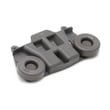



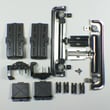



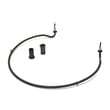

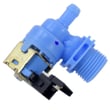

What are common problems with Kenmore dishwashers?
Common problems we see on the Kenmore 66513292K110 dishwasher include poor cleaning, not draining, leaks, and control issues (buttons not responding or lights blinking). Many of these are caused by clogs, loading or detergent problems, or a worn component such as a filter, drain pump, or door seal.
Most common symptoms (and what they usually point to)
- Not cleaning well: clogged filter, blocked spray arm holes, low water temperature, overloading
- Not draining: kinked/blocked drain hose, clogged filter/sump, failed drain pump
- Leaking: door seal wear, lower door seal wear, tub gasket issues, loose hose connections
- Buttons not working / lights blinking: stuck key, moisture in console, wiring or control problem
- Poor drying: no rinse aid, heater issue, cycle selection
Quick checks you can do first
- Clean the filter and remove debris from the sump area.
- Spin the spray arms by hand and clear any blocked holes.
- Confirm hot water is reaching the dishwasher (many models perform best around 120°F).
- Check the drain hose routing for kinks and make sure it is looped high under the counter.
- Run a short cycle and listen: drain motor sound but no water movement often indicates a restriction.
Parts that commonly solve these problems on this model
| Symptom | Part to inspect/replace | Why it matters |
|---|---|---|
| Not draining | Dishwasher drain pump WPW10348269 | Moves water out; failure leaves standing water |
| Leaking at door | Dishwasher door seal W11177741 | Seals the tub opening to prevent drips |
| Poor cleaning/odor | Dishwasher filter W10872845 | Keeps debris from recirculating and clogging |
Why it matters
Catching a clog or worn seal early helps prevent repeat wash failures, standing water odors, and cabinet or floor damage. It also reduces strain on the pump motor and electronic control.
For model-specific installation and drain routing details, follow the 66513292K110 installation guide.
Last updated: January 2026
What does red lock mean on a dishwasher?
On the Kenmore 66513292K110 dishwasher, a red lock (often a padlock icon) typically means Control Lock is turned on, so the buttons will not respond until you turn that feature off. The exact button sequence can vary by console; use the 66513292K110 user manual for the correct steps.
What to try first (quick unlock steps)
Try these common Control Lock methods used on many Kenmore dishwashers:
- Press and hold Control Lock for about 3 seconds (if your panel has that button).
- Press and hold Heated Dry for about 3 seconds (common on some models).
- Press and hold Air Dry for about 3 seconds (common on some models).
- If the dishwasher is running, press Cancel/Drain to stop the cycle, then try unlocking.
- If the door is slightly open, close it fully and try again; some models will not toggle lock with the door unlatched.
If the controls still will not respond
Control Lock is the most common cause, but if the red lock stays on after you try the correct key sequence, check these items:
- Power reset: Turn off the breaker for 1 minute, then restore power.
- Stuck key: Wipe the console and press each key once to ensure none are physically stuck.
- Moisture in the console: Let the door sit open for 30 to 60 minutes to dry the control area.
- Control problem: If the console lights behave erratically, the user interface can be the issue.
If you suspect the console is failing, the compatible control panel component for this model is the dishwasher user interface WPW10333393.
What the red lock affects (and what it does not)
| Symptom | Usually caused by Control Lock? | Notes |
|---|---|---|
| Buttons beep but do nothing | Yes | Lock prevents cycle selection/starting |
| Start/Resume light flashes | Sometimes | Door may not be closed within the required time |
| Dishwasher has no lights at all | Not usually | More likely power supply, breaker, or wiring |
Why it matters
Control Lock helps prevent accidental starts and stops (especially with kids or when wiping the control panel). If it is on, the dishwasher can look “broken” even though it is working normally.
Last updated: January 2026
How to do a hard reset on a Kenmore dishwasher?
For Kenmore dishwasher model 66513292K110, the most reliable “hard reset” we can recommend without guessing at console-specific key sequences is a full power reset: turn the circuit breaker OFF for about 5 minutes, then restore power and start a cycle. See the 66513292K110 installation guide for electrical shutoff and safety steps.
Hard reset (power reset) steps
- If a cycle is running, press Cancel/Drain if your console has it; otherwise let the unit stop.
- Turn OFF power at the circuit breaker (preferred over unplugging).
- Wait 5 minutes so the control can fully power down.
- Turn the breaker ON.
- Start the shortest wash cycle and confirm it fills, washes, and drains.
About button-combination resets on this model
We cannot confirm a specific keypad sequence for 66513292K110 using the model’s available installation documentation; keypad layouts and service sequences can vary by console revision.
What we can confirm from the installation instructions:
- The dishwasher uses a 120-volt, 60 Hz, 15- or 20-amp supply.
- If the dishwasher does not operate, initial checks include breaker/fuse, door latch/closure, cycle selection, and water supply.
- The Start/Resume light may flash if the door is not closed within 3 seconds after pressing Start/Resume.
Quick checks if it still will not run after a reset
- Verify the door is fully closed and latched
- Confirm the breaker is on and the outlet has power
- Make sure the water shutoff valve under the sink is open
- Check for a kinked or improperly routed drain hose
| Symptom after reset | Most likely area | First thing we check |
|---|---|---|
| No lights | Power supply | Breaker, outlet, wiring connection |
| Won’t fill | Water supply | Shutoff valve, inlet valve |
| Won’t drain | Drain path | Drain hose, drain pump |
Parts that commonly relate to “won’t fill” or “won’t drain”
If troubleshooting points to a failed component, these are compatible examples for this model:
- Dishwasher water inlet valve W11175771 (fill problems)
- Dishwasher drain pump WPW10348269 (drain problems)
Why it matters
A true hard reset clears temporary control glitches. If the same symptom returns right away, it usually points to an underlying issue such as power supply, door closure, water supply, or a failing component.
Last updated: January 2026









