Owner’s manual



What does E3 mean on a Samsung dryer?
On the Samsung DVE45M5500Z dryer, an E3 code typically means the dryer senses an overload or out-of-balance load. Reducing the load size and redistributing items usually clears the condition and lets the cycle run normally; confirm the exact code meaning in the DVE45M5500Z owner's manual.
How to clear E3 (quick steps)
- Press Power to stop the cycle.
- Open the door and remove some items (heavy loads trigger E3 most often).
- Shake out and redistribute bulky items (blankets, towels, jeans) so the load is even.
- Clean the lint screen and make sure airflow is not restricted.
- Restart on a timed cycle to confirm the drum tumbles smoothly.
What usually causes E3 on a dryer
E3 is most often load-related, but it can also show up when the drum has extra drag or the load cannot tumble freely.
Common causes include:
- Too many items in the drum
- One heavy item (or a few heavy items) clumped on one side
- Bulky items that trap and roll into a tight ball
- Excess friction in the drum support system (roller, idler, belt)
When to suspect a mechanical issue
If E3 returns with a small, balanced load, check for symptoms that point to a drum support problem.
| What you notice | What it can mean | Parts commonly involved |
|---|---|---|
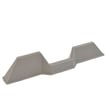
| Thumping, rumbling, or squealing | Worn drum support or tension parts | Samsung dryer drum support roller DC97-16782A, dryer idler assembly DC96-00882F |
| Drum struggles to start or stops | Belt slipping or binding | Samsung dryer drum belt 6602-001655 |
| Burning smell or repeated shutdowns | Overheating from restricted airflow | Venting, lint buildup, thermostats/fuse |
Why it matters
An overloaded or imbalanced drum can increase wear on the belt, idler, and drum rollers, and it can also lengthen dry times. Keeping loads smaller and evenly distributed helps the dryer run quieter, dry faster, and reduce part wear.
You can order replacement parts for your Samsung DVE45M5500Z from the parts list for this model, or search by model number on Sears PartsDirect.
Last updated: February 2026
How do I reset my Samsung dryer?
To reset your Samsung dryer model DVE45M5500Z, do a power reset: turn it off, disconnect power at the plug or breaker for about 5 minutes, then restore power and start a cycle. This clears many temporary control glitches; repeat problems usually indicate airflow or a failing component.
Reset methods for DVE45M5500Z
- Power reset: unplug the dryer or switch the breaker off for about 5 minutes, then restore power.
- Stop and restart a cycle: press START/PAUSE to stop, select a new cycle, then press and hold START/PAUSE.
- Child Lock toggle (buttons unresponsive): press and hold Temp. and Time for 3 seconds.
Quick checks after you reset
- Clean the lint screen and confirm strong airflow at the outside vent hood
- Make sure the door closes firmly; a failed switch can prevent starting
- Check the vent path for kinks, crushing, or lint buildup (common cause of overheating)
- If an information code returns, use it to guide the next step
Built-in vent check (when drying is slow or overheating happens)
DVE45M5500Z includes a Vent Blockage Test. The dryer must be cool; if it is warm, run AIR FLUFF for a few minutes first. Then follow the exact button sequence in the owner's manual to start the test and read the result.
When a reset is not enough
A reset will not fix a failed heat-safety device or temperature sensor. These parts commonly relate to no-heat, overheating, or heat cutting out:
| Symptom | Common cause area | Example part |
|---|---|---|
| No heat or heat cuts out | Heating safety circuit | Dryer high-limit thermostat DC47-00018A |
| Overheats, shuts down | Thermal cut-off opens | Dryer thermal cut-off fuse, 320-degree f DC47-00015A |
| Long dry times, unstable temp | Temperature sensing | Dryer thermistor DC32-00007A |
Why it matters
Resetting clears temporary control logic issues, but recurring shutdowns and long dry times often trace back to restricted venting or a heating-system component protecting the dryer.
Last updated: February 2026
How to tell if a Samsung dryer heating element is bad?
A bad heating element in your Samsung DVE45M5500Z dryer typically causes no heat or very long dry times even when airflow is good. We confirm failure by unplugging the dryer and testing the element for continuity and proper resistance; an open circuit means it is bad.
Symptoms that point to a failed heater
- Dryer tumbles but clothes stay damp
- Little to no heat on an electric cycle
- Heat starts, then cuts out during the cycle
- Burning smell (stop the cycle and unplug)
- Heat-related codes such as HC (often tied to overheating and airflow)
For code meanings and recommended actions, use Samsung dryer error codes.
How we test the heating element
- Unplug the dryer (or switch off the breaker).
- Access the heater housing; follow the disassembly guidance in the DVE45M5500Z owner's manual.
- Use a multimeter:
- Continuity across the element terminals: continuity should be present.
- Resistance: most electric dryer elements read about 8 to 15 ohms.
- Ground check: each terminal to the metal housing should show no continuity.
If it is open (no continuity) or shorted to ground, replacement is the fix.
Rule out common causes before replacing parts
Restricted venting overheats the heater circuit and can blow safety devices.
- Clean the lint screen and lint chute
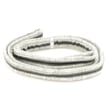
- Check the vent hose for kinks or crushing
- Confirm strong airflow at the outside vent hood
- Inspect the blower wheel for damage or looseness
Quick check guide
| What you see | What to check next | Common parts involved |
|---|---|---|
| Runs, no heat | Heater circuit, safety cutoffs | Dryer heating element assembly DC93-00154A, dryer high-limit thermostat DC47-00018A |
| tC / tC5 code | Airflow, temperature sensing | Dryer thermistor DC32-00007A |
Why it matters
Fixing airflow issues prevents overheating that repeatedly damages the heating element, thermostats, and wiring.
You can order replacement parts from the parts list for this model, or search by model number on Sears PartsDirect.
Last updated: February 2026