 Installation guide
 Owner’s manual
 Error Codes



How long should a JennAir oven last?
We can’t assign a specific “expected lifespan” in years for the Jenn-Air JES9800CAS02 because Jenn-Air does not publish a model-specific service-life number in the available documentation. In practice, how long it lasts depends most on how it’s used, installed, and maintained.
What we can confirm for JES9800CAS02
The best model-specific guidance comes from the care, cleaning, and troubleshooting sections in the JES9800CAS02 use & care manual and the safety and setup requirements in the JES9800CAS02 installation instructions. Following those helps reduce avoidable wear and heat stress.
What typically shortens range life
- Frequent high-heat cooking (broil, long bakes at high temps)
- Heavy or repeated self-clean cycles (extreme heat stresses door seals and electronics)
- Poor ventilation or blocked airflow around the oven vent and downdraft system
- Power issues (surges, loose connections, incorrect wiring)
- Spills left to bake on (especially sugary spills that can damage finishes)
“Wear” symptoms to watch for (and common related parts)
If your JES9800CAS02 starts showing these symptoms, it often points to a serviceable component rather than the whole range being “done.”
| Symptom | What it often points to | Example part for this model |
|---|---|---|
| Oven temperature seems off | Temperature sensing issue | Sensor 12001656 |
| Slow preheat or uneven baking | Bake heating circuit issue | Range bake element WPW10310274 |
| Heat leaking or poor sealing | Door seal issue | Range oven door gasket WPW10162384 |
Why it matters
A range that heats accurately and seals properly cooks more evenly and puts less strain on electronic controls and heating components. Addressing early symptoms can prevent bigger failures and extend usable life.
Last updated: January 2026
What are common problems with JennAir stoves?
On the Jenn-Air JES9800CAS02 electric slide-in range, the most common issues we see are heating problems (bake or broil), inaccurate oven temperature, cooktop element heat problems, and downdraft ventilation that is weak or noisy. Many of these symptoms tie back to a few testable components.
Common symptoms on JES9800CAS02 and what to check first
- Oven won’t heat or heats weakly: verify Bake is selected, allow a full preheat, then inspect the bake element and wiring.
- Oven temperature seems inaccurate: use the control’s Temp Adjust feature before replacing parts.
- Broil not working well: confirm Broil is selected and the door is positioned as directed for broiling.
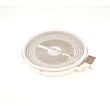
- Cooktop element not heating or stuck on high: check the element, the surface element control switch, and connections.
- Downdraft vent weak, loud, or not capturing smoke: confirm the filter is installed correctly and clean; venting restrictions can also reduce airflow.
For model-specific control steps (Temp Adjust, Control Lock, fault messages) and the troubleshooting section, use the JES9800CAS02 use & care manual.
Self-clean door lock timing on this model
During Self-Clean, the door locks; after the cleaning time ends, it typically stays locked while the oven cools and then unlocks about an hour later.
| What you notice | What it usually means | What to do |
|---|---|---|
| Door won’t open during Self-Clean | Normal safety lock | Wait for the cycle to finish |
| “OVEN COOLING” shows after cleaning | Normal cool-down lock | Wait until the message clears and the door unlocks |
| Door stays locked well beyond the cool-down period | Possible latch/lock or control issue | Disconnect power briefly once; if it returns, have the latch system checked |
Parts that often relate to these symptoms (after testing)
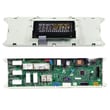
- Oven not heating: range bake element WPW10310274
- Temperature readings off: sensor 12001656
- Cooktop heat won’t regulate: switch- el WP74010824
Why it matters
Accurate heat and airflow affect cooking results, safety, and how hard the electronic controls and heating circuits have to work. Catching a weak element or bad sensor early can prevent repeat failures.
Last updated: January 2026
Why is my JennAir electric oven not heating up?
If your Jenn-Air JES9800CAS02 electric oven isn’t heating, the most likely causes are a failed bake heating circuit (often the bake element), a temperature-sensing issue, or a control problem. Start with basic settings and power checks, then inspect the heating components.
Quick checks first (no parts)
- Confirm you selected BAKE and set a temperature, then allow time to preheat.
- Cancel any Delay or special modes that can prevent heating (for example, Control Lock or Sabbath Mode).
- Check the home breaker; an electric range can appear “on” but still lose heat if a supply leg is tripped.
- Make sure the oven door is fully closed.
Parts most commonly involved on model JES9800CAS02
On this model, these parts are common suspects when the oven won’t heat:
What each part does
| Part | What it affects | Typical symptom |
|---|---|---|
| Bake element | Primary heat for baking | No heat in Bake, sometimes Broil still works |
| Oven temperature sensor | Temperature feedback to control | Erratic temps, underheating, or no heat |
How to narrow it down
- Broil works but Bake doesn’t: the bake element is a top suspect.
- Neither Bake nor Broil heats: power supply, wiring, or an electronic control issue is more likely.
- Heats sometimes or temperature is way off: the oven temperature sensor can be involved.
Why it matters
An oven that won’t heat is often a single failed component, but continuing to run it can lead to longer preheat times, uneven cooking, and repeated error conditions. Using the correct model-matched parts helps restore safe, consistent heating.
For control settings, special modes, and troubleshooting steps specific to your range, use the JES9800CAS02 use & care manual.
Last updated: January 2026






