 Owner’s manual
 Error Codes



How to remove bottom grille on GE refrigerator?
On the GE GFSF6KKYCBB bottom-mount refrigerator, the bottom grille (base grille) is typically held in place with screws or snap-in tabs. We remove it by pulling the refrigerator forward for access, then removing any retaining screws and releasing the grille from its mounting points.
Steps to remove the bottom grille
- Unplug the refrigerator or switch off power at the breaker (safer when working near wiring and the condenser area).
- Pull the refrigerator straight out from the wall; avoid rolling over the power cord or water line.
- Look along the top edge and corners of the grille for retaining screws.
- Remove screws with a Phillips screwdriver (if equipped).
- If there are no screws, grip the grille at the ends and pull straight outward to release the clips.
- Set the grille aside and keep screws together for reinstallation.
What to check while the grille is off
With the grille removed, we can quickly spot common issues that affect cooling and noise.
| What you see | What it can mean | What to do next |
|---|---|---|
| Heavy dust/lint on coils or fan area | Reduced airflow and warmer temps | Vacuum/brush carefully; keep vents clear |
| Water or dampness near the front | Possible defrost drain or condensation issue | Inspect for leaks and re-level if needed |
| Rattling grille or loose fasteners | Vibration noise | Re-seat grille; tighten screws |
Why it matters
The bottom grille helps protect components and supports proper airflow across the condenser area. Keeping it secure and clean helps your GE refrigerator cool efficiently and can reduce operating noise.
Reinstalling the grille
- Line up the grille with the mounting slots.
- Press it into place until it seats fully.
- Reinstall any screws and snug them down (do not overtighten).
For model-specific handling and safety notes (including moving the refrigerator and leveling legs), follow the owner's manual.
Last updated: February 2026
What is the most common problem with GE GFSF6KKYCBB refrigerators?
The most common issues we see on the GE GFSF6KKYCBB bottom-mount refrigerator involve cooling performance and ice maker or water system symptoms. Many “warm fridge” or “no ice” complaints trace back to airflow, temperature control settings, or a restricted water filter rather than a major sealed-system failure.
Most common symptoms (and what they usually point to)
- Fresh food section too warm: door left open, controls not set cold enough, or airflow blocked
- Ice maker not making ice: Ice Off feature enabled, freezer too warm, or water supply issue
- Small or hollow ice cubes: clogged water filter
- Long run times: normal after loading groceries, frequent door openings, or hot room conditions
- Rattling or vibration: leveling legs need adjustment (slight vibration is normal)
Quick checks we recommend first
Use these steps before replacing parts:
- Confirm doors fully close and nothing is holding them open.
- Verify temperature controls are set correctly; adjust one step colder if needed.
- If the display shows OF/OF or OFF/OFF, turn cooling back on (the owner's manual shows the exact button sequence).
- Allow 24 hours after changes for temperatures to stabilize.
- If ice is the issue, make sure Ice Off is not enabled and the freezer is cold enough.
Parts that commonly solve “no ice” or “weak water” complaints
If the basic checks do not fix it, these model-matched parts are common next steps:
| Symptom | Common cause | Part to consider |
|---|---|---|
| Small/hollow cubes, slow water | Restricted filter | Refrigerator water filter MWFP |
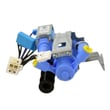
| No ice and no water fill | Water valve not opening | Refrigerator water inlet valve WR57X10091 |
| Ice maker dead or inconsistent | Ice maker module failure | Refrigerator ice maker WR30X10131 |
For filter-related issues, we also recommend following the steps in how to replace the water filter in a GE refrigerator.
Why it matters
Cooling and ice maker problems often start as simple airflow, control, or water-flow issues. Fixing those early helps prevent food temperature swings, slow ice production, and unnecessary part replacement.
Last updated: February 2026
How do I find the model number on my GFSF6KKYCBB?
On your GE GFSF6KKYCBB bottom-mount refrigerator, the model number is printed on the rating label inside the fresh food (refrigerator) compartment. Look on the left side, near the middle of the compartment, and copy the model and serial numbers exactly as shown.
Where to look (exact location)
We use the location described in the documentation for this model.
- Open the refrigerator (fresh food) door
- Check the left interior wall
- Look near the middle height of the compartment
- Find the label that lists Model # and Serial #
- Write both numbers down for parts lookup and service records
For a visual reference and additional identification details, use the owner's manual.
What the label helps you do
Having the full model and serial number ensures you get the correct GE parts that fit your exact configuration.
- Match the right replacement parts (water filter, ice maker, light bulb)
- Confirm compatibility when ordering electrical parts (sensor, inlet valve)
- Identify the correct diagrams and troubleshooting steps
- Speed up diagnosis for cooling, dispenser, or ice issues
Quick checklist: model number vs. serial number
| Item | What it identifies | Why we need it |
|---|---|---|
| Model number | The refrigerator design and parts family | Ensures correct part fit |
| Serial number | The specific unit built | Helps with production details and service history |
Why it matters
Many GE refrigerators look similar, but small design changes affect parts like the water filter housing, ice maker assembly, and wiring harness. Using the exact label information prevents ordering the wrong part and reduces downtime.
Last updated: March 2026






