 Installation guide
 Owner’s manual
 Error Codes



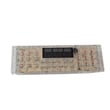
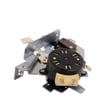
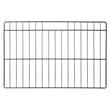

How to disable control lock on GE wall oven?
To disable Control Lock on your GE JT3500SF3SS electric wall oven, press and hold Lock Controls for 3 seconds to unlock the keypad. This restores normal operation; Cancel/Off still works even while the controls are locked. See the JT3500SF3SS owner's manual.
- Make sure the oven is not in a timed cooking setup you still need.
- Press and hold Lock Controls for 3 seconds.
- Watch for the lock indicator to turn off (or for the display to confirm unlock).
- Test by pressing Bake or Broil to confirm the keypad responds.
- If you were cleaning the control panel, re-lock afterward using the same 3-second press.
Control Lock usually will not prevent unlocking, but other conditions can make it seem stuck.
- If the oven is in Self-Clean, wait for the oven to cool and for the door to unlock.
- Press Cancel/Off once, then try Lock Controls again.
- If the display is blank, check the home breaker (wall ovens use a 240V circuit).
- If keys are unresponsive, power-cycle the oven at the breaker for 30 seconds, then retry.
| What you notice | Most likely cause | What to do |
|---|---|---|
| “Locked” light on, keys do nothing | Control Lock is enabled | Hold Lock Controls 3 seconds |
| Door will not open after clean | Oven still above unlock temperature | Let it cool, then try again |
| Display blank | Power issue (breaker/fuse) | Reset breaker, confirm power |
| Some keys work, others do not | Keypad/control issue | Try power-cycle; service if it returns |
Control Lock prevents accidental keypad presses (especially during cleaning). Knowing the 3-second unlock method helps you quickly restore baking and broiling without changing settings or replacing parts.
Last updated: February 2026
What is the code F353 on a GE oven?
On a GE JT3500SF3SS electric wall oven, the F353 function error points to a problem in the oven temperature-sensing circuit, most often the oven temperature sensor or the electronic control reading it. Start with a power reset, then check the sensor and its wiring.
- Press Cancel/Off to stop the cycle.
- Turn power off at the breaker for 2 to 5 minutes, then restore power.
- If the code returns, avoid using self-clean until the issue is corrected.
- If the display goes blank or the oven is dead, check the house breaker or fuse.
- Review the troubleshooting section in the JT3500SF3SS owner’s manual.
In this model, F353 is usually tied to the temperature sensor circuit or the control that interprets it.
- Wall oven temperature sensor WB21X10165 (primary oven temperature feedback)
- Control board WB27X25346 (processes sensor signal and runs bake/broil)
- Wiring/connectors between the sensor and control (loose, heat-damaged, or pinched)
| Symptom | Most likely cause | What we recommend |
|---|---|---|
| F353 appears soon after starting bake | Sensor circuit issue | Inspect sensor connector and harness; test sensor resistance if you have a meter |
| Oven heats erratically, over/under temp | Sensor drifting out of range | Replace the temperature sensor |
| F353 returns immediately after reset | Control not reading sensor correctly | Verify wiring first; then consider control board |
The temperature sensor is the oven’s “thermostat.” If the control cannot trust that signal, it may shut heating down or heat unpredictably. Fixing the sensor circuit restores accurate temperature control and helps prevent repeated shutdowns.
Because this is a 120/208V or 120/240V hardwired wall oven, we recommend following the electrical safety and disconnect guidance in the JT3500SF3SS installation guide before accessing wiring or controls.
Last updated: February 2026
What is the difference between GE and GE Profile wall ovens?
GE wall ovens (like the GE JT3500SF3SS series) focus on dependable everyday baking and roasting, while GE Profile wall ovens are the step-up line that typically adds more premium design and advanced features such as enhanced controls, connectivity options, and expanded cooking modes. For exact features on your unit, use the JT3500SF3SS owner’s manual.
- GE (standard): practical controls, core bake and broil performance, value-focused styling
- GE Profile: more premium finishes, more feature-rich control interfaces, and more “smart” or convenience features (varies by model)
- Both: can be available in single or double wall oven configurations, and both require proper installation and electrical supply
| Feature area | GE (standard) | GE Profile |
|---|---|---|
| Positioning | Everyday performance and value | Premium step-up line |
| Controls | Straightforward, model-dependent | More advanced, model-dependent |
| Tech features | Fewer, model-dependent | More, model-dependent |
| Price | Typically lower | Typically higher |
We recommend checking the feature list and control descriptions for your exact model.
- Look up the cooking modes and special features listed for JT3500SF3SS
- Match the control panel buttons to the manual’s “Oven Controls” section
- Confirm rack positions and usage guidance for baking and broiling
- If you are comparing cutout or wiring requirements, use the JT3500SF3SS installation guide
Choosing between GE and GE Profile usually comes down to how much you value premium controls and convenience features versus straightforward operation and cost. It also helps ensure you buy the right parts and accessories for the exact model series.
Last updated: February 2026





