 Installation guide
 Owner’s manual
 Error Codes










Can I look up Frigidaire parts by model number?
Yes. For your Frigidaire electric range model PLES389ECB, you can look up replacement parts by entering the full model number to pull up the correct parts list and diagrams, then match the part name and ID to what you need. Use the owner's manual to confirm model and serial details.
On PLES389ECB ranges, the serial plate is typically on the oven front frame behind the oven door (and on some models it may be behind the drawer). Use the exact model number from that plate when searching.
- Open the oven door and check the front frame for the serial plate
- If you do not see it, check behind the storage drawer area
- Write down the model number, serial number, and any lot number/letter
- Use the full model number (including all letters)
- Match parts by part name and part ID, not just by appearance
After you pull up the PLES389ECB parts list, you can choose the exact replacement by category (surface elements, oven parts, wiring, controls) and confirm compatibility.
| What you need | What to match on the parts list | Example part for this model |
|---|---|---|
| Oven light not working | Bulb type and socket style | Range oven light bulb 316538904 |
| Oven temperature issues | Sensor listing for the oven cavity | Frigidaire range oven temperature sensor 316217002 |
| Surface element not heating | Element size/type (radiant/dual) | Range dual radiant surface element 318198925 |
Using the full model number prevents ordering a look-alike part that does not fit your wiring harness, mounting points, or control system. That is especially important on electric ranges where element type, sensor style, and terminal connections must match.
Last updated: February 2026
How do I reset my Frigidaire electric range?
To reset your Frigidaire electric range model PLES389ECB, turn all surface control knobs to OFF, then reset power by switching the range circuit breaker OFF for 30 seconds and back ON. This clears many control glitches after a power failure or error message.
- Turn every surface element knob to OFF.
- If the display shows “Er” after a power interruption, leaving knobs ON can cause it; setting knobs to OFF resets the surface controls.
- Flip the range breaker OFF (or unplug the cord if accessible).
- Wait 30 seconds.
- Restore power and test:
- Turn on each surface element briefly to confirm it heats.
- Set the oven to Bake 350°F and confirm it begins heating.
If the entire range or oven does not operate after a reset, we treat it as a power supply or control issue first.
- Check that the cord/plug is fully seated (if your installation uses a cord).
- Confirm the breaker is fully reset (OFF then ON).
- If the range was recently installed and all burners are not heating, check for a voltage/wiring problem at the terminal block or supply connection.
- If the control is beeping and shows an F error code, press STOP/CLEAR to stop the beeping; if the code returns, troubleshooting the control circuit is next.
| Symptom | What to try first | Likely next step |
|---|---|---|
| “Er” in a surface display | Set all knobs to OFF | Retry power reset |
| No heat anywhere | Breaker reset, verify power | Inspect wiring/terminal connection |
| Beeping with F code | Press STOP/CLEAR | Diagnose the specific F code |
A proper reset restores normal operation after a power failure and prevents false “Er” messages caused by knobs left ON. If heat is still missing afterward, the next checks focus on safe, correct power delivery and the electronic control’s diagnostics.
For model-specific operating details (including control behavior and error messages), use the owner's manual.
Last updated: February 2026
What is the life expectancy of a Frigidaire oven?
A Frigidaire electric oven like model PLES389ECB typically lasts 10 to 15 years with normal household use. Regular cleaning, avoiding heavy spillovers, and replacing wear items (like an oven light bulb or temperature sensor) on time can keep performance strong for longer. See the maintenance and troubleshooting sections in the owner's manual.
- How often you cook (daily use shortens lifespan compared to occasional use)
- Heat stress from self-clean cycles (high heat can accelerate wear on components)
- Power quality and wiring (loose connections can cause overheating)
- Door seal condition (heat loss makes the oven work harder)
- Timely small repairs (fixing a weak sensor or failing element prevents bigger failures)
If the oven still works but performance is slipping, these model-compatible parts are common fixes:
- Range oven temperature sensor 316217002 (helps correct inaccurate temps)
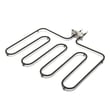
- Range broil element 318255605 (restores broil performance if the top element fails)
- Oven seal 318053120 (reduces heat loss and improves baking consistency)
- Range oven light bulb 316538904 (restores interior lighting)
| What you notice | Most likely cause | Typical next step |
|---|---|---|
| Oven temp is off by 25°F or more | Sensor drift | Test/replace temperature sensor |
| Broil does not heat | Failed broil element | Inspect for damage; replace element |
| Long preheat, uneven baking | Heat loss or control issue | Check door seal; verify settings |
| Beeping with an F-code | Control detected a fault | Clear with STOP/CLEAR; record code and troubleshoot |
A range that is losing heat or reading temperature incorrectly runs longer and hotter than it should. That extra strain can shorten the life of the electronic oven control, wiring, and heating circuits, so addressing small symptoms early usually adds years of reliable service.
Last updated: February 2026




