Installation guide
 Owner’s manual
 Error Codes


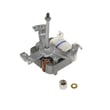
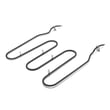
Can I look up Frigidaire parts by model number?
Yes. Looking up parts by model number is the most accurate way to get compatible replacement parts for your Frigidaire electric range model FEFL79DSD because it filters results to the exact configuration, including control style, cooktop element type, and oven features listed in the FEFL79DSD owner's manual.
The model and serial information is on the serial plate. For FEFL79DSD, the serial plate is commonly accessed by opening the storage drawer (some models) or removing the outer lower panel (some models), as described in the manual.
- Check the frame behind the storage drawer opening
- Look along the drawer jamb or lower front frame
- If your range has a lower panel, remove it to view the serial plate
- Write the model number exactly as shown (letters and numbers)
Once you have FEFL79DSD, match the symptom to the correct part category (surface heating, oven heating, lights, or indicators). Then confirm the part description matches your range’s feature set.
| What is not working? | Common part to check | Example part for FEFL79DSD |
|---|---|---|
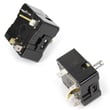
| Surface element will not heat or cycles wrong | Surface element control switch | Range surface element control switch 316436001 |
| Oven will not bake | Bake element or controls | Range bake element 316415900 |
| Oven light is out | Oven light bulb or socket | Range oven light bulb 316538904 |
Frigidaire ranges can look similar but use different radiant elements, switches, and wiring harnesses. Using the exact model number helps prevent ordering a part that fits physically but has the wrong electrical rating or connector style.
- Compare the failed function (bake, broil, surface element, indicator light) to the part name
- If the cooktop is ceramic glass, use proper cleaning practices to avoid damage (covered in the FEFL79DSD owner's manual)
- If you see an error code on the display, use a Frigidaire range error code reference such as Frigidaire self-cleaning range error codes to narrow the likely failed component
Last updated: February 2026
How do I tell what model my Frigidaire stove is?
Your Frigidaire electric range model number is printed on the serial plate; on model FEFL79DSD, it’s commonly found by opening the storage drawer and looking for the serial plate label. Once you have the model number, you can match the correct parts and instructions.
Check these common serial plate locations:
- Open the storage drawer and look along the frame area for the serial plate label (common on many models).
- Look around the oven door frame area (open the oven door and inspect the front frame).
- Check behind or near the backguard area (some designs place identification labels there).
- If your range has a side panel access area, inspect the outer tower panel area (some models use this location).
For the exact location and a picture-style reference for FEFL79DSD, use the FEFL79DSD owner’s manual.
The model and serial information is usually a mix of letters and numbers. To avoid ordering the wrong Frigidaire parts:
- Write the model number exactly as shown (example format: FEFL79DSD).
- Watch for look-alike characters (0 vs O, 1 vs I).
- Take a clear photo before the label gets worn or smudged.
- Record the serial number too; it helps confirm production details when selecting compatible parts.
We use the model number to pull the correct diagrams, wiring layout, and part compatibility for your exact electric range configuration (radiant element style, control type, and oven features).
| What you’re doing | What you need | Why it helps |
|---|---|---|
| Ordering a replacement part | Model number + part ID | Prevents wrong-fit parts |
| Using instructions | Model number | Matches your control layout |
| Diagnosing a symptom | Model number + symptom | Narrows likely causes |
After you confirm the model number, compare it to the parts list and diagrams for FEFL79DSD. If you’re troubleshooting a cooktop burner that won’t regulate heat, a common related part is the range surface element control switch 316436001 (used for certain surface elements).
Last updated: February 2026
How to reset a Frigidaire electric range?
To reset your Frigidaire FEFL79DSD electric range, turn the range off and cycle power at the breaker (or unplug it) for about 10 minutes, then restore power and reset the clock. After any power interruption, the range can resume operation when power returns, so always confirm all controls are OFF first (see the FEFL79DSD owner’s manual).
- Turn all surface element knobs to OFF.
- If the oven is running, press Cancel/Off to stop any bake, broil, or self-clean cycle.
- Switch the range circuit breaker OFF (or unplug the power cord if accessible).
- Wait 10 minutes to fully discharge the electronic oven control.
- Restore power.
- Set the time of day; after an interruption the display commonly flashes 12:00.
A power reset clears many temporary control glitches, but it will not repair a failed heating component or switch.
| Symptom after reset | Most likely area to check | Common next step |
|---|---|---|
| Display normal, oven still will not heat | Heating circuit | Test bake/broil elements and wiring |
| Cooktop element stuck on or won’t heat | Infinite switch or element | Inspect switch and element connections |
| Error code returns quickly | Control sensing a fault | Use the error code chart and troubleshoot |
Use the code to guide your next check. We recommend starting with the Frigidaire-specific code lists such as Frigidaire self-cleaning range error codes.
Resetting correctly prevents the range from unexpectedly restarting after a power outage and helps you separate a simple control glitch from a real part failure (like a surface element switch, bake element, or wiring issue).
Last updated: February 2026