 Installation guide
 Owner’s manual



How do I do a hard reset on my GE microwave?
To hard reset your GE JVM3160DF4WW microwave/hood combo, unplug it (or switch the breaker off) for about 60 seconds, then restore power. This clears most control glitches caused by a power surge and is the first reset step we recommend.
- Press CANCEL/OFF to stop any active cycle.
- Unplug the microwave from the outlet (or turn OFF the circuit breaker).
- Wait 60 seconds.
- Plug it back in (or turn the breaker ON).
- Set the clock if needed and test a simple heat cycle with a cup of water.
These checks match the most common “has power but won’t run” causes:
- Make sure the plug is fully seated in the outlet.
- Open and close the door firmly; the door must latch completely.
- Enter a cook time, then press START/PAUSE.
- If a selection is stuck, press CANCEL/OFF and re-enter the cook settings.
- Check your home fuse or breaker if the unit is completely dead.
| What you see | Most likely cause | What to do next |
|---|---|---|
| Display is on, won’t run | Door not fully closed or cycle not started | Re-close door; press START/PAUSE |
| Unit is dead | House breaker/fuse or outlet issue | Reset breaker; test outlet |
| Works after unplugging | Control glitch from power surge | Use the hard reset above |
A power reset is safe, fast, and often fixes keypad and control-board “lockups” without replacing parts. If the microwave repeatedly loses power or trips the breaker, stop using it and have it checked.
- Use the JVM3160DF4WW owner’s manual for control panel functions and troubleshooting steps.
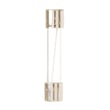
- If the microwave is completely dead and the outlet and breaker are good, a blown internal fuse is a common cause; see how to replace a microwave fuse for an overview.
Last updated: February 2026
How much does it cost to replace a microwave control panel?
For a GE microwave/hood combo model JVM3160DF4WW, replacing the control panel typically costs $150 to $450 total. The part is often the biggest cost, and labor varies by service company; if the microwave must be removed from the cabinet, labor usually increases (see the JVM3160DF4WW installation guide).
- Control panel or control assembly part: commonly $120 to $300+
- Service call and labor: commonly $100 to $200+
- Extra labor if removal is required: commonly $50 to $150+
- DIY cost: usually part cost only, plus basic supplies
| Scenario | What you pay for | Typical total |
|---|---|---|
| DIY replacement | Part only | $120 to $300+ |
| Technician repair (in place) | Part + labor | $200 to $450 |
| Technician repair (unit removal needed) | Part + higher labor | $250 to $600 |
- Which “control panel” is needed: some repairs require only the keypad/control panel assembly; others require an electronic control board behind it.
- Access and installation: over-the-range units can take longer if they must be partially unmounted.
- Symptoms: a dead display, random beeping, or no response can also be caused by a blown fuse or door switch issue, not the control panel.
- Reset power: unplug (or switch off the breaker) for 2 to 3 minutes, then restore power.
- Check door operation: if the door does not close and latch smoothly, the microwave may not run.
- Rule out common electrical failures: a blown fuse or failed door switch can mimic a bad control panel.
- Use safe troubleshooting practices: internal microwave components can retain dangerous voltage even when unplugged.
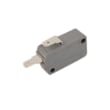
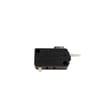
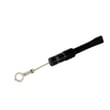
If the microwave is completely dead, we often check the microwave fuse WB27X11138 and door switches such as the microwave door interlock switch WB24X10146 before replacing a control panel.
A control panel replacement can be one of the higher-cost microwave repairs. Confirming whether the issue is actually the keypad/control assembly, a door interlock problem, or a fuse failure helps avoid buying an expensive part that does not fix the symptom.
Last updated: February 2026
How to order GE appliance parts?
To order parts for your GE JVM3160DF4WW microwave/hood combo, use the parts list and diagrams for this model to match the exact part ID and description. Keep your complete model number and serial number handy to ensure the replacement part fits correctly. See the JVM3160DF4WW owner's manual for model-specific details.
- Order by model: Use model number JVM3160DF4WW to pull the correct parts list.
- Match the exact part ID: Use the part ID and description to avoid look-alikes.
- Have this information ready: model number JVM3160DF4WW and your serial number.
- If you are ordering for a repair: Confirm the symptom first (for example, no heat, no power, door won’t latch).
- Use diagrams to verify fit: Compare mounting points, terminals, and orientation before ordering.
If you are troubleshooting a specific issue, these are frequently purchased items for the JVM3160DF4WW:
| Symptom | Common part to check | Example part ID |
|---|---|---|
| Microwave won’t start when door closes | Door interlock switch | Microwave door interlock switch WB24X10146 |
| Dead display or no power after a pop | Fuse | Microwave fuse WB27X11138 |
| Runs but does not heat | High-voltage section diagnosis | (often diode, capacitor, magnetron) |
Microwave/hood combos use safety interlocks and high-voltage components; ordering the correct part by model and part ID helps prevent repeat failures and reduces downtime. Your manual also lists safe-use and service guidance that supports accurate troubleshooting.
Last updated: March 2026
Is the JVM3160DF4WW easy to use?
Yes. The GE JVM3160DF4WW is designed for straightforward, everyday cooking with simple keypad controls and common one-touch options (cook time, defrost, power level, add 30 seconds, and vent/light functions). For the exact button functions and shortcuts, use the JVM3160DF4WW owner's manual.
Most owners find this microwave/hood combo easy because the controls focus on the most-used tasks:
- One-touch convenience keys (such as popcorn, potato, beverage, and reheat)
- Manual cooking with cook time and power level control
- Defrost options (weight or time-based)
- Quick add-time option (add 30 seconds)
- Built-in hood features (vent fan and surface light)
Use this as a simple “first day” checklist.
- Heat something fast: enter cook time, press Start
- Adjust power: set power level before starting when you need gentler heating
- Defrost: choose defrost, then select weight/time as needed
- Turntable control: use the turntable key when a dish needs a stable surface
- Use as a hood: press vent for fan speed, surface light for cooktop lighting
| Task | Typical control you’ll use | When to use it |
|---|---|---|
| Basic heating | Cook time + Start | Most everyday reheating |
| Softer heating | Power level | Melting, warming, avoiding overcooking |
| Defrosting | Defrost (weight/time) | Meat, bread, frozen meals |
| Venting | Vent | Clearing steam and odors from the cooktop |
| Lighting | Surface light | Better visibility while cooking |
Simple, consistent controls reduce overcooking and help you use the hood features correctly. That also helps prevent common microwave issues caused by misuse; our never do these things with a microwave guide covers the biggest mistakes to avoid.
Last updated: February 2026
What are common problems with GE profile microwaves?
Common problems we see with GE Profile microwaves include not starting (power or door-latch safety issue), running but not heating (high-voltage circuit issue), and unusual fan or noise behavior. For your GE JVM3160DF4WW microwave/hood combo, the troubleshooting section in the JVM3160DF4WW owner’s manual walks through several quick checks.
- Oven will not start: tripped breaker, blown house fuse, loose plug, or door not fully closed.
- Control panel lights up but won’t run: door not latched, START/PAUSE not pressed, or a selection needs to be cleared.
- Runs but does not heat: magnetron or high-voltage components (diode, capacitor, transformer).
- Stops mid-cycle or goes dead: internal fuse or thermostat opening from overheating.
- Vent fan turns on by itself: automatic heat-protection feature when heat rises from the cooktop.
- Reset the home breaker or replace the home fuse if it tripped.
- Unplug the microwave for 60 seconds, then plug it back in (helps after a power surge).
- Open and close the door firmly; make sure it latches.
- Press CANCEL/OFF to clear the control, then re-enter cook time and press START/PAUSE.
- If the vent fan comes on during stovetop cooking, let it run; that behavior is normal.
Door safety switching is a frequent failure area on over-the-range units.
| Symptom | Common area to check | Example part for this model |
|---|---|---|
| Display works, won’t run | Door interlock circuit | Microwave door interlock switch WB24X10146 |
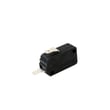
| Blows fuse or won’t start after door closes | Door monitor circuit | Microwave door monitor switch WB24X10205 |
| Completely dead | Internal fuse | Microwave fuse WB27X11138 |
Microwaves use multiple door interlocks and thermal protections to prevent unsafe operation. When the door does not latch correctly or a safety device opens, the unit may refuse to start even though the display looks normal.
Last updated: February 2026
What is the average lifespan of a GE microwave?
A GE microwave typically lasts 7 to 10 years with normal home use. For your GE JVM3160DF4WW microwave/hood combo, lifespan depends most on ventilation, keeping the door latches aligned, and avoiding overheating from the cooktop below (all covered in the JVM3160DF4WW owner's manual).
Most over-the-range microwaves fall into this range:
| Usage pattern | Typical lifespan | What shortens it fastest |
|---|---|---|
| Light (reheating, 1 to 3 uses/day) | 9 to 10 years | Slamming the door, poor cleaning |
| Average family use | 7 to 8 years | Grease buildup, blocked vent airflow |
| Heavy use (many cycles/day) | 5 to 7 years | Overheating, frequent door switch wear |
- Keep the vent path clear; blocked airflow makes the vent fan run harder and increases heat stress.
- Use the vent fan when cooking on the range; the fan can also turn on automatically when it senses excess heat.
- Close the door gently so the latch and interlock system stay aligned.
- Clean grease from the vent grille and filters regularly to protect the fan motor.
- Avoid running the microwave empty; it can overheat internal components.
If the microwave stops running, blows power, or acts like the door is not closed, these parts are common suspects:
- Microwave door interlock switch WB24X10146 (door safety circuit)
- Microwave fuse WB27X11138 (protects the unit from overload)
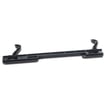
- Microwave door latch WB10X32782 (helps the door close and engage switches)
A microwave that is overheating, not venting well, or has a worn door latch or switch can start shutting off mid-cycle, not heating consistently, or failing to start. Addressing airflow and door alignment early often extends service life and prevents repeat fuse or switch failures.
Last updated: February 2026
Will gorilla glue work on a microwave handle?
Gorilla Glue can sometimes hold a GE microwave/hood combo handle like model JVM3160DF4WW, but we do not recommend it as a reliable repair. The door handle is a high-stress safety-related part; a failed glue joint can cause the door to mis-latch and the microwave to stop running.
- Replace the handle or door components rather than gluing.
- If the handle is loose, tighten the mounting screws from the inside of the door (access varies by design).
- If the latch area is damaged, replace the latch parts so the door closes and interlocks correctly.
- Follow the disassembly steps and screw locations shown in the JVM3160DF4WW owner’s manual.
Unplug the microwave and check these items before using it again:
- The door closes smoothly without forcing.
- The door sits flush and does not wobble.
- The latch hooks engage firmly and release normally.
- The unit does not run with the door open.
- The handle does not flex or shift when you pull it.
If the handle break also damaged the latch or switch area, these parts are common fixes:
| Symptom | Common related part | Example part for this model |
|---|---|---|
| Door won’t close or feels “mushy” | Door latch | Microwave door latch WB10X32782 |
| Runs only when you lift/push door | Door interlock switch | Microwave door interlock switch WB24X10146 |
| Blows fuse when door is shut | Door monitor switch | Microwave door monitor switch WB24X10205 |
On over-the-range microwaves, the handle is used multiple times a day and the door interlock system depends on consistent door alignment. A solid mechanical repair helps prevent nuisance no-heat issues, blown fuses, and door-switch failures.
Last updated: February 2026


