Owner’s manual
 Error Codes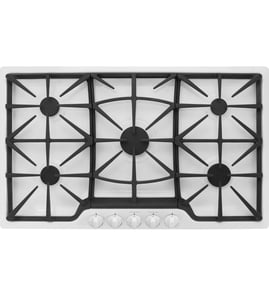




How do I reset a Jenn Air cooktop?
To reset your Jenn-Air JGC8536ADS gas cooktop, turn the burner knobs to OFF, then shut off power at the circuit breaker for 1 minute and restore power. This clears many control and ignition glitches and lets you confirm normal operation.
- Turn all cooktop control knobs to OFF.
- Switch OFF the cooktop circuit breaker (or remove the fuse) for 60 seconds.
- Switch the breaker ON (or reinstall the fuse).
- Wait about 1 minute and watch for any error or abnormal sparking.
- Test each surface burner: turn to LITE, confirm clicking, then confirm a steady flame.
A reset restores power, but it will not correct a burner that cannot ignite due to a common ignition or gas-flow issue. Use these checks from the troubleshooting guidance in the JGC8536ADS owner’s manual:
- Confirm the cooktop has power (breaker is on, outlet connection is secure).
- Make sure the burner cap is seated correctly on the burner base.
- Check that burner ports and ignition ports are not clogged.
- Verify the igniter is dry and clicking (wet or soiled igniters often fail to light).
- If the igniter does not click, turn the knob OFF and inspect the ignition parts.
| Symptom after reset | Most likely area | Example part for JGC8536ADS |
|---|---|---|
| No clicking on one burner | Ignition switch or igniter | Range surface burner igniter WP74009336 |
| Clicking but no flame | Burner cap/head alignment or clogged ports | Burner head/cap cleaning and seating |
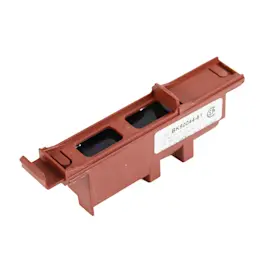
| Constant clicking on multiple burners | Switches or spark module | Spark module WP8286828 (listed for this model) |
Resetting removes power long enough to clear minor electronic faults and reinitialize the ignition system. If ignition problems continue, the cause is usually mechanical (cap seating, clogged ports) or an ignition component (igniter, switch, spark module).
Last updated: February 2026
Why is my Jenn Air cooktop burner not working?
If a burner on your Jenn-Air JGC8536ADS gas cooktop is not working, the most common causes are loss of power to the igniter, clogged burner or ignition ports, a wet or damaged ignitor, or a burner cap that is not seated correctly. We follow the same checks listed in the JGC8536ADS owner's manual.
- Make sure the cooktop is plugged in firmly and the circuit breaker is on (or the house fuse is good).
- Confirm the gas shutoff valve is fully open.
- Verify the burner cap is centered and seated flat on the burner base.
- Clean clogged burner ports and ignition ports (food spills and grease can block gas flow).
- Check that the ignitor is dry and you hear clicking when turning the knob; if it is wet or soiled, it may not light.
- Confirm the burner is correctly rated for your type of gas (natural gas vs LP).
| Symptom | Most likely cause | What to do next |
|---|---|---|
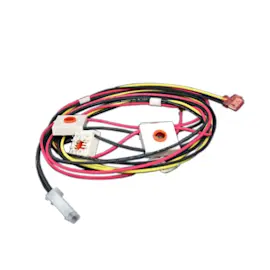
| No clicking sound | No power, failed switch, wiring issue | Check power first; then inspect the igniter switch and harness connections |
| Clicking but no flame | Clogged ports, gas off, cap misaligned | Clean ports, open gas valve, reseat cap |
| Clicking and delayed ignition | Dirty/wet ignitor or ports | Dry and clean around the ignitor and burner head |
| Uneven flame | Ports clogged | Clean burner head ports |
If cleaning and reseating do not help, ignition parts are common replacements on this model:
- Range surface burner igniter WP74009336 (creates the spark at the burner)
- Spark module WP8286828 (sends spark to one or more burners)
- Cooktop igniter switch WP74007774 (tells the spark system to fire when you turn the knob)
A burner that will not light is often a simple alignment, moisture, or clog issue. Fixing it quickly helps prevent repeated clicking, delayed ignition, and uneven heating that can affect cooking results.
Last updated: February 2026
Why is my Jenn Air gas cooktop clicking but wont ignite?
If your Jenn-Air JGC8536ADS gas cooktop is clicking but not lighting, the igniter is sparking but the burner is not getting a clean light-off. The most common causes are a wet or soiled igniter, clogged burner/ignition ports, or a burner cap that is not seated correctly (all covered in the JGC8536ADS owner's manual).
- Turn the knob OFF and wait a minute; then try again.
- Make sure the burner cap sits flat on the burner base.
- Dry the igniter area completely after cleaning or a spill (cool air from a hair dryer helps).
- Clean clogged burner ports and the ignition port with a soft brush; do not enlarge ports.
- Confirm the cooktop has power (spark ignition needs electricity).
- If the igniter is clicking but looks cracked, heavily corroded, or won’t spark consistently, replace the igniter.
Your cooktop uses pilotless ignition. When you turn any surface burner knob on, all igniters may spark, but only the selected burner should light. If the flame goes out, the cooktop can also spark to re-ignite automatically.
| Symptom you see | Most likely area | Common part to check |
|---|---|---|
| Clicking continues, burner stays off | Wet/dirty or failing igniter | Range surface burner igniter WP74009336 |
| Clicking, gas smell, delayed ignition | Clogged ports or mis-seated cap/head | Burner head and cap seating/cleaning |
| Multiple burners affected, constant sparking | Ignition switching or spark control issue | Spark module WP8286828 or cooktop igniter switch WP74007774 |
A burner that will not ignite can allow unburned gas to linger and can also overwork the spark system. Getting the burner cap alignment, ports, and igniter condition right restores normal ignition and steadier flame.
Last updated: February 2026