Error Codes




How do I clear the error code on my KitchenAid oven?
On the KitchenAid KFEG500EWH2 electric range, you can usually clear an error code by pressing Cancel/Off once. If the code stays on the display, reset power at the breaker for 1 minute, restore power, then see if the code returns during Bake or when you touch the control panel.
Quick reset steps (most common fixes)
- Press Cancel/Off and wait 30 seconds.
- If the display still shows the code: turn the range circuit breaker OFF.
- Leave power off for 60 seconds (a full minute).
- Turn the breaker ON and set the clock if needed.
- Try Bake for 5 minutes and watch for the code to reappear.
If the code comes back right away
Most repeat error codes are caused by a control input problem (stuck key, moisture) or a heating/temperature feedback problem.
- Wipe the control area with a dry cloth; let it air-dry 10 to 15 minutes.
- Press each keypad once to confirm none feel stuck.
- If the oven will not heat or heats unevenly, inspect the bake circuit; a failed element is a common cause.
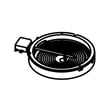
- If the code appears when using a surface burner, the issue is often in the burner control switch or element.
Parts that commonly relate to heating or control symptoms
| Symptom you notice | Common area to check | Example part for this model |
|---|---|---|
| Oven will not bake, long preheat, uneven baking | Bake heating circuit | Bake element W10779716 |
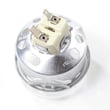
| Surface element not heating or stuck on one setting | Infinite switch / element | Range infinite switch W10917724 |
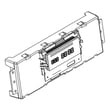
| Display issues, random beeping, repeated codes | Electronic control / touch input | Electronic control W11088877 |
Why it matters
Clearing the code is useful, but a code that returns after a breaker reset usually means the control is detecting the same fault again. Addressing the underlying cause helps prevent no-heat problems, overheating, or repeated shutdowns.
Helpful DIY reference
Use KitchenAid slide-in electric range error codes to match the exact code to the most likely cause and next checks.
Last updated: January 2026
What is the life expectancy of a KitchenAid oven?
A KitchenAid oven like the KitchenAid KFEG500EWH2 electric range typically lasts 10 to 15 years. With normal home use and basic maintenance (cleaning, avoiding overheating, and fixing small issues early), many ranges reach the upper end of that range.
Typical lifespan and what affects it
Most electric ranges fall into a predictable lifespan range, but a few factors make a big difference:
- How often you bake/broil (daily use shortens lifespan)
- Heat stress on electronics (control boards and touch panels can fail sooner)
- Cleaning habits (spills left to bake on can damage elements and wiring)
- Power quality (surges can damage the electronic control)
- Repair history (replacing a failed part can extend the range’s useful life)
Parts that commonly determine “end of life”
On an electric range, the appliance often becomes “not worth repairing” when a high-cost part fails or multiple parts fail close together.
| Component | What it does | Common symptom when failing |
|---|---|---|
| Electronic control | Runs oven functions and timing | Dead display, erratic temps, random beeping |
| Bake element | Primary heat source for baking | Oven will not heat or heats unevenly |
| Surface element switch | Controls burner heat levels | Burner stuck on high, won’t heat, or cycles wrong |
| Terminal block | Main power connection point | Burning smell, melted wiring, intermittent power |
If your oven is not heating properly, the bake element W10779716 is one of the first parts we check on this model.
Why it matters
Knowing the expected lifespan helps you decide whether to repair or replace. If your KFEG500EWH2 is under 10 years old, repairing a single failed part is usually the best value. If it is over 15 years old and needs multiple major parts, replacement often makes more sense.
Quick checks that can extend life
- Keep the oven cavity clean to prevent smoke and overheating
- Avoid slamming the oven door (protects hinges and glass)
- Do not line the oven bottom with foil (can trap heat and damage components)
- Use cookware that fits the burner size to reduce cycling stress
- Address heating issues early before they strain the control and wiring
For troubleshooting help, use oven wont heat troubleshooting electric range problems video.
Last updated: January 2026
How do I find the model number on my KFEG500EWH2?
Your KitchenAid electric range model number is printed on the appliance’s model and serial tag. On ranges like KFEG500EWH2, that tag is usually on the oven frame behind the door, or on a side frame area you can see when the door is open.
Where to look on a KitchenAid range
Check these common locations in this order:
- Open the oven door and look along the front frame (left or right side) near the door opening
- Look along the bottom edge of the oven frame, just inside the door opening
- Check the storage drawer area; remove the drawer and look on the frame behind it
- If your range has a warming drawer, check the frame visible when the drawer is open
- Look on the back panel only if you cannot find it on the front frame
What the tag looks like and what to write down
The tag typically lists both a model number and a serial number.
| What to record | Example | Why it matters |
|---|---|---|
| Model number | KFEG500EWH2 | Ensures diagrams and parts match your exact range |
| Serial number | (varies) | Helps confirm production details when ordering certain parts |
Why it matters for parts and diagrams
KitchenAid ranges can have small design changes within the same series. Using the exact model number (including the last digits, like the “H2” in KFEG500EWH2) helps us match the correct components such as a bake element W10779716 or a control part.
Quick tips if the tag is hard to read
- Wipe the tag gently with a damp cloth and mild dish soap, then dry
- Use your phone camera zoom and a flashlight to improve contrast
- Copy the model number exactly, including all letters and numbers
Last updated: March 2026