 Installation guide
 Owner’s manual



How to remove the front panel from a Maytag dryer?
On the Maytag MDE2706AYW dryer, we remove the lower front access panel by unplugging the dryer, taking out the panel fasteners, then pulling the bottom edge out and lifting to release the top clips. This gives front access to internal components (the installation guide notes this panel is removed to view the burner flame).
Before you start (safety and prep)
- Unplug the dryer (or switch off the breaker) before removing any panel.
- If you have a gas model, close the gas shutoff valve as an added safety step.
- Let the dryer cool completely.
- Have a small container ready for screws.
- Wear cut-resistant gloves; sheet metal edges can be sharp.
Steps to remove the lower front panel
- Disconnect power to the dryer.
- Locate the fasteners at the bottom edge of the lower front panel (typically 2 screws).
- Remove the screws and support the panel so it does not drop.
- Pull the bottom of the panel outward a few inches.
- Lift the panel up and off to disengage the top retaining clips.
If the panel feels stuck
- Slide a putty knife along the seam to help release spring clips.
- Check for hidden screws near the bottom corners.
- Pull outward from both bottom corners evenly to avoid bending the panel.
What you can access with the panel off
With the lower panel removed, you can typically see or reach items such as:
- Burner area and flame view opening (gas models)
- Blower housing area
- Front bulkhead lower area
- Wiring and harness routing near the front base
| Symptom you are chasing | Common area behind the panel | Example part that can be involved |
|---|---|---|
| No heat (electric) | Heater housing circuit | Heat element WPY503978 |
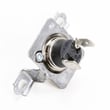
| Overheating or cycling heat | Thermostat circuit | Dryer operating thermostat WP37001136 |
| Rumbling or thumping | Drum support area | Dryer drum support roller WP37001042 |
Why it matters
The installation instructions warn that the front panel must be in place during normal operation. Removing it correctly prevents bent panels, broken clips, and wiring damage, and it is the safe way to inspect components or perform a repair.
For diagrams and model-specific panel details, use the installation guide.
Last updated: February 2026
What are common dryer part failures?
On the Maytag MDE2706AYW dryer, the most common part failures usually show up as no heat, no tumbling, loud squealing/thumping, or long dry times. Heating problems often trace to the heating circuit, while tumbling noise and stoppages commonly come from drum support and belt-drive components; venting issues can also cause overheating and shutdowns.
Most common failures by symptom
- No heat or weak heat: failed heating element, operating thermostat, or limit thermostat
- Dryer runs but takes too long to dry: restricted exhaust ducting, lint buildup, or poor vent routing
- Loud rumbling, thumping, or squealing: worn drum support rollers, glides, or rear seal
- Drum will not turn: failed drive motor, idler assembly, or a belt-related issue
- Shuts off mid-cycle or overheats: airflow restriction, thermostat issues, or high-limit protection opening
Parts on this model that commonly fix these issues
If your symptoms match, these are frequently replaced items for MDE2706AYW:
| Symptom | Likely part | What it affects |
|---|---|---|
| No heat | Heat element WPY503978 | Creates heat for drying |
| No heat or cycling temps | Dryer operating thermostat WP37001136 | Regulates drum temperature |
| Overheating or no heat | Limit thermostat WPW10116735 | Safety temperature cutoff |
| Thumping/rumbling | Dryer drum support roller WP37001042 | Supports drum rotation |
| Motor hums, won’t start | Dryer drive motor WP2200376 | Turns drum and blower |
Venting and airflow failures (very common)
Even with good parts, poor venting can cause long dry times, overheating, and repeated thermostat failures. Our installation guidance for this dryer calls for:
- Exhausting to the outside using the shortest route possible
- Using 4-inch metal duct (rigid or flexible metal)
- Avoiding plastic or thin foil flexible ducting
- Keeping exhaust static pressure within typical limits (measured with the dryer running)
For the exact venting requirements and setup details, follow the installation guide.
Why it matters
A dryer that overheats or struggles to move air can damage clothing, waste energy, and shorten the life of key components like the heating element and thermostats. Fixing airflow first often prevents repeat failures.
Last updated: February 2026
Where can I get Maytag replacement parts?
You can get replacement parts for your Maytag MDE2706AYW dryer from the parts list for this model, which helps you match the exact part to your dryer. For the best fit, always confirm your full model number and compare the part name and part ID before ordering.
Best way to order the right part for MDE2706AYW
- Match the model number exactly: MDE2706AYW
- Identify the failed part by symptom (no heat, noisy drum, won’t start)
- Cross-check the part name and part ID on the parts list
- Use diagrams to confirm mounting location and wire connections
- Verify your serial tag; the manual notes the model and serial label is on the left-hand side of the door opening
Common Maytag MDE2706AYW parts customers replace
If you are troubleshooting a specific issue, these are frequently ordered items for this model:
- Heating problem: heat element WPY503978
- Noisy drum or thumping: dryer drum support roller WP37001042
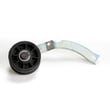
- Drum not turning: dryer idler assembly WP37001287
- Overheating or cycling issues: dryer operating thermostat WP37001136
- Lint screen damage or poor lint capture: dryer lint screen WP37001142
Quick symptom-to-part guide
| Symptom | What to check first | Example part on this model |
|---|---|---|
| Dryer runs but no heat | Heating circuit parts | Heat element, thermostats |
| Squealing, rumbling, thumping | Drum support and glides | Drum support roller |
| Drum won’t tumble | Belt path and tensioning | Idler assembly, motor |
Why it matters
Using the exact MDE2706AYW parts list reduces returns and repeat repairs because dryers often have similar-looking components that mount differently or use different terminals. The MDE2706AYW owner's manual also helps you confirm basic operation and troubleshooting steps before you order.
Last updated: February 2026





