



How to tell the age of a Speed Queen dryer?
To tell the age of your Speed Queen dryer (including model AE5413), we use the serial number date code. On many Speed Queen units, the first 4 digits of the serial number indicate the build date: the first 2 digits are the year and the next 2 digits are the month.
Where to find the serial number
Look for a model and serial tag on the dryer cabinet. Common locations include:
- Inside the door opening on the front panel
- On the door itself (edge or inner surface)
- On the back panel
- Along the side of the cabinet near the top
If the tag is worn or missing, you can sometimes confirm the model using our how to find your appliance model number (and what it means for parts) guide.
How to read the date code (quick examples)
If your serial number starts with 4 digits like these, here is how we interpret them:
| Serial starts with | Year | Month | Approx. build date |
|---|---|---|---|
| 2103 | 2021 | 03 | March 2021 |
| 1911 | 2019 | 11 | November 2019 |
| 2407 | 2024 | 07 | July 2024 |
Tips to avoid common mistakes
- Use only the first 4 digits for the date code; the rest identifies the production sequence.
- Month values run 01 to 12.
- If your serial number begins with letters or uses a different pattern, compare the full tag details and match parts by model AE5413.
Why it matters
Knowing the manufacture month and year helps us match the correct dryer parts (like a door switch, thermal fuse, or heating element) because manufacturers sometimes change wiring, mounting, or heater styles during production.
If you are troubleshooting a no-heat or no-start issue while you are checking age, a quick first step is inspecting and testing the thermal fuse; the Speed queen thermal fuse 490P3 is a common safety cutoff part on many electric dryers.
Last updated: February 2026
What are common problems with Speed Queen dryers?
Common problems on the Speed Queen AE5413 electric dryer include long dry times from restricted airflow, no heat from a failed heating circuit component, and a no-start condition caused by a door or safety switch issue. Most fixes start with venting and power checks, then move to testing parts.
Most common symptoms and likely causes
- Dryer runs but takes too long to dry: lint buildup in the lint screen housing, crushed or clogged vent, weak airflow
- Dryer runs but has no heat: failed heater, open thermal fuse, loose or burned wire connection
- Dryer will not start: door not closing fully, failed door switch, power supply problem
- Burning smell or overheating: blocked venting, lint accumulation near the heater duct
- No drum movement (motor runs or hums): belt or idler system issue (common wear area)
Parts that commonly fail on this model
If troubleshooting points to a component failure, these AE5413 parts are common suspects:
- Speed queen thermal fuse 490P3 (no heat or no run, depending on circuit design)
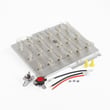
- Dryer heating element 61928 (no heat)
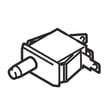
- Door switch D512973 (no start when the door is closed)
- Speed queen filter 61376P (airflow restriction if damaged or not sealing correctly)
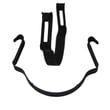
- Heater duct D510705P (air leaks, heat issues, lint accumulation points)
Quick checks we recommend before replacing parts
- Confirm the dryer has the correct power supply (electric dryers typically need full 240V to heat).
- Clean the lint screen and check for lint buildup where the screen seats.
- Inspect the vent run for kinks, crushed flex duct, or heavy lint blockage.
- Run a timed dry cycle with a small load to rule out cycle or load-size issues.
- If symptoms persist, test the heating circuit and safety devices with a meter.
What to test first (simple guide)
| Symptom | First check | Next likely part |
|---|---|---|
| Long dry times | Venting and airflow | Speed queen filter 61376P |
| No heat | Power supply, venting | Speed queen thermal fuse 490P3 or dryer heating element 61928 |
| Won’t start | Door closes and latches | Door switch D512973 |
Why it matters
Airflow problems can mimic a bad heater and can also overheat the dryer, which commonly leads to a blown thermal fuse. Verifying venting first helps prevent repeat failures and protects the heating system.
Last updated: February 2026
Where is the model number on a Speed Queen dryer?
On a Speed Queen dryer like model AE5413, we typically find the model number on a rating label inside the dryer door opening on the cabinet frame. If it is not there, check the back of the dryer near the top.
Common places to check on model AE5413
- Inside the door opening on the front cabinet frame (most common)
- On the back panel near the top edge
- Along the door opening lip where the door closes
- Behind the lower front access panel (if your version has one)
- On the side panel near the rear corner
What the label looks like
The model/serial label is usually a small sticker or metal tag. It often includes:
- Model number (for example, AE5413)
- Serial number
- Electrical ratings (volts/amps)
- Manufacturer information
| What you need | Why you need it | Example |
|---|---|---|
| Model number | Ensures parts fit your exact dryer | AE5413 |
| Serial number | Helps match production changes | Varies |
Why it matters
Speed Queen dryers can use different door switches, heater parts, or hardware depending on the exact model and production run. Using the correct model number helps us match the right replacement part the first time, such as a door switch D512973 if you are troubleshooting a door that will not start the dryer.
Last updated: February 2026





