Installation guide
 Owner’s manual
 Error Codes



Does a Kenmore Elite have a reset button?
Kenmore Elite electric ranges like model 79096623700 do not use a dedicated “reset button.” Most reset situations are handled by restoring power (unplugging or switching the breaker off and back on), then clearing any PF (power failure) message and resetting the clock and oven settings per the 79096623700 owner's manual.
What to do instead of a reset button
If the range is acting up after a power interruption or glitch, these steps typically restore normal operation:
- Turn all surface element knobs to OFF.
- If safe to access, unplug the range or switch the range breaker OFF.
- Wait about 1 minute, then restore power.
- If PF appears on the cooktop display, touch any ON/OFF cooktop control pad to clear it.
- Reset the clock and reselect your oven function.
PF message vs. a true control problem
The manual notes that PF displays when there has been a power interruption, and it can be cleared from the ESEC (cooktop electronic controls). That is a normal “reset-like” condition, not a failed part.
| What you see | What it usually means | What to do |
|---|---|---|
| PF on the cooktop display | Power interruption detected | Clear PF, reset clock |
| Oven will not heat correctly | Temperature sensing or heating issue | Troubleshoot sensor and elements |
| Door won’t unlock after clean | Lock system issue | Check lock motor/latch operation |
Parts that commonly relate to “won’t heat” complaints
If the issue is not just PF or a clock reset, these parts are common suspects on an electric range:
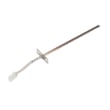
- Frigidaire range oven temperature sensor 316490000 (misreads temperature, causes poor baking)
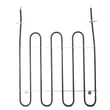
- Frigidaire range bake element 316413800 (no bake heat)
- Frigidaire range broil element 316203301 (no broil heat)
- Range oven door lock motor and switch assembly 5304528973 (self-clean lock problems)
Why it matters
A “reset” fixes display and power-interruption states (like PF). Heating failures, error conditions that return immediately, or self-clean lock issues usually point to a component (sensor, element, lock assembly) that needs testing and replacement.
Last updated: January 2026
What is the width of a Kenmore range?
For the Kenmore Elite electric range model 79096623700, the overall width is 29-7/8 inches (commonly called a “30-inch range”). This measurement comes from the installation dimensions and is the key number for cabinet and countertop fit.
Model 79096623700 width and related dimensions
These are the overall dimensions shown for installation planning in the installation guide.
| Measurement | Dimension |
|---|---|
| Overall width | 29-7/8 in. |
| Overall depth (with door handle) | 28-13/32 in. |
| Overall height | 36-1/8 in. |
How to measure your range correctly
If you are confirming fit before replacing a range or ordering parts, we recommend measuring the appliance itself and the opening.
- Measure the widest point across the front (usually the cooktop edge).
- Measure depth including the door handle (handles often add 1 to 3 inches).
- Measure height from floor to the highest point of the cooktop or backguard.
- Measure the cabinet opening width at the front and back (openings can be out of square).
- Confirm the range sits level; an unlevel floor can change how it fits under countertops.
Why it matters
Range “30-inch” is a nominal size; the real width is typically just under 30 inches so it can slide into a 30-inch cabinet cutout. Using the exact 29-7/8 inch width helps prevent countertop interference, cabinet rubbing, and installation delays.
Quick sizing guide (common Kenmore range widths)
| Nominal size | Typical actual width |
|---|---|
| 30-inch range | About 29-7/8 in. |
| 24-inch range | About 23-7/8 in. |
| 36-inch range | About 35-7/8 in. |
Last updated: January 2026
Why is my Kenmore Elite oven not working?
If your Kenmore Elite electric range model 79096623700 oven is not working (won’t heat or shuts off), the most common causes are a power supply problem, a failed heating component (bake or broil), or a control or sensor issue. Use the troubleshooting steps in the 79096623700 owner’s manual to narrow it down safely.
Quick checks first (most common)
- Confirm the range has 240 volts at the outlet; a tripped double breaker can leave you with lights and a dead oven.
- Make sure the oven controls are set correctly; incorrect settings can cause poor results or no heat.
- If the oven shut off after a power interruption, reset the clock and try Bake again; some features do not resume automatically after power loss.
- Check for obvious damage: burned wiring smell, sparking, or a visibly broken element.
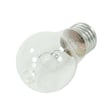
- If the oven light is out, it may simply need a bulb; the manual notes to replace or tighten the bulb.
Parts that commonly stop an oven from heating
If the display works but the oven will not heat, these parts are frequent culprits:
- Bake element: cracks, blisters, or a break in the element loop.
- Broil element: can fail and affect preheat and temperature stability.
- Oven temperature sensor: can cause incorrect temperature readings and heating problems.
- Control board or relay board: may not send power to the elements.
Common part matches for model 79096623700
| Symptom | Likely part to check | Example part for this model |
|---|---|---|
| Oven won’t heat in Bake | Bake element | Frigidaire range bake element 316413800 |
| Broil not working | Broil element | Frigidaire range broil element 316203301 |
| Temperature is erratic or won’t regulate | Oven temperature sensor | Frigidaire range oven temperature sensor 316490000 |
Safe DIY testing tips
- Disconnect power at the breaker before removing panels or testing continuity.
- Use a multimeter to check heating elements and the sensor for continuity.
- Inspect the terminal block and power cord connections for overheating if the oven is completely dead.
Why it matters
An electric oven can appear “on” while still lacking the full 240-volt supply needed to heat. When power is correct, the next most common failures are the bake/broil elements or the temperature sensor, which directly control heating performance.
Last updated: January 2026