Owner’s manual
 Error Codes


What are the dimensions of the Samsung RF30KMEDBSR?
For the Samsung RF30KMEDBSR refrigerator, the cabinet width is 35 3/4 in, the cabinet height is 68 7/8 in, and the depth is 35 1/2 in; the overall height listed is 70 in, and the overall depth shown is 37 7/8 in. For the exact measurement callouts and door-swing clearance, use the RF30KMEDBSR owner's manual.
These are the key design dimensions shown for this Samsung French door refrigerator:
- Width (B): 35 3/4 in (908 mm)
- Height (C): 68 7/8 in (1749 mm)
- Overall height (D): 70 in (1777 mm)
- Depth (A): 35 1/2 in (901 mm)
- Depth (E): 37 7/8 in (963 mm)
Note: The manual states each measurement is based on design dimensions and can vary depending on measuring method.
To avoid fit issues when installing or moving the RF30KMEDBSR, we recommend:
- Allow at least 3 3/4 in clearance between the refrigerator and the wall so doors can swing open.
- Measure the doorway width and height on the path to the kitchen (including trim).
- Check thresholds, ceilings, and stair turns before delivery.
- Plan extra room in front for drawer and door extension.
- Confirm the floor is level and strong enough to support a fully loaded refrigerator.
Samsung manuals often show more than one depth because the front profile changes depending on what is included.
| Measurement type | What it represents | Typical use |
|---|---|---|
| Depth (A) | Cabinet depth reference | Fit to wall and cabinetry |
| Depth (E) | Overall depth reference | Total space the unit occupies |
| Overall height (D) | Tallest height reference | Overhead cabinet clearance |
Accurate refrigerator dimensions help prevent delivery day surprises, door-swing interference, and airflow problems that can affect cooling performance and ice maker operation.
Last updated: February 2026
What water filter for Samsung RF30KMEDBSR?
For the Samsung RF30KMEDBSR refrigerator, use an OEM Samsung-branded water filter that matches the filter style shown for your unit; the correct fit is confirmed by the filter label and the alignment/lock position in the filter housing. We recommend following the replacement steps in the RF30KMEDBSR owner's manual.
Use these quick checks before you buy or install a replacement:
- Match the Samsung logo on the box and on the filter cartridge.
- Compare the shape and locking tabs to the old filter you removed.
- Verify the filter locks fully when turned clockwise (locked symbol lines up with the indicator line).
- If you have high water pressure, shut off the water supply before removing or installing.
- After installation, flush the dispenser until water runs clear (about 6 to 7 minutes).
The basic process for RF30KMEDBSR is:
- Shut off the water supply.
- Turn the filter about 1/4 turn counterclockwise and pull it straight out.
- Insert the new filter, push in, then turn clockwise until it locks.
- Press and hold Alarm/hold 3 sec for Filter Reset for about 3 seconds.
- Turn water back on and check for leaks.
| Item | Normal result | If it is not normal |
|---|---|---|
| Filter indicator light | Changes from red to off after reset | Repeat the 3-second reset; confirm filter is fully locked |
| Dispenser flow | May sputter briefly, then steadies | Keep flushing; air in the line can take several minutes |
| Leaks at filter | No dripping after flush | Reseat and lock filter; dry the tray and recheck |
A correctly fitted Samsung filter helps prevent leaks at the filter case, keeps dispenser flow steady, and ensures the filter reset and indicator work as designed for your Samsung refrigerator.
For step-by-step visuals and tips, we also use how to replace the water filter in a Samsung refrigerator.
Last updated: February 2026
Why does my Samsung freezer keep icing up at the bottom?
Bottom ice buildup in the freezer on a Samsung RF30KMEDBSR is usually caused by warm, moist air leaking in (drawer not sealing or not closing fully) or by defrost water not draining away and refreezing at the bottom. We focus on sealing, loading, and drain flow first.
- Make sure the freezer drawer closes completely; overloading can prevent full closure and leads to frost buildup.
- Repack food so nothing pushes against the drawer front or rails.
- Check the drawer gasket for gaps, tears, or areas that look flattened.
- Clean the gasket and mating surface with mild soap and warm water; dry fully.
- Look for a sheet of ice on the freezer floor; that often points to drain water refreezing.
- Unload and inspect: Remove the upper drawer and lower basket so you can see the freezer floor and back panel (the removal sequence is shown in the RF30KMEDBSR manual).
- Melt the ice: Unplug the refrigerator, then melt ice with a hair dryer on low (keep heat moving) or use warm towels.
- Clear the drain path: After the ice is gone, flush the drain area with warm water to confirm it flows away instead of pooling.
- Restore airflow: Keep packages away from interior vents; blocked vents can cause overcooling and contribute to icing.
If you find recurring pooling or heavy frost after clearing the ice, these parts are often involved:
| Symptom you see | Most likely area | Example part for this model |
|---|---|---|
| Ice sheet on freezer floor | Drain area icing over | Refrigerator drain cap DA67-01301A |
| Frost plus temperature swings | Temperature sensing/defrost control inputs | Refrigerator temperature sensor DA32-10104N |
Bottom ice can keep the drawer from sealing, which increases frost, reduces cooling efficiency, and can lead to water leaks when the ice melts. Fixing the seal and drain flow stops the cycle.
Last updated: February 2026
What is the most common problem with a Samsung refrigerator?
For Samsung refrigerators like model RF30KMEDBSR, the most common customer-reported issues are ice maker problems (no ice, clumping, freezing up) and cooling complaints (warm fridge, temperature swings). These symptoms are often tied to airflow restrictions, fan/defrost-related issues, or water supply and filter problems.
- Ice maker stops producing or ice clumps in the bin
- Frost buildup that blocks airflow inside the fresh food section
- Warm refrigerator compartment while the freezer seems OK
- Water dispenser slows down after a filter change
- Unusual fan noise that comes and goes
A quick first step for RF30KMEDBSR is to confirm you are not in Cooling Off (demo) mode and that interior air vents are not blocked by food packages; blocked vents can cause overcooling or uneven temperatures. For model-specific button sequences and operating modes, use the RF30KMEDBSR owner's manual.
When symptoms point to airflow or temperature sensing, these are frequent suspects:
| Symptom | Most likely area | Example part for this model |
|---|---|---|
| Ice maker slow or no ice | Ice room airflow or ice system | Refrigerator ice maker evaporator fan DA97-12540A |
| Temps swing, food freezes or warms | Temperature sensing | Refrigerator temperature sensor (model-specific options vary) |
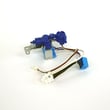
| No water to dispenser or ice maker | Water supply control | Refrigerator water inlet valve |
If you are troubleshooting ice production specifically, we recommend following the same sequence we use in service triage: verify household water supply is on, confirm adequate water pressure, then inspect for freezing or airflow issues around the ice room.
The RF30KMEDBSR manual calls out two key points that directly affect “no ice” and leaking complaints:
- Connect the refrigerator only to a potable water supply.
- Ice maker operation requires 20 to 125 psi water pressure.
- Shut off the water supply before changing the water filter.
- Avoid blocking interior air vents; restricted airflow can create temperature problems.
For step-by-step ice maker troubleshooting, use why your Samsung fridge stopped making ice and how to fix it.
Ice and cooling problems are usually symptoms, not the root cause. Checking airflow, operating mode, and water supply first prevents unnecessary part replacement and helps you pinpoint whether the issue is in the ice system, temperature control, or water inlet.
Last updated: February 2026
Why is my Samsung bottom ice maker not working?
If the bottom ice maker in your Samsung RF30KMEDBSR isn’t making ice, the most common causes are the ice maker being turned off, the refrigerator not being cold enough yet (allow a full 24 hours after startup), or a water supply issue. Use the built-in ice maker Test button to confirm operation per the RF30KMEDBSR owner's manual.
- Make sure Ice Maker Off is not selected; when it’s on, the ice maker stops.
- If the water line is not connected or water is shut off, turn the ice maker off to stop water valve noise.
- Confirm the refrigerator has had 24 hours to cool after installation or a long power outage.
- Check the ice bucket for clumped ice after a power failure; discard residual ice/water if cubes refroze together.
- Run the ice maker test (you should hear a chime when the test starts and again when it completes).
Follow the steps in the RF30KMEDBSR owner's manual for the ice maker Test button:
| What you do | What you should see/hear | What it means |
|---|---|---|
| Press and hold the Test button | A chime sounds | Test started |
| Release the button when it chimes | Ice maker cycles | Mechanism is being checked |
| Wait for the second chime | Second chime sounds | Ice maker test completed |
These are the most likely next causes and fixes:
- No water to the ice maker: verify the household shutoff valve is open; check for a kinked supply line.
- Frozen fill tube or internal line: clear ice blockage in the freezer ice maker area.
- Weak or failed inlet valve: replace the refrigerator water inlet valve DA62-04027A if it isn’t opening consistently.
- Ice bucket issue: if the bucket is cracked, warped, or not seating correctly, replace the refrigerator ice container DA97-14474A.
An ice maker needs two things to work reliably: steady freezer temperatures and steady water flow. If either one is interrupted (startup, power failure, shutoff valve closed, frozen line), ice production stops even though the lights and display still work.
Last updated: February 2026
How do I clear the code on my Samsung refrigerator?
On the Samsung RF30KMEDBSR refrigerator, most codes clear after you correct the underlying problem and then reset the controls. Start with a simple power reset; also make sure the refrigerator is not in Cooling Off (Shop) mode, which can look like a cooling failure and trigger alerts. See the exact button sequences in the RF30KMEDBSR owner's manual.
- Unplug the refrigerator (or switch off the breaker) for 5 minutes.
- Restore power and wait 2 to 3 minutes for the control to reboot.
- Check the display for OFF (Cooling Off mode indicator) and normal temperature readouts.
- If the code returns, focus on the system the code points to (cooling, fan, sensor, ice maker, etc.).
The manual for this style of Samsung refrigerator uses a specific key combo to toggle Cooling Off mode.
- To enter Cooling Off mode: press and hold Freezer + Fridge + Alarm for 5 seconds.
- To cancel Cooling Off mode: press and hold Freezer + Fridge + Alarm again for 5 seconds.
| Display/behavior | What it means | What to do |
|---|---|---|
| Temperature display flashes OFF | Cooling Off mode is ON | Hold Freezer + Fridge + Alarm 5 seconds |
| Lights and fans run but not cooling | Normal for Cooling Off mode | Cancel Cooling Off mode |
| Code returns after reset | Active fault still present | Troubleshoot the related system |
A repeating code means the control still detects a problem. These are common next checks:
- Make sure doors fully close and gaskets seal.
- Confirm the condenser area has airflow and is not blocked by dust.
- If the issue is temperature-related, a failed sensor is common; this model uses sensors such as the refrigerator temperature sensor DA32-10104N.
- If the issue is ice-related, inspect the ice room for frost buildup and airflow problems.
For code definitions and model-family guidance, we use our Samsung error code resources such as Samsung rb series bottom freezer refrigerator error codes.
Clearing the code without fixing the cause usually makes the code return, and the refrigerator can stay warm, stop making ice, or run longer than normal. A reset is most useful after you correct the airflow, sensor, or cooling condition that triggered the code.
Last updated: February 2026
Why is my Samsung fridge running but not cooling?
If your Samsung RF30KMEDBSR refrigerator sounds like it’s running but isn’t cooling, the most common causes are Cooling Off (Shop) mode being enabled, blocked interior air vents, dirty condenser airflow, or a failed fan/defrost issue. Start with the quick checks in the RF30KMEDBSR owner's manual.
- Confirm the display is not showing OFF (Cooling Off mode). In this mode, lights and fans can run but the compressor does not cool.
- Make sure food packages are not blocking the air vents inside the fresh food section.
- Unplug the refrigerator, wait at least 5 minutes, then plug it back in (a simple control reset).
- Verify doors close fully and are not being held open by bins or overpacked shelves.
- Listen for abnormal fan noises (rubbing, clicking, or no airflow sound).
Cooling Off mode is designed for store display; the refrigerator appears “on” but does not get cold.
| What you notice | What it means | What to do |
|---|---|---|
| Temperature display flashes OFF | Cooling Off mode is enabled | Touch and hold Freezer + Fridge + Alarm for 5 seconds to toggle it off |
| Lights work, fan noise present | Normal in Cooling Off mode | Cancel Cooling Off mode, then allow time to cool |
These are the most likely repair-related causes on a Samsung bottom-mount:
- Evaporator fan not moving air (no airflow in the fresh food section)
- Frost or ice buildup on the evaporator cover restricting airflow (defrost problem)
- Condenser fan or condenser airflow problem causing poor heat removal
- Temperature sensor issue causing incorrect cooling operation
- Sealed system/compressor issue (typically requires professional service)
Parts that are commonly involved when airflow or temperature sensing is the problem include the refrigerator condenser fan motor assembly da97-15765c and a refrigerator temperature sensor DA32-10104N.
When a refrigerator “runs” without cooling, food safety and compressor stress become concerns. Fixing airflow restrictions (vents, fans, frost) quickly often restores normal temperatures and prevents longer run times.
Last updated: February 2026