 Owner’s manual
 Error Codes








Is there a way to reset my Whirlpool WED6400SB1 Steam dryer?
Yes. To reset your Whirlpool WED6400SB1 dryer, we recommend doing a simple power reset: turn the dryer off, disconnect power for 1 minute, then restore power and press POWER to start a new cycle. Use the WED6400SB1 owner's manual for model-specific control steps.
How to reset (power reset)
- Press POWER to turn the dryer off.
- Unplug the dryer (or switch the breaker off).
- Wait 60 seconds.
- Restore power.
- Press POWER, select a cycle, then press START.
If the dryer still will not start after a reset
These checks solve most “won’t start” and “shuts off” complaints on Whirlpool dryers:
- Confirm the door is fully closed and the latch engages; a failed door switch can prevent starting.
- Make sure you press START within about 5 minutes of pressing POWER (the dryer can shut off automatically).
- Check the house breaker; electric dryers typically need both legs of power.
- Clean the lint screen and confirm strong airflow at the exhaust hood.
- If the display shows an error, look it up in Whirlpool duet dryer error codes.
Common “no start” parts to consider
| Symptom | What it points to | Example part for this model |
|---|---|---|
| No response when pressing Start | Door not sensed closed | Door switch W10702726 |
| Intermittent power, burning smell at cord area | Loose/burned power connection | Dryer terminal block WP3397659 |
Why it matters
A reset clears a temporary control glitch, but it will not fix an underlying issue like a door switch failure, a poor power connection at the terminal block, or restricted venting that causes overheating and shutdowns.
Last updated: February 2026
How do I fix error F01 on my dryer?
Error F01 on a Whirlpool WED6400SB1 dryer points to an electronic control problem. Start with a simple power reset, then check for obvious wiring issues; if the code returns, the repair typically involves diagnosing the control and related connections using the owner's manual.
Step-by-step fixes to try first
- Unplug the dryer (or switch the breaker off) for 5 minutes, then restore power.
- Make sure the dryer is plugged into a grounded 3-prong outlet (no adapter or extension cord).
- If the display comes back on, run a short timed cycle to see if the code returns.
- If the dryer is dead or the code returns immediately, stop and inspect for loose or burned wiring at the power connection.
What to check if F01 comes back
F01 is commonly triggered by a control sensing an internal fault or a bad connection. Focus on these areas:
- Power supply connection at the terminal block (loose screws, heat damage)
- Harness connections to the main control (loose plug, corrosion)
- Door switch operation (a failed switch can create confusing symptoms)
Parts that are often involved
| Symptom you notice | What to inspect | Example part on this model page |
|---|---|---|
| Dryer won’t power up, burning smell near cord | Terminal block and cord connections | Dryer terminal block WP3397659 |
| Dryer starts then stops, intermittent operation | Door switch and wiring | Door switch W10702726 |
| Dryer runs but acts erratic, heat issues alongside errors | Sensor circuits and harness | Dryer thermistor WP8577274 |
Why it matters
When a dryer shows F01, continuing to restart it without checking the power connection can lead to repeated shutdowns and, in some cases, overheated wiring at the terminal block. A quick inspection and tightening of connections prevents bigger electrical failures.
Last updated: February 2026
What's the life expectancy of a whirlpool WED6400SB1 dryer?
A Whirlpool WED6400SB1 dryer typically lasts 10 years. With consistent vent cleaning, routine lint-screen care, and prompt replacement of wear items (like rollers and idler pulleys), it commonly reaches 12 to 15 years of service.
What affects dryer lifespan the most
- Airflow and venting: restricted exhaust makes the heater and motor work harder
- Lint control: lint buildup increases heat stress and wear
- Load habits: frequent heavy loads speed up drum support and belt system wear
- Heat management: overheating shortens the life of thermostats, fuses, and the heating circuit
- Timely part replacement: fixing squeals, thumps, or long dry times early prevents bigger failures
Maintenance that adds years (high impact)
Use these habits for the WED6400SB1; they align with the care guidance in the owner's manual.
- Clean the lint screen before every load
- Clean the full exhaust vent run at least every 2 years (more often with long vents or heavy use)
- Avoid overloading; keep loads loose enough to tumble freely
- If Auto cycles end early or loads stay damp, correct airflow issues first
- Stop using the dryer if you smell burning or notice repeated overheating symptoms
Common wear items and what they usually sound like
| Symptom | Most common cause | Typical fix |
|---|---|---|
| Thumping or rumbling | Worn drum support rollers | Replace support WPW10314173 |
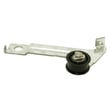
| Squealing | Idler pulley wear | Replace dryer idler pulley 8547174V |
| Long dry times | Vent restriction or airflow problem | Clean venting; verify strong exhaust flow |
Why it matters
A dryer that is struggling to move air runs hotter and longer, which accelerates wear on the drive system, temperature sensors, and heating components. Keeping airflow strong is the simplest way to extend the life of your Whirlpool dryer and reduce breakdowns.
Last updated: February 2026
Is 6.7 cubic feet a big dryer?
Yes. For a Whirlpool WED6400SB1 dryer, 6.7 cubic feet is a large, full-size capacity that handles everyday family laundry and makes it easier to dry bulky items (comforters, towels, jeans) in fewer loads.
What 6.7 cu. ft. means in real use
A 6.7 cu. ft. drum is considered “standard to large” for most residential dryers. It typically works well for:
- Family-sized mixed loads (cottons, towels, jeans)
- Bulky items that need room to tumble for even drying
- Fewer loads per week compared with compact dryers
- Better airflow around clothes (often improves drying performance)
For cycle and load guidance specific to your dryer, use the owner's manual.
Quick size comparison
| Dryer capacity | Common description | Best for |
|---|---|---|
| 3.4 to 4.4 cu. ft. | Compact | Small households, tight spaces |
| 5.0 to 6.0 cu. ft. | Standard | Most everyday laundry |
| 6.5 to 7.4 cu. ft. | Large | Families, bulky loads |
Why it matters (drying time and results)
Dryers work best when clothes can tumble freely. If the drum is packed too tightly, moisture sensors and airflow cannot do their job as well, and you can see longer dry times or uneven drying. Your WED6400SB1 uses automatic cycles that adjust drying based on moisture sensing, so giving loads enough room helps the sensor system end the cycle at the right time.
Tips to get the best performance from a large-capacity dryer
- Clean the lint screen before every load; restricted airflow increases dry time.
- Avoid overloading; fill the drum loosely (especially with towels and bedding).
- Use Automatic cycles for most loads; switch to Timed Dry to finish a load that is still damp.
- Check and clean the exhaust venting periodically; clogged venting is a top cause of long dry times.
- If drying becomes inconsistent, inspect airflow parts such as the dryer blower wheel WP694089 and lint screen.
Last updated: February 2026











