 Owner’s manual





Can I fix an IE error myself?
Yes. On the LG WM3570HVA washer, an IE (inlet) error usually means the washer is not getting enough water or water pressure to start or continue filling. Most IE issues are DIY fixes: confirm the faucets are fully open, hoses are not kinked, and the inlet screens are clear.
Quick DIY checks (start here)
- Turn both hot and cold supply faucets fully on.
- Straighten any kinked or pinched inlet hoses behind the washer.
- Verify the home has water pressure; try another faucet in the house.
- Check for frozen supply lines (common in cold locations).
- Clean the inlet filter screens at the washer’s water valve ports.
- Run a short cycle and watch for normal fill within the first few minutes.
What the manual points to
The troubleshooting table in the WM3570HVA owner's manual ties water-supply errors to common causes like a turned-off faucet, interrupted supply, low pressure, or a clogged inlet filter. Use the manual’s error-message section to confirm you are addressing the correct condition.
When a part is likely involved
If faucets are on, hoses are good, and screens are clean but the washer still fills slowly or not at all, the water inlet valve can be the failure point.
| Symptom | Most common cause | What to do next |
|---|---|---|
| No water enters at all | Closed faucet, kinked hose, clogged screen | Correct supply, then retest |
| Slow fill, IE returns | Low pressure, partially clogged screen | Clean screens, verify pressure |
| One temperature never fills | Failed valve solenoid | Consider replacing the valve |
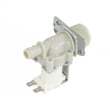
For this model, a common replacement is the LG washer water inlet valve 5220FR2075L.
Why it matters
An IE condition stops the cycle and can leave detergent undissolved and clothes poorly cleaned. Fixing the water-supply restriction quickly also helps protect the inlet valve and prevents repeat error codes.
Last updated: February 2026
How do I tell what model LG washer I have?
To identify your LG washer model, open the door and look for the rating label on the door opening (door jamb) or just inside the cabinet opening. For LG WM3570HVA, you can also use the washer’s Tag On (NFC) feature with the LG Smart Laundry&DW app to help confirm the appliance.
Where to find the model number label
Check these common spots first (in order):
- Door opening frame or door jamb area (most common on front-load LG washers)
- Behind or around the detergent dispenser area (look for a printed label nearby)
- Back panel of the washer cabinet
- Side panel of the cabinet (near the rear edge)
If you find multiple numbers, use the full model number string (letters and numbers) exactly as printed.
Using Tag On (NFC) to confirm the washer
Your WM3570HVA supports Tag On features in the LG Smart Laundry&DW app, which can help with Smart Diagnosis and cycle features.
- Install the LG Smart Laundry&DW app on an NFC-equipped smartphone
- In the app, choose Tag On and then Tag On Diagnosis
- Tap your phone on the Tag On logo on the right side of the washer’s control panel
- Review the diagnosis results and appliance information shown in the app
For the exact steps and screen prompts, follow the WM3570HVA owner’s manual.
Model number vs. serial number (quick guide)
Use this to avoid mixing up the label fields:
| Label field | What it’s used for | Example format |
|---|---|---|
| Model number | Ordering parts, matching manuals | WM3570HVA |
| Serial number | Manufacturing ID, service history | Mix of letters and numbers |
Why it matters
Using the correct model number helps us match the right LG washer parts (like a door lock, water inlet valve, or drain pump motor) and prevents ordering a part that looks similar but does not fit your exact configuration.
Last updated: February 2026
What are WM3570HVA common problems?
Common problems we see with the LG WM3570HVA washer include leaking, not filling (or filling slowly), not draining, out-of-balance spinning, and door lock issues. Many of these tie back to water supply pressure, load balance, and a few high-wear parts; the WM3570HVA owner's manual troubleshooting chart is the fastest way to match symptoms to fixes.
Most common symptoms and what usually causes them
- Leaking: door boot damage, loose hose connections, dispenser leaks, or a tub-to-pump hose issue
- Will not fill or fills slowly: closed faucet, low water pressure, clogged inlet screen, or a failing inlet valve
- Will not stop filling: inlet valve stuck open, pressure sensing issue, or control problem
- Will not drain: clogged drain path, pump filter blockage, or a failing drain pump motor
- Won’t spin or shows imbalance: load too small, tangled items, or bulky items (blankets, mats) causing imbalance
Quick checks you can do first (no tools)
- Confirm both hot and cold faucets are fully open.
- Verify water pressure is within the typical operating range (this model supports 14.5 to 142 PSI).
- If the load is unbalanced, pause and redistribute items; wash bulky items one at a time.
- If the door won’t open at the end of a cycle, wait for the door lock icon to turn off; high water level or high temperature can keep it locked.
- If you notice musty odors, clean the tub and wipe the door seal; leave the door open to dry.
Parts that commonly solve these problems
| Symptom | Part to check | What it affects |
|---|---|---|
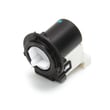
| Not draining, water left in tub | Drain pump motor (4681EA2001T) - washer part by LG electronics 4681EA2001T | Pumps water out during drain/spin |
| Slow fill or no fill | LG washer water inlet valve 5220FR2075L | Controls water entering the washer |
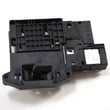
| Door won’t lock or cycle won’t start | LG washer door lock EBF61315802 | Confirms door is locked for safe operation |
Why it matters
Catching fill and drain problems early helps prevent long cycle times, poor cleaning, and leaks. Correcting load balance issues also reduces vibration and stress on suspension components.
Last updated: February 2026
What is the average lifespan of an LG washing machine?
Most LG washing machines, including the LG WM3570HVA, typically last 10 to 15 years with normal household use. Consistent maintenance (especially regular tub cleaning, hose replacement, and addressing leaks quickly) is what most often determines whether you land closer to 10 years or 15.
What affects lifespan the most
- Cleaning routine: Use the Tub Clean cycle when the washer prompts you (often every 1 to 2 months).
- Water quality: Hard water mineral scale shortens component life; periodic descaling helps.
- Hoses and leaks: Replace inlet hoses every 5 years and check them periodically for cracks or wear.
- Correct water pressure and temperature: Keep supply pressure in the recommended range; set hot water around 120 to 135°F for best performance.
- Using authorized components: Using the correct replacement parts helps prevent repeat failures.
For model-specific care and maintenance intervals, follow the WM3570HVA owner’s manual.
Quick maintenance schedule (typical)
| Task | Typical interval | Why it helps |
|---|---|---|
| Run Tub Clean | Every 1 to 2 months (or when prompted) | Reduces odor, residue, and buildup |
| Inspect inlet hoses | Monthly | Catches bulges, cracks, slow leaks |
| Replace inlet hoses | Every 5 years | Prevents sudden hose failure and leaks |
| Descale (hard water areas) | Periodically | Reduces mineral scale on internal parts |
When a repair can extend the washer’s life
If the washer is otherwise in good condition, replacing a failed wear part often adds years of service. For example, draining problems that strain the system are commonly tied to the pump circuit; replacing the drain pump motor (4681EA2001T) - washer part by LG electronics 4681EA2001T is a typical fix when the motor fails.
Why it matters
A front-load washer’s lifespan is usually limited by water-related wear (hoses, valves, seals) and buildup (detergent residue, mineral scale). Staying ahead of those issues is the most reliable way to reach the full 10 to 15 year service life.
Last updated: February 2026
What type of washer is WM3570HVA?
The LG WM3570HVA is a high-efficiency front-loading washer. In the WM3570HVA owner's manual, it’s listed as a “Front Loading Washer” and it uses an inverter direct-drive motor designed for low noise and reduced vibration.
Quick identification checklist
- Front door with a gasketed opening (front-load design)
- High-efficiency (HE) wash system (uses less water than traditional top-loaders)
- Inverter direct-drive motor (motor mounts directly to the drum)
- Stainless steel drum with large capacity
- Magnetic door plunger feature to keep the door slightly ajar for drying
Key specs that confirm the washer type
These specs are typical of an LG front-load HE washer like the WM3570HVA.
| Item | What it indicates |
|---|---|
| Description | Front Loading Washer |
| Power | 120 VAC, 60 Hz |
| Max spin speed | 1300 RPM |
Why it matters
Knowing the WM3570HVA is a front-load HE washer helps you choose the right detergent (HE), understand longer cycle times (common for HE designs), and troubleshoot common front-load issues like door lock operation, draining, and odor prevention.
Related parts customers often replace on this model
If you’re troubleshooting common front-load symptoms (won’t drain, won’t lock, leaks at the door), these model-matched parts are frequently involved:
- Drain pump motor (4681EA2001T) - washer part by LG electronics 4681EA2001T
- LG washer door lock EBF61315802
- LG washer door boot MDS47123618
Last updated: February 2026


