 Installation guide
 Owner’s manual
 Error Codes










How do I tell what model my Frigidaire stove is?
Your Frigidaire electric range model number is printed on a rating label; on model LGEF3043KFB, the label is typically on the oven door frame (around the opening) or on the front frame behind the storage drawer. Write the full model number exactly as shown.
Where to look on a Frigidaire range
Check these common spots in this order:
- Oven door frame: open the oven door and look along the front frame (often near the lower edge)
- Storage drawer area: pull the drawer out and look on the front frame behind it
- Oven cavity edge: look along the left or right side of the opening (use a flashlight)
- Back panel: if accessible, look on the rear of the range near the power cord entry
How to read the label correctly
Model and serial labels can be hard to read; these tips prevent ordering the wrong Frigidaire parts:
- Copy every character (letters and numbers), including any suffixes
- Watch for look-alikes: 0 vs O, 1 vs I, 5 vs S, 8 vs B
- Take a clear photo before you start shopping for parts
- Use the model number (not just the brand name) when searching for a bake element, control board, or oven rack
What you will usually see on the tag
| Label field | What it’s used for | Example (format) |
|---|---|---|
| Model number | Matching parts and diagrams | LGEF3043KFB |
| Serial number | Production info and service history | Letters and numbers |
| Electrical rating | Installation and circuit checks | Volts/amps info |
Why it matters
We use the exact model number to match the correct Frigidaire range parts for your unit, including items that look similar but vary by wiring, mounting, or finish. The model number also helps you confirm installation requirements and clearances in the LGEF3043KFB installation guide.
Last updated: February 2026
Can I look up Frigidaire parts by model number?
Yes. Looking up parts by model number is the most accurate way to get compatible replacement parts for your Frigidaire electric range model LGEF3043KFB because it filters results to the exact version of your range and its correct part list.
How to find and use the model number
Use the complete model number exactly as shown on the range’s data tag, then search parts using that full number.
- Check the frame around the oven door opening
- Check the storage drawer area (drawer jamb or behind the drawer)
- Check the back panel of the range
- Write the model number exactly (letters and numbers in order)
- Keep the serial number too; it helps confirm production variations
For model-specific identification and labeling details, use the LGEF3043KFB owner’s manual.
What you get when you search by model number
Searching by LGEF3043KFB helps you land on the correct diagrams and parts that match your range’s wiring, controls, and heating system.
| What you search | What it helps prevent | Best for |
|---|---|---|
| Model number (LGEF3043KFB) | Ordering a similar-looking but incompatible part | Any repair or maintenance |
| Part ID or part number | Picking the wrong revision of a component | When you already know the exact part |
| Description only (example: “bake element”) | Mismatched size, terminals, or mounting | Quick browsing only |
Common parts customers match by model
If you are troubleshooting heat or temperature issues, these model-matched parts are often involved:
- Frigidaire range oven temperature sensor 316490000 (helps regulate oven temperature)
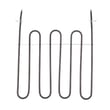
- Frigidaire range bake element 316505500 (primary heating element for baking)
- Frigidaire range broil element 316203301 (top element for broiling)
Why it matters
Electric ranges can look identical across model families, but internal differences (terminal styles, harness connections, control revisions, and element wattage) can make the wrong part fail early or not fit at all. Using LGEF3043KFB keeps the match precise.
Last updated: February 2026
How to reset a Frigidaire electric range?
To reset your Frigidaire electric range model LGEF3043KFB, restore the control by turning power off at the household breaker (or unplugging the cord) for 5 to 10 minutes, then turning power back on. This clears many control glitches and display issues; use the LGEF3043KFB owner's manual for model-specific control steps.
Reset steps (safe, reliable)
- Turn all surface element knobs to OFF.
- Switch the range OFF at the circuit breaker (preferred) or unplug the power cord.
- Wait 5 to 10 minutes.
- Restore power.
- Set the clock and test Bake and a surface element.
- If the display is still unresponsive, cycle power once more for 10 minutes.
If it still will not reset
Many “won’t reset” complaints are actually a power supply or control issue.
- Check that the breaker is fully reset (flip OFF, then ON).
- If the oven heats incorrectly after the reset, test the oven temperature sensor circuit; a failed sensor can cause erratic baking and fault codes. Consider the Frigidaire range oven temperature sensor 316490000.
- If the cooktop element stays on high or will not turn on, a failed infinite switch is common; for small elements, the Frigidaire range small surface element control switch 316436000 is a typical fix.
- If you see an “F” code after restoring power, use the Frigidaire self-cleaning range error codes guide to match the code to the most likely part.
Why it matters
A proper power reset clears temporary electronic control lockups without disturbing wiring. If symptoms return quickly, the reset helps confirm the problem is likely in a component such as the oven temperature sensor, surface element control switch, or electronic control.
Quick reference
| Symptom after reset | Most common cause | What to check next |
|---|---|---|
| Display dead or frozen | Power supply issue or control problem | Breaker, outlet, then control diagnostics in the manual |
| Oven temperature way off | Sensor out of range | Sensor resistance/connection, replace sensor if failed |
| Surface element stuck hot | Infinite switch stuck closed | Replace the affected element control switch |
Last updated: February 2026
Where can I find a Frigidaire oven model?
On the Frigidaire LGEF3043KFB electric range, we typically find the model number on the oven frame area that’s visible when you open the door, or on the frame around the storage or warmer drawer when you pull the drawer open. Confirm the exact label location in the LGEF3043KFB installation guide.
Common model tag locations on this range
Check these spots in order; the label is usually a silver or white sticker/plate:
- Oven door opening (most common): along the interior side trim or front frame, visible with the door open
- Left or right side frame: just inside the oven opening, near the front edge
- Storage or warmer drawer frame: on the front frame area, visible when the drawer is opened
- Lower front area behind the drawer: sometimes on the frame you can see after removing the drawer
What to write down (and why)
Use the label to capture the exact identifiers below; they help us match Frigidaire parts and diagrams correctly.
- Model number (example: LGEF3043KFB)
- Serial number
- Sometimes a “product number” or “PNC” style code (if present)
| Label item | What it’s used for | Example format |
|---|---|---|
| Model number | Matches the correct parts list and diagrams | LGEF3043KFB |
| Serial number | Identifies production run details | Letters and numbers |
| Product number (if shown) | Helps confirm exact configuration | Varies |
Why it matters
Frigidaire ranges can look identical but use different bake elements, control boards, or sensors. Using the exact model number helps ensure you get the right replacement part the first time.
Last updated: February 2026




