Owner’s manual
 Error Codes



How to reset GE Icemaker?
On the GE GNE29GMHDES bottom-mount refrigerator, the most reliable “reset” for the ice maker is a power reset: turn the refrigerator off at the breaker (or unplug it) for about 1 minute, restore power, then allow up to 24 hours for normal ice production to resume. Use the GNE29GMHDES owner's manual for the exact control locations and ice maker settings.
- Turn the unit off at the breaker (or unplug it).
- Wait 60 seconds.
- Restore power.
- Confirm the ice maker is turned ON (some models use an on/off switch or a control setting).
- Set the freezer to 0°F (typical target for ice production).
- Wait 24 hours to judge results (new installs and resets take time).
These checks solve most “no ice” complaints after a reset:
- Freezer temperature: If it is above about 10°F, ice production slows or stops.
- Water supply: Make sure the shutoff valve is fully open and the supply line is not kinked.
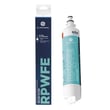
- Filter restriction: A clogged filter can reduce flow to the ice maker; replace the GE refrigerator water filter RPWFE if it is overdue.
- Airflow: Do not block vents with food packages.
- Fan noise: If you do not hear the evaporator fan running, cooling and ice production can suffer.
| Action | What it helps | What it will not fix |
|---|---|---|
| Power reset (1 minute off) | Clears minor control glitches | Failed ice maker, bad valve, sealed system issues |
| Filter replacement | Restores water flow | Freezer not cold enough |
| Temperature correction | Restores proper freezing | Electrical failures |
Ice makers depend on two basics: consistent 0°F freezer temps and steady water flow. A reset can recover from a control hiccup, but temperature, airflow, and filter condition determine whether the ice maker can actually cycle and harvest cubes.
Last updated: February 2026
What is the average lifespan of a GE Refrigerator?
Most GE refrigerators, including the GE GNE29GMHDES bottom-mount refrigerator, typically last 12 to 15 years with normal household use. Regular maintenance (especially keeping airflow and seals in good shape) is what most often determines whether you land closer to 10 years or closer to 15.
Here are practical ranges we see for modern refrigerators like this one:
- Average: 12 to 15 years
- Shorter lifespan: 8 to 12 years (heavy use, poor ventilation, dirty coils, frequent door openings)
- Longer lifespan: 15 to 19 years (consistent maintenance, stable temperatures, good airflow)
| Lifespan range | What it usually indicates |
|---|---|
| 8 to 12 years | Higher wear, airflow issues, or inconsistent temps |
| 12 to 15 years | Typical household use and care |
| 15 to 19 years | Strong maintenance habits and stable conditions |
These steps reduce compressor run time, prevent overheating, and help the sealed system and fans last longer:
- Clean dust from the condenser area regularly (more often with pets).
- Keep door gaskets clean so the doors seal tightly.
- Avoid overpacking; leave space for air circulation.
- Set stable temps (about 37°F fresh food, 0°F freezer).
- Replace the water filter on schedule if your model uses one.
For model-specific care and cleaning intervals, follow the GNE29GMHDES owner's manual.
A refrigerator that runs warmer than normal or runs constantly wears out key components faster (compressor, fans, and control boards). Simple airflow and sealing maintenance helps your GE refrigerator cool efficiently, which is the biggest driver of long service life.
Last updated: February 2026
What is the most common problem with a GE Refrigerator?
The most common problem we see with GE refrigerators (including model GNE29GMHDES) is poor cooling. In many cases, the fix is straightforward: clean the condenser coils, confirm the evaporator fan is running, and make sure air vents are not blocked; these issues reduce airflow and heat removal.
- Set temperatures to typical targets: 37°F fresh food and 0°F freezer.
- Clean condenser coils and the area around the condenser fan.
- Make sure food packages are not blocking interior air vents.
- Confirm doors close fully and gaskets seal all the way around.
- Listen for the evaporator fan in the freezer; it should run when cooling is needed.
- After changes, allow 24 hours for temperatures to stabilize.
| Symptom | Most likely cause | What to do next |
|---|---|---|
| Fridge warm, freezer OK | Airflow restriction or evaporator fan issue | Clear vents; inspect/diagnose the fan motor |
| Both sections warm | Dirty coils, start device issue, control problem | Clean coils; check start device; review error codes |
| Frost buildup on back wall/freezer | Defrost system problem | Check defrost heater, sensor, and thermostat |
| Temps swing up and down | Sensor or control board issue | Check sensor placement/connection; run diagnostics |
If cleaning and airflow checks do not restore cooling, these model-matched parts are often involved:
- Refrigerator evaporator fan motor WR60X25858 (no/weak airflow)
- Refrigerator temperature sensor WR55X10025 (incorrect temperature readings)
- Refrigerator defrost heater WR51X10131 (heavy frost, blocked airflow)
- Refrigerator defrost bi-metal thermostat WR50X10108 (defrost not completing)
- Refrigerator main board assembly WR55X46805 (erratic operation or no cooling)
Poor cooling is usually an airflow or heat-removal problem first, not a sealed-system failure. Addressing coils, fans, and defrost components early helps protect food, reduces compressor run time, and prevents ice buildup that can block circulation.
For control settings, diagnostic steps, and cleaning guidance specific to GE model GNE29GMHDES, use the GNE29GMHDES owner's manual. For troubleshooting display codes, use GE refrigerator error codes.
Last updated: February 2026