 Installation guide
 Owner’s manual
 Error Codes







Where is Kenmore's model number?
On Kenmore wall oven model 79047789404, the model number is printed on the serial plate located along the interior side trim; you can see it when you open the oven door. The same plate also lists the serial number for service and parts matching.
How to find it (quick steps)
- Turn the oven light on and open the oven door fully.
- Look along the left or right interior side trim (the vertical trim just inside the door opening).
- Find the serial plate label and locate Model No. 790. followed by the remaining digits.
- Write down the full model number and the serial number.
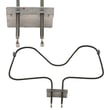
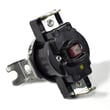
- Use the exact model number when ordering parts like a bake element or temperature sensor.
What the serial plate typically includes
| Label item | What it’s used for |
|---|---|
| Model number | Ensures you get the correct Kenmore parts and diagrams |
| Serial number | Helps identify production details for service |
| Electrical ratings | Confirms power requirements for safe installation |
Why it matters
We use the model number to match the correct parts list, wiring layout, and installation details for your specific wall oven. Even small model-number differences can change which control panel, sensor, or element fits.
Helpful tip
If the label is hard to read, gently wipe it with a damp cloth and mild dish soap, then dry it. Avoid abrasive cleaners that can remove the printing.
For more label and location details, check the 79047789404 owner’s manual and the 79047789404 installation guide.
Last updated: February 2026
What is the error code fo on a Kenmore oven?
On Kenmore wall oven model 79047789404, an F0 (FO) error typically points to a problem in the electronic oven control system, most often a stuck or failing keypad (touchpad) input or a failing control board. First, clear the code and see if it returns.
What to do first (safe reset and quick checks)
- Press STOP/CLEAR to stop the beeping and clear the fault code.
- If the code returns, record the exact code (F0, F01, F10, etc.) and when it happens.
- Turn power off at the breaker for 1 minute, then restore power.
- Set the clock; this model may not program properly until the clock is set.
- If the oven was in a special mode (like self-clean), cancel it and retry normal Bake.
For control and error-code behavior specific to this oven, use the 79047789404 owner's manual.
What the code usually means
Most F-series codes indicate the control detected a fault condition. F0 commonly relates to:
- Keypad input shorted or “stuck” (Cancel/Stop key is a common trigger)
- Electronic oven control (clock/ERC) internal failure
- Wiring connection issue between the keypad and control
Common symptoms by cause
| Likely cause | What you may notice | What usually fixes it |
|---|---|---|
| Keypad/touchpad issue | Random beeping, keys not responding, F0 returns quickly | Replace the touchpad/control panel assembly (varies by model) |
| Control board issue | F0 after power reset, erratic display, won’t accept programming | Replace the electronic oven control |
| Harness/connection issue | Code appears when door is moved or panel is touched | Reseat/repair wiring connections |
Why it matters
When the control thinks a key is being pressed continuously, it can disable normal operation and keep the oven from heating reliably. Clearing the code is a good first step, but repeated F0 errors usually require correcting the keypad, control, or wiring.
When to stop and get service
- The breaker trips, you smell burning, or you see arcing
- The code returns immediately after a reset
- The oven starts beeping continuously and won’t respond to STOP/CLEAR
Last updated: February 2026
How do I get my Kenmore oven out of lock mode?
On Kenmore wall oven model 79047789404, you turn off lock mode by pressing and holding the oven lockout key for 3 seconds. The display shows “Loc” when lockout is active; after you hold the key, the control unlocks and normal cooking functions return.
Unlock steps for control lock (lockout)
- Press and hold the Oven Lockout pad for 3 seconds.
- Wait for “Loc” to clear from the display.
- If the Door Locked light is flashing, do not pull on the door.
- Allow about 15 seconds for the motorized latch to finish moving.
- Test Bake or Broil to confirm the keypad responds.
If the oven locked during Self-Clean
During Self-Clean, the door stays locked until the oven cools.
- If you see “CLn”, Self-Clean is running.
- If you see “End”, the cycle has finished.
- Keep the door closed until the Door Lock light goes out.
- Cooling after Self-Clean takes about 1 hour before the door unlocks.
What the display and lights mean
| Display or light | Meaning | What to do |
|---|---|---|
Loc |
Oven lockout is on | Hold Oven Lockout 3 seconds |
| Door Locked light flashing | Latch is moving | Wait, do not force the door |
CLn |
Self-Clean active | Let it run or cancel, then cool down |
End |
Self-Clean finished | Wait for cool down, then open door |
Why it matters
Lockout prevents accidental keypad presses, and the door latch protects you during high-heat Self-Clean. Waiting for the latch motor and cool-down helps prevent damage to the door lock mechanism and hinges.
For the exact pad label and indicator behavior on your control panel, follow the lockout instructions in the 79047789404 owner's manual.
Last updated: February 2026





