Owner’s manual




Does the Kenmore vacuum 400 series bagged canister have a retractable cord?
Yes. The Kenmore canister vacuum model 11610701510 uses a retractable power cord; you pull the cord out to the length you need, then press the cord rewind button to retract it back into the canister (follow the safety steps in the 11610701510 owner's manual).
How the retractable cord works
- Pull the cord out of the canister to your desired length.
- Plug into a 120V outlet near the floor.
- Turn the vacuum off and unplug before rewinding.
- Hold the plug while rewinding so it does not whip.
- Press the cord rewind button to retract the cord.
Cord rewind safety tips (important)
A retractable cord rewinds quickly, so we recommend these basics every time:
- Keep children and pets away during rewind.
- Clear the area so the cord does not snag furniture.
- Keep a firm grip on the plug while rewinding.
- Unplug first; never rewind while the vacuum is running.
- Stop immediately if the cord binds or makes grinding noises.
Quick troubleshooting if the cord will not retract
| What you notice | Most common cause | What to do |
|---|---|---|
| Cord retracts partway then stops | Cord twisted inside the canister | Pull cord out fully, straighten it, then rewind slowly while guiding it |
| Cord will not retract at all | Rewind mechanism jammed | Unplug, check for debris at the cord entry, try again with light tension |
| Cord retracts but plug slaps the housing | Not holding the plug | Rewind again while holding the plug firmly |
Why it matters
A working retractable cord helps prevent cord damage, reduces trip hazards, and protects the internal cord reel and electrical connections inside your Kenmore canister vacuum.
Last updated: February 2026
Where to find model number on Kenmore canister vacuum?
On Kenmore canister vacuum model 11610701510, the model number is printed on the Model and Serial Number Plate on the vacuum. We use that exact model number to match the correct parts list, diagrams, and the right replacement filters and accessories.
Where to look on the vacuum
Check these common locations for the Model and Serial Number Plate:
- On the canister body (often near the rear or bottom)
- Near the cord rewind area on the canister housing
- On the underside of the canister (tip it carefully to view)
- Behind or near the dust bag door or cover
- Along the back edge where the hose connects to the canister
For model-specific guidance and labeling references, use the 11610701510 owner's manual.
How to read the label (what to write down)
Record both numbers exactly as shown:
| Label item | What it’s used for | Example format |
|---|---|---|
| Model number | Identifies the exact vacuum design | 116.1070xxxx |
| Serial number | Identifies the production unit | Letters and numbers |
Why it matters
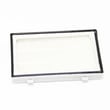
Kenmore canister vacuums can look similar across model series, but parts can differ by model. Using the correct model number helps ensure you get the right items, such as the correct vacuum exhaust filter KC38KDRDZ000, and prevents ordering a part that does not fit.
Last updated: February 2026
Who makes Kenmore canister vacuum cleaners?
Kenmore is a brand name; different manufacturers have built Kenmore canister vacuums over the years. For your Kenmore canister vacuum model 11610701510, the most reliable way to confirm the manufacturer and service details is to check the identification information and support references in the 11610701510 owner’s manual.
How to identify the manufacturer for your exact Kenmore model
We recommend using the model and serial number plate on the vacuum, then matching it to the documentation.
- Locate the model and serial number plate on the canister
- Record the full model number (11610701510) and serial number
- Compare that information to the details listed in the 11610701510 owner’s manual
- Use the manual’s support information when ordering parts or requesting service
- Keep your purchase date and receipt with the manual for reference
What the manual tells you (and why it helps)
The Use & Care Guide for this vacuum includes a dedicated help line and service guidance, plus sections for parts/features, assembly, operation, care, and troubleshooting. That combination is typically what you need to confirm the correct support channel and avoid mixing parts across similar Kenmore models.
Quick reference: where to look
| What you need | Where to find it | Why it matters |
|---|---|---|
| Model and serial number | Model/serial number plate on the vacuum | Ensures correct parts and documentation |
| Assembly and features | Manual sections like “Parts and Features” and “Assembly Instructions” | Confirms what shipped with your unit |
| Troubleshooting steps | “Troubleshooting” section | Helps rule out simple issues before replacing parts |
Why it matters
Kenmore model numbers can look similar, and manufacturer sourcing can vary by model and production run. Using the exact model number (11610701510) and the manual prevents ordering the wrong vacuum filter, hose, or turbine unit parts.
Last updated: February 2026
How long do Kenmore canister vacuums last?
Most Kenmore canister vacuums typically last 8 to 12 years with normal household use and routine maintenance. For Kenmore model 11610701510, keeping airflow strong (clean filters, clear clogs, replace worn consumables) is the biggest factor in reaching the upper end of that lifespan; see the 11610701510 owner's manual for the care schedule and troubleshooting steps.
What affects lifespan the most
- Filter care: clogged exhaust or pre-motor filtration makes the motor run hotter
- Blockages: hair and debris in the hose, wand, or floor tool reduce airflow
- Bag or bin habits (if applicable): overfilling reduces suction and strains the motor
- Belt and brush wear (power nozzle models): slipping belts reduce cleaning and add load
- Cord and hose handling: kinks, yanks, and hard pulls shorten life of electrical and airflow paths
Maintenance checklist (best ROI)
- Check and clean or replace filters on a regular schedule
- Inspect the hose and wand for clogs when suction drops
- Keep the floor brush and turbine/power head free of wrapped hair and thread
- Replace worn filtration parts such as the vacuum exhaust filter KC38KDRDZ000 when airflow or odor indicates restriction
- Store the vacuum with the hose relaxed (no tight coils) and avoid cord strain
Signs it is near end-of-life vs. worth repairing
| Symptom | Usually maintenance/part-related | Usually major repair needed |
|---|---|---|
| Low suction | Clog, full bag/bin, dirty filter | Motor wear (after basics checked) |
| Shuts off during use | Overheat from restricted airflow | Motor thermal issues recurring |
| Burning smell | Belt/brush drag, clogged filter | Motor or wiring damage |
| Loud whine/grind | Debris in nozzle, loose parts | Motor bearing wear |
Why it matters
A canister vacuum’s motor depends on steady airflow for cooling. Simple upkeep (especially filtration and clog checks) prevents overheating, keeps suction strong, and extends the service life of your Kenmore 11610701510.
Last updated: February 2026
Does a Kenmore canister vacuum have a fuse?
Yes, many Kenmore canister vacuums (including model 11610701510) use an internal protective device in the power circuit (often a fuse or thermal protector) to help prevent damage if the vacuum overheats or has an electrical fault. For your exact configuration, use the wiring and parts information in the 11610701510 owner's manual.
What to check first (before assuming a blown fuse)
- Unplug the vacuum and let it cool for 30 to 60 minutes (overheat protection can reset after cooling).
- Check for airflow restrictions: full bag/bin, clogged hose, blocked wand, or a packed floor nozzle.
- Inspect the power cord and plug for cuts, burn marks, or a loose connection.
- Try a different known-good outlet (the manual notes a polarized plug and a 120-volt outlet near the floor).
- If the vacuum runs briefly then shuts off, treat it like an overheating or airflow problem first.
Where the “fuse” typically is on canister vacuums
On many Kenmore canister designs, the protective device is inside the canister body near the cord reel, switch, or motor wiring. It is not usually a user-serviceable, external fuse like you would find on some small electronics.
| Symptom | Most common cause | Best next step |
|---|---|---|
| Won’t turn on at all | No power, cord issue, switch issue, blown protective device | Verify outlet, inspect cord, then check internal components |
| Runs then shuts off | Overheating from clog or dirty filters | Clear blockage, clean/replace filters |
| Weak suction | Clog, full bag/bin, dirty filters | Restore airflow, replace filters as needed |
Filter maintenance that prevents shutdowns
Restricted airflow is a top reason vacuums overheat and trip protection.
- Replace the exhaust filter on schedule
- Keep the motor intake path clear
- Do not run with clogged filters
If your exhaust filter is due, we recommend using the model-matched vacuum exhaust filter KC38KDRDZ000.
Why it matters
A protective fuse or thermal cutoff is there to protect the motor and wiring. Fixing the airflow or filter issue first often restores normal operation and helps prevent repeat shutdowns.
Last updated: February 2026
What vacuum bags fit a Kenmore canister vacuum?
Kenmore canister vacuum model 11610701510 uses a dirt cup and filters; it does not use disposable vacuum bags. For maintenance, empty the dust container regularly and keep the filters properly seated and clean as shown in the 11610701510 owner's manual.
What to use instead of bags (11610701510)
Because this is a bagless canister vacuum, focus on these items:
- Empty the dirt container before it reaches the max fill line
- Clean the dust cup seals so the canister closes and seals correctly
- Wash or replace the pre-motor filter on schedule (per the manual)
- Replace the exhaust filter when it is dirty or damaged
- Check the hose, wand, and floor nozzle for clogs if suction drops
Quick comparison: bagged vs. bagless
| Vacuum type | What you replace | Common symptom when overdue | What to do |
|---|---|---|---|
| Bagged canister | Disposable bag | Bag won’t seat, low suction | Install correct bag style |
| Bagless canister (11610701510) | Filters (and empty dirt cup) | Low suction, dust smell, canister won’t close | Empty cup; clean/replace filters |
Helpful part for this model
If you are seeing dust escaping or reduced airflow, the exhaust filter is a common wear item. Use the exact replacement listed for this model: vacuum exhaust filter KC38KDRDZ000.
Why it matters
Using bags in a bagless vacuum is not possible; keeping the dirt cup and filters maintained is what protects suction performance and helps prevent dust from reaching the motor.
Last updated: February 2026