 Owner’s manual
 Error Codes




Is the LDF5545ST energy star certified?
Yes. The LG LDF5545ST dishwasher is ENERGY STAR certified, which means it meets energy-efficiency guidelines and typically uses less water and electricity than non-certified models. For feature and specification details tied to your exact series, use the LDF5545ST owner's manual.
How to confirm certification and what to look for
- Check the ENERGY STAR mark on the rating label (usually on the tub edge or door frame).
- Review the “Product specifications” section in the manual for efficiency-related specs.
- Compare cycle selections; eco or energy-saving cycles usually deliver the best efficiency.
- Use rinse aid and proper loading to improve drying without extra energy.
- Keep spray arms and filters clear so the unit does not need longer wash times.
What ENERGY STAR means in day-to-day use
ENERGY STAR certification generally indicates the dishwasher is designed to reduce resource use while maintaining cleaning performance.
| What you may notice | Why it matters |
|---|---|
| Lower utility costs over time | Reduced water and electricity use per load |
| Longer “eco” cycle times | Efficiency often trades speed for lower energy |
| Better results with correct loading | Efficient wash coverage depends on water flow |
Why it matters
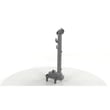
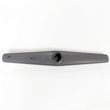
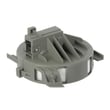
On an LG dishwasher like the LDF5545ST, efficient operation also depends on maintenance and water flow. If cleaning performance drops, addressing wash circulation issues (for example, a worn spray system) can help the dishwasher stay efficient; the LG dishwasher spray arm, lower AGB73932401 is one common wash-coverage component.
Last updated: February 2026
How to do a hard reset on LG dishwasher?
For an LG LDF5545ST dishwasher, the most reliable “hard reset” is a full power cycle: turn the dishwasher off, shut off power at the breaker (or unplug it) for 5 to 15 minutes, then restore power and press Power. This clears many control glitches.
Hard reset (power cycle) steps
- Press Power to turn the dishwasher off.
- Turn OFF the circuit breaker to the dishwasher (or unplug it).
- Wait 5 to 15 minutes.
- Restore power.
- Press Power, then start a cycle using the Start and door-close method shown in the LDF5545ST owner's manual.
“Soft reset” and start-up checks (often fixes “won’t start”)
If the dishwasher has power but will not run, we follow the same basics the manual calls out: the Start button must be pressed and the door must be fully closed and latched.
- Make sure the door is fully closed and latched.
- Press Start, then close the door within 4 seconds (or close the door first, then press Start).
- If the display is off, press Power to wake the control panel.
- If a breaker tripped, reset it and try again.
- If the unit is beeping and not starting, re-check the door latch and try the alternate start method.
What to do if an error code comes back after the reset
A reset can clear a temporary glitch, but it will not fix an active problem like a fill or drain issue.
| What you see | What it usually means | What to check first |
|---|---|---|
| Fill-related error | Water is not entering correctly | Inlet hose kink/clog, water supply valve open |
| Drain-related error | Water is not draining correctly | Drain hose kink/clog, air gap/disposal clog, filters |
| Leak-related error | Water detected in base | Turn off water supply and address leak source |
For code meanings and next steps, use our LG dishwasher error codes reference.
Why it matters
Resetting restores normal control logic, but if the dishwasher is failing to fill, drain, or latch, the control will stop the cycle again. Fixing the underlying cause prevents repeat shutdowns and protects the pump and control board.
Last updated: February 2026
What is the most common problem with the LG dishwasher?
The most common issues we see with the LG LDF5545ST dishwasher are poor cleaning and draining problems. In many cases, the fix starts with basic maintenance (cleaning filters, checking hoses, and confirming hot water supply) before replacing parts.
Most common symptoms and what usually causes them
- Not cleaning well: clogged filters, blocked spray arm holes, low water temperature, or loading that prevents spray coverage
- Not draining: clogged filters, kinked drain hose, blocked air gap or disposal, or a failing drain pump
- Stops mid-cycle or beeps: door not fully latched, water supply issue, or an error condition that triggers a drain-out
- Cloudy white film on dishes/tub: hard-water minerals reacting with detergent; too much detergent is common
Quick checks we recommend first (10 to 20 minutes)
- Clean the filters and remove any debris in the sump area.
- Check the drain hose for kinks, clogs, or freezing (if applicable).
- Run the hot water at the sink before starting a cycle so the dishwasher fills with hot water.
- Use rinse aid and adjust the rinse aid level if drying and spotting are issues.
- If you see an error code, match it to the troubleshooting steps in the LDF5545ST manual.
When a part is the likely fix
If maintenance checks do not resolve the problem, these parts are common suspects on this model:
| Symptom | Common part involved | What it affects |
|---|---|---|
| Won’t drain or drains slowly | Dishwasher drain pump ABQ75742501 | Pumps water out through the drain hose |
| Not filling or fills slowly | Dishwasher water inlet valve 5221DD1001E | Controls water entering the dishwasher |
| Poor wash coverage or weak spray | Dishwasher diverter motor 4681ED3001D | Directs water flow to spray zones |
Why it matters
Poor cleaning and draining problems often start small (restricted water flow or a partial clog) and then trigger error codes, longer cycle times, odors, and repeat wash results. Regular filter cleaning and correct detergent and rinse aid use prevent most repeat issues.
Last updated: February 2026
What features does the LDF5545ST have?
The LG LDF5545ST dishwasher includes key performance and convenience features such as the QuadWash system for broader spray coverage, an Inverter Direct Drive motor for quiet, efficient operation, EasyRack Plus adjustability, a Hybrid drying system, and Smart ThinQ support on compatible models (Wi-Fi or NFC). See the LDF5545ST owner's manual for the full feature list and control details.
Core features you can expect
- QuadWash system: multi-motion lower spray arm designed to reach more areas of the tub
- Inverter Direct Drive motor: built for quiet operation, energy efficiency, and durability
- EasyRack Plus: adjustable tines and rack height for flexible loading
- Hybrid drying system: dries without a traditional heating element during the drying process
- Smart ThinQ (on compatible versions): app-based options, self-diagnosis, and troubleshooting using Wi-Fi or NFC
Helpful control and convenience functions
The control panel also supports common usability features that help with day-to-day operation.
- Control Lock: locks most buttons to prevent changes during a cycle (the door is not locked)
- Delay Start: lets you schedule the cycle to start later
- Time display: shows estimated total time and remaining time (actual time can vary with soil level and heating)
| Feature | What it helps with | Where you use it |
|---|---|---|
| QuadWash | Cleaning coverage | Wash performance |
| EasyRack Plus | Loading flexibility | Upper and lower racks |
| Hybrid drying | Energy-efficient drying | Drying phase |
| Control Lock | Prevents accidental button presses | Control panel |
Why it matters
These features work together to improve cleaning reach, reduce noise, and make loading and daily operation easier, especially when you run longer cycles or wash mixed loads.
Last updated: February 2026
What is the average lifespan of an LG dishwasher?
LG dishwashers typically last 10 to 15 years with normal home use. For the LG LDF5545ST, consistent cleaning, correct detergent and rinse aid use, and keeping water flow and drainage healthy are the biggest factors that help you reach the high end of that range (see the LDF5545ST owner's manual).
What affects lifespan the most
- Water quality and temperature: hot water improves wash and dry performance, reducing rewash wear.
- Filter and sump cleanliness: clogged filters force the pump to work harder.
- Drain health: kinks or clogs in the drain hose can cause repeated drain-pump strain.
- Proper loading: blocked spray paths reduce cleaning and increase cycle stress.
- Rinse aid use: improves drying and reduces spotting, which helps avoid repeat cycles.
Quick maintenance checklist (monthly and as-needed)
- Clean the filters and check for debris in the sump area.
- Inspect the water inlet hose for kinks and confirm the shutoff valve is fully open.
- Check the drain hose routing for kinks and clear the air gap or disposal connection if used.
- Run hot water at the sink before starting a cycle if the dishwasher is far from the water heater.
- Use rinse aid and adjust the setting if drying is weak.
Common “wear” items vs. long-life components
| Item | What it impacts | Typical symptom when worn |
|---|---|---|
| Door seal | Leak prevention | Water at the bottom/front of the door |
| Water inlet valve | Filling | Slow fill, fill errors, poor wash |
| Drain pump | Draining | Standing water after cycle |
| Electronic control board | Operation | No start, random stopping, error codes |
Why it matters
A dishwasher that is cleaned and supplied with steady hot water usually runs fewer repeat cycles and avoids pump and valve strain. That directly extends the service life of key components like the motor, pumps, and controls.
For troubleshooting that can prevent premature failures, use LG dishwasher error codes.
Last updated: February 2026





