 Error Codes



How old is a Magic Chef oven?
Magic Chef as a brand dates back to 1929, but the age of a specific Magic Chef oven depends on the model number and serial number on the appliance. For your Magic Chef CER1160AAT electric freestanding range, the most reliable way to estimate age is to match the serial number format to the production date.
How to estimate the age of your CER1160AAT range
Use these steps to narrow it down quickly:
- Find the model and serial tag (commonly on the oven frame behind the storage drawer, along the door frame, or on the back panel).
- Confirm the model reads CER1160AAT exactly.
- Write down the serial number and any date codes printed near it.
- Compare the serial format to known date-code patterns (many ranges use a week and year code).
- If the tag is damaged or missing, use parts on this page to confirm configuration (for example, coil element sizes and control style).
Common “age clues” you can use (even before decoding the serial)
These features often correlate with older vs. newer electric freestanding ranges:
| What you see | What it usually suggests | Example part on this model page |
|---|---|---|
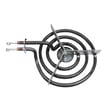
| Coil surface elements | Traditional design used for many years | Surface element WP9761346 |
| Plug-in 6-inch coil element | Smaller burner position | Surface element WPW10345407 |
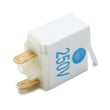
| Separate indicator light lens/light | Classic control-panel layout | Indicator light WP74004153 |
Why it matters
Knowing the approximate age helps us choose the right repair path. If the range is older, heat-related wear items (like a bake element, broil element, or terminal block connections) are more likely to need attention before you chase control or wiring issues.
If you are trying to date it because something is not working
These quick checks often point to the most common fixes:
- Oven not heating evenly or not baking: inspect the bake element WP74010750.
- Broil not working: inspect the oven broiler element WPW10310249.
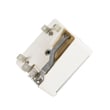
- Range is dead or power cord area looks overheated: check the terminal block WPW10245259.
Last updated: February 2026
Where is the model number on the Magic Chef stove?
On a Magic Chef range like model CER1160AAT, the model number is typically printed on a rating label located around the oven door opening (door jamb) or on the frame behind the storage drawer. Some units also place the label on the back panel.
Most common places to check
- Open the oven door and look along the left or right door frame (door jamb).
- Pull out the bottom storage drawer and look on the frame behind it.
- Check the back of the range near the power cord area.
- Look along the side panel near the lower front edge.
Quick steps to find it fast
- Turn the oven light on and open the door fully.
- Scan the door jamb area for a sticker or metal plate.
- If you do not see it, slide the bottom drawer out and check the frame.
- If the label is worn, use a flashlight and take a photo to zoom in.
What the label usually shows (and what to write down)
| Label item | What it’s used for | Example for your range |
|---|---|---|
| Model number | Ensures parts fit your exact range | CER1160AAT |
| Serial number | Identifies production run | Varies |
| Electrical rating | Helps confirm correct power supply | Varies |
Why it matters
We use the model number to match the correct parts and diagrams for your exact Magic Chef electric freestanding range. That prevents ordering a look-alike part that mounts differently or has different terminals.
If you are ordering parts after you find the model number, common items for this model include the bake element WP74010750 and terminal block WPW10245259.
Last updated: February 2026
How do I troubleshoot my CER1160AAT?
For your Magic Chef CER1160AAT electric freestanding range, start troubleshooting by matching the symptom (no heat, uneven baking, burner not working, or no power) to the most likely circuit or part. Many fixes come down to a failed heating element, a bad surface switch, or a loose power connection.
Quick safety and setup
- Turn off power at the breaker before removing panels or touching wiring.
- Let the oven and surface elements cool completely.
- Use a flashlight and check for burned wires, melted terminals, or loose spade connectors.
- If you smell burning insulation or see arcing, stop and correct the wiring issue first.
Symptom-based checks (most common)
- Oven will not bake: Inspect the bake element WP74010750 for blisters, cracks, or holes; then test for continuity.
- Broil not working: Check the oven broiler element WPW10310249 and its wire connections.
- One surface burner not heating: Swap that burner with a same-size burner (if available) to see if the problem follows the element; if it does, the element is likely the issue (examples include surface element WP9761346 or surface element WPW10345407).
- Burner heats only on high or is erratic: A surface element control switch is a common cause (confirm the correct switch by matching your knob position and wiring layout to the parts list).
- Range completely dead (no lights, no heat): Check the house breaker first; then inspect the power cord connection at the terminal block WPW10245259 for loose screws or heat damage.
What to test first (fast decision table)
| Symptom | Fastest check | Likely fix |
|---|---|---|
| No bake heat | Visual plus continuity test | Replace bake element |
| No broil heat | Continuity test | Replace broil element |
| One burner out | Swap elements | Replace surface element |
| Dead range | Breaker plus terminal inspection | Repair wiring or replace terminal block |
Why it matters
Electric ranges like the CER1160AAT rely on high current connections. A weak terminal connection or failing element can cause overheating, poor cooking performance, and repeated part failures if the root cause is not corrected.
Last updated: March 2026




