Installation guide
 Owner’s manual
 Error Codes



How do you run a diagnostic test on an Electrolux dryer?
On the Electrolux EFMG627UTT0 dryer, the Use & Care Guide does not provide a customer diagnostic or service-test procedure. For this model, we recommend using the built-in reset steps for controls first, then using any displayed error code to guide troubleshooting with the correct Electrolux error-code reference.
What you can do from the control panel (no tools)
These steps are supported for EFMG627UTT0 in the EFMG627UTT0 use & care guide.
- Power the dryer on, then select the cycle you want.
- If the dryer is acting “stuck” or behaving oddly, return settings to factory defaults: press and hold Dryness and Options together until the signal sounds.
- If the dryer will not start, confirm the door is fully closed and press Start/Pause.
- If you see CLEAN LINT, remove and clean the lint filter before the next cycle.
If you see an error code (like “ED”)
Because the manual for EFMG627UTT0 does not list service-mode codes, the most practical “diagnostic” is to write down the exact code and match it to the correct Electrolux code list.
- Use the code exactly as shown (letters and numbers).
- Note when it happens (start of cycle, during heat, end of cycle).
- Try a power reset (unplug for 1 minute, then retry).
- If the code returns, troubleshoot by code.
A good next step is our Electrolux iq-touch dryer error codes reference, since many Electrolux front-load dryers share similar display logic.
Quick checks that often prevent false “faults”
Airflow and heat problems can trigger symptoms that look like control issues.
| Symptom | Common cause | First check |
|---|---|---|
| Long dry times | Restricted venting | Lint screen and exhaust duct |
| No heat (gas) | Gas supply issue | Manual shutoff valve open |
| Stops early | Load too small or sensor issue | Try Time Dry |
For venting and installation-related checks, follow the EFMG627UTT0 installation instructions.
Why it matters
Running the wrong button sequence can change settings or lock controls, which makes troubleshooting harder. Using the model-correct reset steps and the displayed error code is the safest way to narrow the problem on EFMG627UTT0.
Last updated: January 2026
Why does an Electrolux dryer take so long to dry?
On an Electrolux dryer like model EFMG627UTT0, long dry times are most often caused by restricted airflow (lint filter, vent duct, or outside hood). If airflow is good, the next likely causes are a weak blower system or inaccurate temperature sensing.
Quick checks we recommend first
- Clean the lint filter before every load and make sure it seats fully.
- Verify the outside vent hood opens freely and is not blocked.
- Avoid overloading; a wet load should fill the drum about 1/3 to 1/2 full.
- If Auto Dry seems inconsistent on small loads, use Time Dry instead.
- If the cabinet feels unusually hot, stop and check venting right away.
Cycle and loading tips for this model are covered in the EFMG627UTT0 use & care guide.
Venting setup that affects dry time
The EFMG627UTT0 installation instructions specify metal venting and limits on duct length and elbows. Poor venting traps moist air, so the dryer runs longer.
- Use 4-inch rigid or semi-rigid metal ducting
- Keep the run short with minimal 90° turns
- Do not use flexible plastic or foil vent
- Clean lint from the entire duct path periodically
For vent length guidance, see the EFMG627UTT0 installation guide.
Parts to inspect if airflow is weak
If the vent is clear but airflow at the exhaust is still weak, check the blower area.
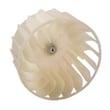
- Dryer blower wheel 5304513609 (can crack, strip, or clog with lint)
- Internal ducting and blower housing (lint buildup)
- Lint screen housing (internal blockage)
| What you notice | Most likely issue | Next step |
|---|---|---|
| Takes 2+ cycles, heat seems OK | Vent restriction | Clean/shorten venting, confirm hood opens |
| Clothes are hot but damp | Poor airflow | Inspect blower wheel and internal lint |
| Auto cycles end early on small loads | Moisture sensing limitation | Use Time Dry for small loads |
Why it matters
Restoring proper airflow helps the EFMG627UTT0 dry faster, reduces energy use, and helps prevent overheating that can shorten the life of thermostats, sensors, and blower components.
Last updated: January 2026
How do I find the model number on my EFMG627UTT0?
Your Electrolux dryer’s model number is printed on the appliance identification label; it lists both the model number and serial number. For EFMG627UTT0, use that exact model number when ordering parts, checking diagrams, or following service steps in the owner's manual.
Where to look on the dryer
On most Electrolux front-load dryers like EFMG627UTT0, the identification label is typically found in one of these spots:
- Open the dryer door and check the door opening (door jamb area)
- Look on the inside face of the door
- Check just behind the door opening on the front panel
- If not visible there, check the rear panel label
What to write down (and why)
Record the full model number and serial number exactly as shown on the label.
- Model number: identifies the exact design and parts used
- Serial number: helps match production changes and revisions
- Purchase date: useful for your records and maintenance history
Quick reference table
| Item | What it’s used for | Example for your dryer |
|---|---|---|
| Model number | Ordering correct replacement parts | EFMG627UTT0 |
| Serial number | Identifying production run details | (printed on the same label) |
| Model series | General family grouping | Found within the model number |
Why it matters
Electrolux often uses similar-looking dryers with different internal components (belt, thermistor, door switch, gas valve). Using the exact model number prevents ordering the wrong part and helps you follow the correct procedures.
Last updated: March 2026