 Error Codes




What does F1 mean on a KitchenAid oven?
On the KitchenAid KEBC207KSS05 electric wall oven, an F1 error typically points to a control-related fault, most often the electronic oven control detecting a problem with temperature sensing or a stuck key condition. We start by resetting power, then test the sensor circuit and related wiring.
What to check first (safe, quick steps)
- Turn the oven off at the breaker for 1 minute, then restore power and see if F1 returns.
- If F1 returns immediately, avoid using the oven until you troubleshoot further.
- If F1 appears during preheat or baking, focus on the temperature sensor and its wiring.
- If F1 appears when you press keys, suspect a stuck or shorted keypad/control panel.
Common causes and likely fixes
| Symptom pattern | Most common cause | What we do next |
|---|---|---|
| F1 during heating, temps seem wrong | Failed oven temperature sensor | Test/replace wall oven temperature sensor WPW10131825 |
| F1 after a self-clean cycle | Heat-stressed wiring or control | Inspect harness, terminals, and connectors for damage |
| F1 when pressing buttons or randomly at idle | Stuck key or failing control/keypad | Check keypad for stuck keys; inspect ribbon cable seating |
How we test the temperature sensor (overview)
- Shut off power at the breaker.
- Access the sensor connector and check resistance with a multimeter.
- Inspect the harness for pinched, brittle, or burned wires.
- If resistance is out of the normal room-temperature range (most oven sensors are around 1,080 ohms at 70 F), replace the sensor.
For meter basics, we follow the steps in how to use a multimeter to test electrical parts video.
Why it matters
An F1 code is the oven telling us it cannot reliably control heat. Fixing the sensor circuit or control issue helps prevent overheating, underheating, and repeated shutdowns.
Last updated: January 2026
How to reset KitchenAid oven after power outage?
After a power outage, we reset the KitchenAid KEBC207KSS05 electric wall oven by power-cycling it at the breaker for about 1 minute, then restoring power and setting the clock. This reboots the electronic control and often clears a blank display, beeping, or non-heating symptoms.
Reset steps (safe, quick)
- Turn the oven OFF at the control panel.
- Switch the oven’s circuit breaker OFF (or remove the fuse) for 60 seconds.
- Turn the breaker ON.
- Set the clock; many KitchenAid wall ovens will not run timed features until the time is set.
- Try Bake at 350°F for 10 minutes to confirm heating.
If it still will not heat after the reset
A power interruption can expose an existing weak part (sensor, element, or safety thermostat). Check these common causes:
- Error code or flashing display: press Cancel/Off once, then retry Bake.
- Oven temperature sensor out of range: a bad sensor can prevent normal heating; see wall oven temperature sensor WPW10131825.
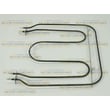
- Bake element not heating: if broil works but bake does not, the bake element may be failed; see bake element 4451175.
- High-limit thermostat tripped/open: overheating or airflow issues can open the limit and stop heating; see range high-limit thermostat WP9759242.
- Loose/burned wiring: inspect connections at the element and sensor for heat damage.
What to test (basic checks)
| Symptom | Most likely area | What we check first |
|---|---|---|
| Display works, no heat | Heating circuit | Bake element glow and wiring |
| Heats sometimes, temp swings | Sensing | Temperature sensor resistance |
| Completely dead | Power supply | Breaker, terminal block, wiring |
Why it matters
A proper reset clears control glitches caused by voltage dips, but repeated no-heat issues usually point to a failing heating component or safety device. Fixing the root cause helps prevent uneven baking and repeat shutdowns.
Last updated: January 2026
Why is my KitchenAid electric oven not working?
If your KitchenAid KEBC207KSS05 electric wall oven is not working (no heat, dead display, or shuts off), the most common causes are a tripped breaker, a failed heating circuit (bake or broil element), an open temperature sensor, or an overheat safety device opening.
Quick checks we recommend first
- Confirm the oven is getting full power (many wall ovens require 240V; a half-tripped breaker can leave lights on but prevent heating).
- If the display is blank, check the house breaker and the junction box connections behind the oven.
- If the display works but it will not heat, start with the heating elements and temperature sensing.
- If it heats sometimes and then stops, suspect an overheating condition and cooling airflow issue.
- If it will not start a self-clean cycle or shows door lock issues, check the door lock system.
Most common causes and what to test
| Symptom | Likely cause | What to do next |
|---|---|---|
| Display works, no heat | Failed bake or broil element | Inspect for blisters or breaks; test continuity |
| Temps are erratic | Failed oven temperature sensor | Test sensor resistance; replace if out of range |
| Oven shuts down mid-cook | High-limit thermostat opening | Check cooling fan operation and airflow |
| No power at all | Power supply or wiring issue | Verify breaker, junction box, terminal connections |
Parts that commonly fix “not working” on this model
- Bake element 4451175 if the oven will not bake or takes too long to preheat.
- Broiler element WPW10207400 if broil will not heat or only partially heats.
- Wall oven temperature sensor WPW10131825 if temperatures swing widely or food burns.
- Range high-limit thermostat WP9759242 if the oven overheats or shuts off unexpectedly.
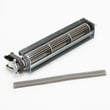
- Blower WPW10176670 if the oven overheats, trips safety, or cabinets get unusually hot.
Why it matters
An electric wall oven can appear “on” with partial power, but still cannot heat safely. Checking power first, then the bake/broil circuit and sensor, prevents unnecessary part replacement and helps restore normal preheat and temperature control.
Last updated: January 2026







