 Error Codes





How to reset jenn air wall oven?
To reset a Jenn-Air wall oven model JJW9630AAB, we recommend doing a full power reset at the breaker: turn the oven circuit breaker(s) OFF for 1 minute, then turn them back ON and start a Bake cycle to confirm normal operation.
Quick reset steps (breaker reset)
- Turn the wall oven circuit breaker(s) OFF.
- Wait 1 full minute.
- Turn the breaker(s) ON.
- Set the oven to Bake and let it run for about 1 minute.
- If an error code returns, press Cancel/Off once, then retry Bake.
If the reset does not clear the problem
A reset clears many temporary control glitches, but it will not fix a failed component. These checks help narrow it down:
- If the oven will not heat after resetting, inspect for a failed heating circuit (bake or broil).
- If the display is blank or the oven acts erratically, the electronic control may be involved.
- If the oven overheats or shuts down during use, a safety temperature device may be opening.
- If the oven light works but cooking functions do not, the issue is usually control or heating related.
Common parts related to “won’t heat” or recurring errors
| Symptom after reset | Most common area | Example part for JJW9630AAB |
|---|---|---|
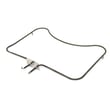
| No bake heat | Bake heating circuit | Bake element WPW10310258 |
| No broil heat | Broil heating circuit | Broiler element WPW10310260 |
| Temperature seems wrong | Temperature sensing | Oven sensor 12001656 |
| Random beeping, dead keys, odd behavior | Electronic control | Wall oven control board WP71003401 |
Why it matters
Resetting at the breaker reboots the control board and can clear a one-time fault. If the same error or symptom returns right away, it usually points to a heating component, sensor, or control issue that needs diagnosis and repair.
Last updated: January 2026
How to calibrate a Jenn Air wall oven?
To calibrate the oven temperature on your Jenn-Air wall oven model JJW9630AAB, use the control’s temperature offset (calibration) feature to raise or lower the displayed temperature so baking matches actual results. After you save the offset, it stays in memory until you change it again.
Before you start (quick checks)
- Confirm you are adjusting bake performance (not broil); broil is less sensitive to small offsets.
- Use an oven thermometer placed near the center rack; check temperature after at least 20 to 30 minutes of preheating.
- Test at a common setpoint like 350°F and average a few readings.
- Make sure the door closes firmly; a worn seal can cause heat loss and uneven temps.
- Avoid opening the door repeatedly during the test.
Typical calibration steps (most Jenn-Air wall ovens)
Control panels vary by series, but the process usually follows this pattern:
- Press Bake (or Upper Bake on double ovens).
- Set a high temperature (often 550°F) to enter the calibration mode.
- Press and hold Bake for about 5 seconds until an offset value appears.
- Use the AutoSet or arrow pads to adjust the offset.
- Stop pressing keys for about 5 seconds to save.
Common offset range
| What you want | What to do | Typical result |
|---|---|---|
| Oven runs cool | Increase the offset | Hotter actual bake temps |
| Oven runs hot | Decrease the offset | Cooler actual bake temps |
If calibration does not fix the problem
Calibration corrects small, consistent errors. If temperatures swing widely, heat is uneven, or preheat is very slow, a part may be failing.
- Check the oven sensor 12001656 if temps are erratic or the oven overshoots and undershoots.
- Inspect the bake element WPW10310258 for blisters, cracks, or sections that do not glow during bake.
- If the oven shuts down from overheating, check the range high-limit thermostat WP71001844.
- If the display acts up or settings will not save, the electronic control may be involved.
Why it matters
Correct calibration helps prevent underbaked centers, overbrowned tops, and long cook times. It also reduces unnecessary part replacement when the oven is simply offset a few degrees.
Last updated: January 2026
Where is the model number on a Jenn Air wall oven?
On a Jenn-Air wall oven like model JJW9630AAB, the model number is typically on a rating label around the oven door opening. We most often see it on the left or right side of the front frame (the area you can see when you open the door).
Common places to check on JJW9630AAB wall ovens
- Open the oven door and look along the front frame (left and right vertical sides)
- Check the top front frame just above the door opening
- Look on the lower oven door frame area if it is a double wall oven
- If the oven has a storage or warming drawer below, check the drawer frame area
- As a last step, check the side trim area near the door opening (visible edges only)
How to find it quickly
- Turn the oven light on and use a flashlight.
- Wipe the frame with a damp cloth; grease can hide the print.
- Look for a label that includes MODEL, SERIAL, and electrical ratings.
What the label usually looks like
| What you see on the tag | What it’s used for |
|---|---|
| Model number (example: JJW9630AAB) | Matching parts and diagrams |
| Serial number | Identifying production run |
| Electrical ratings | Confirming power requirements |
Why it matters
We use the model number to match the correct wall oven parts for your exact configuration (door style, control type, and internal components). For example, if you’re troubleshooting heating or temperature issues, the correct replacement can depend on the exact model when selecting parts like the oven sensor 12001656 or the wall oven control board WP71003401.
Last updated: January 2026
Why is my Jennair wall oven not turning on?
If your Jenn-Air wall oven model JJW9630AAB won’t turn on, the most common causes are a power supply problem (tripped breaker, loose connection), a failed control component, or an overheat safety opening the circuit. Start by confirming the oven is getting full power, then check key electrical parts.
Quick checks first (no tools)
- Reset the oven’s power at the breaker: turn OFF for 5 minutes, then ON.
- Confirm the display is truly dead (no clock, no beeps, no interior light).
- If this is a wall oven, verify the house breaker is a 2-pole breaker and it is fully reset.
- If the oven recently overheated, let it cool completely before restoring power.
What usually fails when the oven is completely dead
When there are no lights or display, we focus on parts that either supply power into the oven’s circuits or interrupt power for safety.
- Control board issue: A failed board can leave the oven unresponsive.
- High-limit thermostat tripped/failed: If it opens, the oven can go dead to prevent overheating.
- Wiring or terminal connection problem: Heat can loosen or damage connections.
Parts commonly involved
| Symptom | Most likely area | Example part for JJW9630AAB |
|---|---|---|
| No display, no response | Safety cutout opened | Range high-limit thermostat WP71001844 |
| No response, intermittent power | Loose/burned connection | Receptacle or wiring at junction |
| Powers on but heats incorrectly | Temperature feedback issue | Oven sensor 12001656 |
Safe troubleshooting steps (basic)
- Shut off power at the breaker before removing any panels.
- Check for obvious signs of overheating: burnt smell, discolored wiring, melted connectors.
- If you have a multimeter, test for proper voltage at the junction box and continuity through the high-limit thermostat.
- If the oven powers up but will not heat, test the temperature sensor and heating circuits next.
Why it matters
A wall oven that will not power on is usually a power delivery or safety interruption issue. Fixing the root cause prevents repeat failures, nuisance shutdowns, and heat damage to wiring, the control board, or heating components.
Last updated: January 2026





