Owner’s manual
 Error Codes



How to remove bottom grille on GE refrigerator?
On the GE GFE28GMKIES bottom-mount refrigerator, the bottom grille (base grille or toe grille) typically comes off by releasing its retaining tabs or removing a couple of screws, then pulling the grille straight forward. Use the steps in the GFE28GMKIES owner's manual for the safest access and reinstallation.
Steps to remove the bottom grille
- Unplug the refrigerator or switch off power at the breaker if you will be working near wiring.
- Pull the refrigerator straight out if you need more room; avoid dragging it sideways to prevent floor damage.
- Look along the top edge of the grille for retaining clips or tabs; press the tabs in and pull the grille forward.
- If your grille is screw-secured, remove the screws with a Phillips screwdriver, then pull the grille forward.
- Set the grille aside on a towel to prevent scratches.
Reinstalling the grille
Line the grille up with the mounting slots, push it in until it seats fully, then reinstall any screws you removed.
| What you see at the grille | What to do | Tool |
|---|---|---|
| Tabs/clips along the top edge | Press tabs, pull grille forward | Flat-blade screwdriver (optional) |
| Screws at the ends or bottom | Remove screws, pull grille forward | Phillips screwdriver |
Why it matters
We remove the bottom grille to access the lower front area for cleaning, leveling-leg adjustments, and inspection. Reinstalling it correctly helps maintain airflow and protects components from bumps and debris.
Last updated: January 2026
What is the most common problem with a GE refrigerator?
The most common issue we see on GE refrigerators like model GFE28GMKIES is not cooling properly, often caused by airflow problems (blocked vents, dirty condenser coils, or a failing evaporator fan). Water and ice maker complaints are also very common on this style of bottom-mount refrigerator.
Most common problems (and what to check first)
- Not cooling or warm temperatures: confirm the temperature settings, clear blocked air vents, and clean condenser coils.
- Strange noises: listen for a clicking or buzzing from the compressor area, or a rubbing noise from the evaporator fan.
- Ice maker not working: verify the freezer is cold enough (0°F is typical) and the ice bin is seated correctly.
- Water dispenser slow or not dispensing: replace the water filter and purge air from the water line.
- Water leaking or puddles: check for a clogged defrost drain, a loose water line, or a cracked drain pan.
- Door not closing or door alarm beeping: inspect the door gasket for gaps and make sure shelves or bins are not preventing closure.
Quick symptom-to-cause guide
| Symptom | Most likely cause | Best first step |
|---|---|---|
| Fresh food warm, freezer OK | Restricted airflow or evaporator fan issue | Clear vents; listen for fan |
| Both sections warm | Dirty coils, compressor/start issue | Clean coils; check for error code |
| No ice, water still works | Ice maker or freezer temp issue | Confirm freezer temp; reset ice maker |
| Water tastes bad/slow flow | Clogged water filter | Replace filter; flush lines |
Why it matters
Cooling and airflow problems can quickly lead to food spoilage, and water/ice issues often trace back to maintenance items like filters, door sealing, and keeping airflow paths clear.
Model-specific tips for GFE28GMKIES
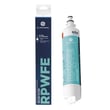
GE’s documentation emphasizes using GE Appliances-branded water filters for performance and reliability; this model family commonly uses the RPWFE style cartridge. For exact procedures, follow the steps in the GFE28GMKIES owner's manual.
Helpful how-to resources
- GE refrigerator error codes
- How to replace the water filter in a GE refrigerator
- How to reset the door alarm on a GE refrigerator
Last updated: January 2026
How do I find the model number on my GFE28GMKIES?
On the GE GFE28GMKIES bottom-mount refrigerator, the model number is printed on the rating label inside the fresh food (refrigerator) compartment. Look on the left interior wall, near the middle, for a label that lists both the model and serial numbers.
Where to look (quick steps)
- Open the refrigerator (fresh food) door, not the freezer drawer.
- Check the left side interior wall.
- Look about mid-height (near the middle of the compartment).
- Find the rating label that shows Model # and Serial #.
- Write the numbers down exactly as shown (letters and numbers).
What the label typically includes
| Label item | What it’s used for | Example (format) |
|---|---|---|
| Model number | Matching parts and diagrams | GFE28GMKIES |
| Serial number | Identifying production details | Letters and numbers |
Why it matters
Using the exact model number ensures we match the correct GE refrigerator parts, diagrams, and troubleshooting information. Even small differences in a model number can change the correct water filter, door parts, or control components.
If you still cannot spot the label
- Remove items that block the left wall (bins, tall containers).
- Use a flashlight; labels can be easy to miss against white plastic.
- Wipe condensation or smudges off the label so the characters are readable.
- Compare what you find to the model format shown in the [GFE28GMKIES owner’s manual].
Last updated: March 2026