Owner’s manual
 Error Codes




Why is my gas oven not heating up but the stove works?
If your Samsung NX58K9500WG gas slide-in range has surface burners that work but the oven will not heat, the most common cause is a failed oven ignition system (especially a weak igniter). Less commonly, the bake burner, gas valve, temperature sensor, or control board circuit is preventing the oven from lighting.
- Confirm the oven is set to Bake (not Delay Start, Sabbath, or Keep Warm) and the temperature is above 200°F.
- Listen for a click and watch for an orange glow from the igniter after starting Bake.
- If the igniter glows but the burner never lights within about 30 to 90 seconds, the igniter is typically too weak.
- If there is no glow and no clicking, check power to the range (the oven ignition needs electricity even though it is gas).
- If the oven lights sometimes but temperature swings widely, the sensor can be a factor.
For model-specific operating steps and settings, follow the NX58K9500WG owner's manual.
| What you observe | Most likely issue | Common fix |
|---|---|---|
| No igniter glow | Igniter circuit problem, wiring, control issue | Inspect connections; test components |
| Igniter glows, no flame | Weak igniter | Replace igniter |
| Flame starts then goes out | Gas valve or flame sensing/ignition issue | Diagnose valve and ignition |
| Oven heats but is inaccurate | Temperature sensor out of range | Replace sensor |
- Samsung range bake igniter DG94-01012A (most common for no-heat)
- Samsung range oven burner igniter DG94-00520A (ignition issues depending on configuration)
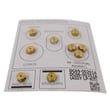
- Samsung range bake burner DG62-00066A (burner won’t carry flame or is damaged)
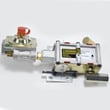
- Wall oven gas valve DG94-00449A (valve not opening for bake)
- Samsung range oven temperature sensor DG32-00002B (temperature problems or intermittent heating)
When the cooktop works, it proves you have gas supply, but the oven still needs a strong igniter and proper control signals to open the oven gas valve. A weak igniter is the top reason the oven never lights even though everything else seems normal.
Last updated: February 2026
How to reset Samsung gas oven?
For the Samsung NX58K9500WG gas slide-in range, the most reliable reset is a hard power reset: turn the range off, switch the circuit breaker off for 1 to 5 minutes, then restore power and set the clock. This clears many control glitches and error beeps.
- Hard reset (recommended): breaker OFF 1 to 5 minutes, then ON.
- Cancel/Stop reset: press CANCEL/OFF once to stop a cycle and clear the display.
- Control Lock check: press and hold the Lock or Control Lock key (often 3 seconds) to toggle it off.
- Clock reset: after power returns, set the clock; some functions will not run until time is set.
- Wi-Fi/app features: if your range has smart features, power cycling the range can also reinitialize connectivity.
- Turn all surface burners and the oven OFF.
- Flip the range circuit breaker OFF.
- Wait 1 to 5 minutes.
- Flip the breaker ON.
- Set the clock and try BAKE again.
A reset fixes control logic issues, but it will not fix a failed heating component. Use this quick check list:
- Confirm the display responds and you can start a bake cycle.
- Listen for the oven ignition sequence (clicking, then burner ignition).
- If the oven will not ignite or takes a long time to light, inspect the igniter circuit.
- If temperature is inaccurate, the sensor circuit is a common cause.
| Symptom after reset | Most common area to check | Example part for this model |
|---|---|---|
| Oven will not ignite | Bake igniter / ignition circuit | Samsung range bake igniter DG94-01012A |
| Oven temperature is off | Oven temperature sensor | Samsung range oven temperature sensor DG32-00002B |
| Display works but oven acts erratic | Control / wiring connections | Check wiring and connectors per NX58K9500WG manual |
Resetting restores normal operation after a power surge, stuck key input, or control lock activation. If the problem returns quickly, focusing on the igniter, sensor, or wiring prevents repeated no-heat failures and inconsistent baking.
Last updated: February 2026
How to tell if oven thermostat is broken Samsung?
On a Samsung gas slide-in range like model NX58K9500WG, a “bad thermostat” symptom is usually the oven temperature being consistently too hot or too cool compared to the set point. The quickest check is comparing the oven’s set temperature to an accurate oven thermometer reading after a full preheat and stabilize period; then decide whether calibration or a sensor/ignition repair makes more sense.
- Place an oven-safe thermometer in the center of the middle rack.
- Set Bake to 350°F.
- Let the oven preheat, then allow 20 to 30 minutes for the temperature to stabilize.
- Record the thermometer reading.
- Repeat at two more set points (for example 300°F and 400°F) to see if the error is consistent.
| What you see | Most likely cause | What to do next |
|---|---|---|
| Off by 10 to 25°F but consistent | Normal variation or calibration issue | Check calibration steps in the NX58K9500WG owner's manual |
| Off by 30°F+ at multiple temps | Temperature sensing problem | Consider replacing the oven temperature sensor Samsung range oven temperature sensor DG32-00002B |
| Temperature swings wildly, long preheat, weak heat | Ignition or burner issue (common on gas ovens) | Inspect igniter and burner; consider Samsung range bake igniter DG94-01012A or burner service |
- Food consistently undercooks or overcooks at the same setting.
- Preheat takes much longer than normal.
- Oven struggles to recover temperature after opening the door.
- You smell unburned gas briefly or the burner lights late (igniter-related).
- Error codes or beeping tied to temperature control (often sensor or control board related).
- Use a known-good oven thermometer; cheap or damaged thermometers can be off.
- Keep the thermometer away from the oven walls and door glass.
- Avoid opening the door during the stabilize period.
- If you suspect a gas ignition problem, stop using the oven and have it serviced.
Accurate temperature control protects baking results and prevents overheating. On many Samsung ranges, the temperature sensor and the bake ignition system do the real “thermostat” work, so testing helps you replace the right part the first time.
Last updated: February 2026