 Installation guide
 Owner’s manual


Are Whirlpool washer parts interchangeable?
Some Whirlpool washer parts can look interchangeable, but for Whirlpool model WTW8040DW2 we recommend using the exact factory-specified replacement part listed for your model so fit, wiring, and performance match the original design.
What “interchangeable” really means
Parts interchangeability depends on more than brand name. Even within Whirlpool, a part can vary by:
- Electrical connectors and wire harness pinouts
- Mounting points, shaft sizes, and bracket shapes
- Software or calibration requirements (controls and user interfaces)
- Revisions by production date (same model family, different engineering change)
- Safety and cycle logic (lid lock and control interactions)
For model-specific guidance, we use the parts diagrams and notes in the WTW8040DW2 owner's manual.
Common examples on WTW8040DW2
These parts are typically model-specific and should be matched exactly:
- Lid lock and hinges (fit and strike alignment)
- Water valve (flow rates and solenoid configuration)
- Drain pump and drain hose routing
- Drive system components (clutch, stator, rotor, drive assembly)
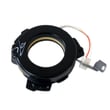
If you are replacing a lid lock issue, match the exact assembly used on this model, such as the washer lid lock assembly W10810403.
Quick compatibility check (before you order)
Use this checklist to confirm you are buying the right part for WTW8040DW2:
- Confirm the full model number from the washer’s model/serial tag
- Match the part ID shown for your model (not just a similar-looking part)
- Compare connector count and plug shape for electrical parts
- Verify left-hand vs right-hand orientation for hinges and panels
- If multiple versions exist, match by symptom and location in the parts diagram
Part type vs. risk of using the wrong one
| Part type | If the wrong part is used | Typical result |
|---|---|---|
| Electronic control / user interface | High risk | No start, wrong cycles, error codes |
| Lid lock / switch | High risk | Won’t lock, won’t spin, safety stop |
| Water valve | Medium to high risk | No fill, overfill, slow fill |
| Hoses / non-electrical hardware | Lower risk (still verify fit) | Leaks, poor routing, vibration |
Why it matters
Using the correct Whirlpool factory-specified part helps the washer run the intended “What to Wash / How to Wash” cycles correctly and prevents repeat failures caused by mismatched fit or electrical connections.
Last updated: February 2026
How to fix f2e2 Whirlpool washer?
On the Whirlpool WTW8040DW2 washer, an F2E2-style error points to a user interface (UI) communication problem. We fix it by fully power-cycling the washer first; if the code returns, the UI or main control typically needs service-level diagnosis.
Quick reset steps (safe first)
- Press Power to turn the washer off.
- Unplug the washer (or switch the breaker off).
- Wait 5 minutes so the controls fully power down.
- Restore power.
- Start a cycle and watch for the code returning.
For control-panel and error-code behavior specific to WTW8040DW2, use the WTW8040DW2 owner's manual.
If the code comes back: what to check next
These checks address the most common causes of UI-to-control communication faults.
- Loose connection: Reseat the console and control wiring connectors (power off first).
- Moisture or corrosion: Look for signs of water intrusion around the console area.
- Intermittent power: Confirm the outlet is solid and the cord is firmly seated.
- Related symptoms: Blank display, random beeping, or buttons not responding.
- Control components: If wiring is sound, the UI assembly or main control board is the likely fix.
If you’re already seeing console issues, the washer user interface assembly W11115203 is the model-matched UI part for WTW8040DW2.
What the code usually means (at a glance)
| What you see | What it points to | Best first action |
|---|---|---|
| F2E2-style UI error | UI not communicating correctly | 5-minute power reset |
| Code returns immediately | Persistent UI/control issue | Check connectors, then plan part diagnosis |
| Display glitches or dead keys | UI problem likely | Inspect console wiring, consider UI replacement |
Why it matters
When the UI and main control lose communication, the washer can stop mid-cycle, fail to start, or behave unpredictably. Resetting power clears temporary synchronization issues; repeated errors usually mean a wiring/connection problem or a failing control component.
Last updated: February 2026
What does F05 mean on a Whirlpool washer?
On the Whirlpool WTW8040DW2 washer, an “F” code indicates a system fault; we clear it by powering the washer off, restarting the cycle, and checking whether the code returns. If the washer is also not draining or unlocking, treat it as a drain-related problem and check the drain path first.
What to do first (safe reset and quick checks)
- Touch POWER to clear the code and exit the cycle.
- Touch POWER again, reselect a cycle, then touch and hold START/PAUSE.
- If the code returns, unplug the washer (or switch off the breaker) for 5 minutes, then restore power.
- If water is still in the tub, run Drain/Spin (if available) and listen for the drain pump.
- Check the standpipe setup: the drain hose should not be shoved too far down the pipe.
For the exact reset steps and display behavior, follow the WTW8040DW2 owner's manual.
If the washer will not drain (most common cause behind “F” codes)
A long-drain condition can be caused by installation issues, a kinked hose, or a failing pump.
- Make sure the drain hose is not kinked, crushed, or frozen.
- Confirm the drain hose end is not higher than 96 in. (2.4 m) above the floor.
- Make sure the drain hose does not extend more than 4.5 in. (114 mm) into the standpipe.
- Remove clogs from the drain hose and the household drain.
- If you hear humming but no draining, the pump may be jammed or worn.
If you determine the pump is not moving water, the correct replacement for this model is the washer drain pump W10876600.
Quick symptom guide
| What you notice | What it usually points to | What we check |
|---|---|---|
| Tub full of water, cycle stops | Drain restriction or long drain | Hose routing, standpipe depth, clogs |
| Pump runs loudly or hums | Pump obstruction or failing pump | Pump area, then pump replacement |
| Lid stays locked with water inside | Drain issue preventing unlock | Drain first, then recheck code |
Why it matters
When the washer cannot drain correctly, it can stop mid-cycle, keep the lid locked for safety, and trigger repeating fault codes. Fixing the drain setup and drain path prevents repeat errors and protects the drive system.
Last updated: February 2026
What is the capacity of the WTW8040DW2?
The Whirlpool WTW8040DW2 washer has a typical capacity of about 5.3 cu. ft. This is the common rated size for this platform; for the exact published capacity and load guidance for your unit, confirm it in the WTW8040DW2 owner's manual.
How to use that capacity (so clothes actually get clean)
Even with a large tub, this washer cleans best when items can move freely around the washplate.
- Load items in loose heaps evenly around the washplate (not packed down)
- Avoid adding extra water; it can lift items off the washplate and reduce cleaning
- Use HE (High Efficiency) detergent only
- Match the cycle to fabric type and soil level
- Add Extra Rinse when you see residue, lint, or pet hair
Quick load-size guide (practical, not perfect)
Use this as a starting point; adjust based on how freely the load tumbles and rinses.
| Load type | What “right-sized” looks like | Common symptom if overloaded |
|---|---|---|
| Bulky items (bedding, jackets) | Items sit below the top of the basket and can shift | Poor rinse, tangling, off-balance spin |
| Mixed everyday laundry | Even ring around washplate with space to circulate | Detergent residue, lint left behind |
| Small loads | Items cover washplate but are not spread tight | Under-cleaning if too little detergent or wrong cycle |
Why it matters
Capacity is a tub-size rating, but wash performance depends on loading and water sensing. When the basket is tightly packed, rinsing efficiency drops and tangling increases, even though the washer is “big enough.”
Last updated: February 2026
What is the life expectancy of a Whirlpool Cabrio washer?
A Whirlpool Cabrio washer like model WTW8040DW2 typically lasts 10 to 14 years. With consistent care (correct loading, routine cleaning cycles, and prompt repair of draining or spinning issues), it reaches the upper end of that range.
Typical lifespan and what changes it
Most Cabrio-style top load washers land in this range:
| Usage pattern | Typical life expectancy | What usually shortens life |
|---|---|---|
| Light (1 to 3 loads/week) | 12 to 14 years | Long periods of non-use, humidity, corrosion |
| Average (4 to 7 loads/week) | 10 to 12 years | Overloading, skipped cleaning cycles |
| Heavy (8+ loads/week) | 8 to 10 years | Frequent bulky loads, chronic out-of-balance spinning |
Maintenance that extends life (high impact)
We recommend these habits for WTW8040DW2:
- Run the washer’s Clean Washer cycle regularly to keep performance consistent.
- Load loosely and avoid packing items down; overloading strains the drive and suspension.
- Keep the lid closed during operation; the washer pauses if the lid is open.
- Use HE detergent correctly; too much can cause residue and odor.
- Fix drain and spin problems early; running with poor draining overworks the pump and drive.
Parts that commonly affect longevity
When a Cabrio washer starts stopping, not draining, or not spinning well, these parts are frequent suspects:
- Washer drain pump W10876600
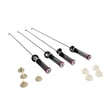
- Damper assembly, tub suspension (set of 4-includes suspension bushings and suspension balls) W11130356
- Drive assembly W11393685
- Washer lid lock assembly W10810403
Why it matters
A washer that is struggling to drain, lock the lid, or stay balanced often still “runs”, but the extra strain accelerates wear on the motor, drive system, and suspension. Following the operating and loading guidance in the WTW8040DW2 owner’s manual helps prevent those repeat-stress failures.
Last updated: February 2026
What is the most common problem with Whirlpool washers?
The most common Whirlpool washer problems are no-drain/no-spin symptoms, out-of-balance vibration, and water leaks. On the Whirlpool WTW8040DW2, these often trace back to load balance and leveling, drain restrictions, or a failing drain component such as the washer drain pump W10876600.
What we see most often (and what to check first)
- Won’t drain or won’t spin: listen for the pump humming during drain; check for coins or small items that can block the drain path.
- Vibration or “walking”: confirm all feet are firmly on the floor and the washer is level.
- Leaking: tighten fill-hose connections, confirm hose washers are seated, and secure the drain hose correctly.
- Won’t start or stops mid-cycle: lid must be closed; verify power at the outlet and avoid extension cords.
- Not enough water complaints: this is normal for HE low-water operation; the load will not be fully submerged.
Quick troubleshooting steps for WTW8040DW2
Start with the basics that solve the majority of service calls:
- Redistribute the load in loose heaps evenly around the washplate; avoid washing single heavy items alone.
- Level the washer; if the floor flexes, placing a 3/4-inch plywood panel under the washer can reduce vibration.
- Check for drain obstructions (pockets, small items) that can end up in the drain system.
- Inspect hoses: tighten fill hoses, confirm flat washers are in place, and secure the drain hose to the standpipe or tub.
Common symptom-to-cause map
| Symptom | Most common cause | What usually fixes it |
|---|---|---|
| Won’t drain / won’t spin | Drain restriction or weak pump | Clear blockage; replace pump if needed |
| Shakes or stops during spin | Unbalanced load or not level | Redistribute load; level feet |
| Water on floor | Loose fill hose, drain hose issue, not level | Tighten/seat hoses; level washer |
| Not cleaning well | Overloading, adding water, wrong detergent | Load correctly; use HE detergent only |
Why it matters
Drain, spin, and balance issues can look like a major failure, but they are often caused by loading habits, leveling, or a simple drain restriction. Fixing those first prevents repeat problems and protects the drive system and suspension.
For model-specific operating tips and troubleshooting tables, use the WTW8040DW2 owner’s manual.
Last updated: February 2026





