 Error Codes





How to reset Maytag wall oven?
To reset a Maytag MEW5530BAB electric wall oven, we recommend doing a simple power reset first: turn the oven off, cut power at the breaker for 1 to 5 minutes, then restore power and set the clock. This clears many control glitches.
Quick reset options (try in this order)
- Power reset (most effective): Switch the oven circuit breaker OFF for 1 to 5 minutes, then ON.
- Control panel cancel: Press Cancel/Off once, wait 30 seconds, then try a bake cycle.
- After a self-clean lock issue: Let the oven cool completely, then do the breaker reset.
- If the display is blank: Confirm the breaker is fully ON (some breakers trip to a middle position).
If the oven still will not respond
A reset helps when the electronic control is confused; it will not fix a failed part. Check these common causes:
- Loose or overheated power connections at the terminal block WPW10245259
- A damaged or loose wire connection (especially after moving the oven)
- A stuck door lock circuit after self-clean (cool-down plus power reset usually clears it)
- A failed heating circuit (bake or broil) that makes it seem like the oven is “dead”
What to check safely before service
| What you notice | What it usually points to | What to do next |
|---|---|---|
| Display works, no heat | Heating circuit issue | Try Bake and Broil separately; schedule diagnosis if both fail |
| Display flickers/resets | Power supply/connection issue | Do breaker reset; inspect power connections |
| Oven locked after clean | Door lock not resetting | Cool fully; breaker reset |
| Completely dead | No power to oven | Check breaker, junction box, wiring |
Why it matters
Resetting restores normal operation after a power surge, keypad confusion, or a self-clean cycle interruption. If the problem returns, focusing on power connections and wiring prevents repeat shutdowns and protects the control.
Last updated: January 2026
What does F3 mean on a Maytag oven?
On a Maytag MEW5530BAB electric wall oven, an F3 error usually points to a temperature-sensing problem: the oven control is reading an out-of-range temperature signal, most often from the oven temperature sensor circuit (sensor, wiring, or control).
What to check first (safe, quick checks)
- Reset power: turn the breaker off for 1 minute, then back on; see if F3 returns.
- Let the oven cool completely; an overheated cavity can trigger a fault.
- Check for obvious wire damage at the back of the oven (only after power is off).
- If the code appears during preheat, note whether the oven actually heats or stays cold.
- If the code appears during broil, watch for uneven or no broil heat.
Likely causes and what they mean
| Likely cause | What you may notice | Typical fix |
|---|---|---|
| Oven temperature sensor circuit issue | F3 appears during bake, temps seem wrong | Test sensor resistance; repair wiring or replace sensor (if applicable) |
| Loose or burned connection | Intermittent F3, especially when heating | Inspect and repair terminals/connectors |
| Electronic oven control (clock/control board) issue | F3 persists even with good sensor/wiring | Replace the control (model-specific part lookup) |
DIY troubleshooting steps (power off)
- Shut off the breaker before removing panels or touching wiring.
- Inspect the main power connection area for heat damage; a failing connection can cause erratic readings. If you see discoloration or melted plastic, replace the terminal block WPW10245259.
- If you have a multimeter, use how to use a multimeter to test electrical parts video to check continuity and basic resistance checks on accessible circuits.
Why it matters
When the control cannot trust the temperature signal, it may stop heating or overheat protection may kick in. Fixing the sensor circuit or a burned connection restores accurate temperature control and helps prevent repeat shutdowns.
Last updated: January 2026
What is the disadvantage of a wall oven?
A wall oven like the Maytag MEW5530BAB costs more to buy and install than a freestanding range, and service can take longer because the oven is built into cabinetry. You also need a separate cooktop, which can increase total kitchen cost and planning.
Common disadvantages (what we see most often)
- Higher total cost: wall oven plus a separate cooktop
- Installation is more complex (cabinet cutout, electrical hookup, leveling)
- Repairs can be harder because the oven may need to be partially removed
- Less flexibility to move or replace without cabinet changes
- Ergonomics vary: a low install can mean more bending; a high install can be awkward for shorter users
Wall oven vs. range: quick comparison
| Feature | Wall oven | Freestanding range |
|---|---|---|
| Upfront cost | Typically higher | Typically lower |
| Installation | More involved | Usually simpler |
| Cooktop included | No | Yes |
| Service access | Often harder (built-in) | Often easier |
Why it matters
Wall ovens are a great fit when you want a built-in look or a more customized cooking layout, but the tradeoff is usually higher installation complexity and higher overall system cost (oven plus cooktop). Planning for electrical connections and future service access helps avoid surprises.
Parts that commonly come up during service
If you are troubleshooting performance or doing a repair on a built-in oven, these are examples of parts that may be involved depending on the symptom:
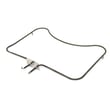
- Bake element WPW10310258 (no heat or weak baking)
- Broiler element WPW10310260 (no broil or uneven top browning)
- Terminal block WPW10245259 (power connection issues, burned wiring at the block)
Last updated: January 2026
Why is my Maytag oven not turning on?
If your Maytag MEW5530BAB electric wall oven will not turn on, the most common causes are a tripped double-pole breaker, a blown fuse, or a loose/burned power connection at the oven’s terminal block. Restore power at the breaker first, then check for heat-damaged wiring connections.
Quick checks to do first (no disassembly)
- Confirm the oven display is blank (no lights, no clock) versus showing time but not heating.
- Reset the wall oven’s power: turn both oven breakers OFF for 30 seconds, then turn them ON.
- If the breaker trips again immediately, stop and schedule service; that points to a shorted wire or component.
- If the display comes on but the oven still will not heat, the issue is usually in a heating circuit (element, sensor, control, or wiring).
What to check if the breaker is on but the oven is still dead
A wall oven typically needs 240 VAC (two hot legs). If one leg is lost, the oven may appear dead or partially powered.
- Check the home electrical panel for a double-pole breaker labeled “oven” or “wall oven”.
- Inspect the power connection area for loose screws, discoloration, or melted insulation.
- If you have a multimeter, verify voltage at the junction box or terminal block (power OFF before opening any covers).
Common “no power” causes and what they look like
| Symptom | Most likely cause | What to do next |
|---|---|---|
| No display, no interior light | Tripped breaker or blown fuse | Reset breaker; replace fuse if used |
| Breaker trips when turned on | Shorted wire/component | Leave power off; service recommended |
| Intermittent power, burning smell | Loose/burned connection | Inspect and repair connection; replace damaged parts |
Parts that are often involved
If you find heat damage or loose connections at the power hookup, the terminal block WPW10245259 is a common repair part for restoring a safe, solid power connection.
If the oven has power but will not heat, a failed heating element is also common; for this model, check the bake element WPW10310258 and the broiler element WPW10310260 for visible damage and continuity.
Why it matters
A wall oven that will not turn on is often a power-supply issue, but repeated breaker trips or heat-damaged wiring can create unsafe conditions. Fixing the root cause protects the control, wiring harness, and heating circuits from further damage.
Last updated: January 2026





