 Installation guide
 Owner’s manual
 Error Codes




What is the most common problem with a Frigidaire dishwasher?
The most common problem we see with Frigidaire dishwashers like model FFID2426TD4A is a drain-related issue: water left in the bottom of the tub after the cycle. This is usually caused by a clog (filter, hose, or disposal connection) or a failing drain pump.
- Water remains in the tub bottom after the cycle ends
- Dishes come out with food soils because dirty water is not fully removed
- You hear the drain pump running but water drains slowly
- You see intermittent leaking or foaming from oversudsing
- Cycles seem longer because the dishwasher is trying to reach key temperatures
Use these steps before replacing anything; they solve many drain complaints.
- Confirm the dishwasher is level (front to back and side to side)
- Check the tub filter area and remove debris; reinstall it correctly
- Inspect the drain hose for kinks, pinches, or a low spot that traps water
- If connected to a garbage disposal, make sure the disposal inlet knockout plug was removed
- Use only automatic dishwasher detergent; too much or the wrong type can cause foam and overflow
For model-specific operating and “before you call” guidance, use the FFID2426TD4A owner’s manual.
If the checks above are good and water still stays in the tub, the drain system components are the next most common culprits.
| Symptom | Most likely area | Common next step |
|---|---|---|
| Water left in bottom of tub | Drain path restriction | Clear filter, hose, disposal connection |
| Hums but drains poorly | Drain pump | Test and replace pump if weak |
| Leaks during/after cycle | Leveling, detergent, door seal | Level unit, correct detergent use |
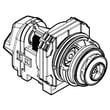
If you suspect the pump is weak or seized, the drain pump a A00126401 is a common replacement for this model.
Standing water is not normal after a completed cycle; it can redeposit soils on dishes, create odors, and strain the drain pump over time. Fixing the drain path early usually restores cleaning performance and prevents repeat clogs.
Last updated: January 2026
How do I know if my Frigidaire dishwasher control board is bad?
If your Frigidaire dishwasher model FFID2426TD4A has power but won’t run, won’t respond to button presses, or behaves erratically after you confirm the door is fully latched and the cycle is set correctly, the electronic control board is a likely cause. Start with the basic checks and a control reset before replacing parts.
We recommend these steps because several “bad board” symptoms are actually caused by settings, power, or a safety lockout.
- Confirm the dishwasher is getting power (breaker/fuse not tripped).
- Make sure the water supply valve is turned on.
- Verify the door is closed and latched.
- Confirm a cycle is selected and START/CANCEL was pressed after selecting it.
- Check whether Child Lock is on; on this model, press and release AIR DRY for 3 seconds (door open) to lock or unlock.
- Cancel and reset: press and hold START/CANCEL for 3 seconds; the dishwasher should run a 90-second drain, then you can reselect a cycle.
For the exact button sequence and indicator behavior, use the FFID2426TD4A owner's manual.
After the checks above, these symptoms commonly indicate a control problem:
- Buttons stay unresponsive even after unlocking controls and resetting.
- Cycles start, stop, or change unexpectedly.
- The dishwasher won’t start even though the door is latched and power is present.
- Status lights behave abnormally (for example, stuck on one phase) across multiple attempts.
A control board can look “bad” when another component is interrupting operation.
| What you observe | What to check next | Related part (if needed) |
|---|---|---|
| Dead or inconsistent response at the console | Loose connections, moisture, damaged wiring | Dishwasher wire harness (if applicable) |
| Won’t start and seems “locked out” | Child Lock setting, door latch engagement | Door latch area (not listed here) |
| Fills/drains issues that stop the cycle | Drain path, hose kinks, pump operation | Drain pump a A00126401 |
Replacing a control board is one of the higher-cost repairs on a dishwasher. Doing the lock/reset and basic “won’t run” checks first prevents unnecessary parts replacement and gets you back to reliable wash cycles faster.
Last updated: January 2026
How do I fix a Frigidaire Gallery dishwasher that won't drain?
For the Frigidaire FFID2426TD4A dishwasher, most no-drain problems come from a kinked/clogged drain hose, a disposer connection issue (knockout plug), or a blocked filter or drain pump. We recommend checking the easy flow-path items first, then moving to the pump if needed.
- Confirm the cycle is actually finished and not paused.
- If connected to a food waste disposer, make sure the disposer is empty.
- Make sure the disposer inlet knockout plug was removed.
- Inspect the drain hose routing for kinks or pinches.
- Clean and reinstall the dishwasher filter and any trap/glass trap parts.
For control steps like canceling a cycle and forcing a drain, follow the FFID2426TD4A owner's manual.
- Power off the dishwasher at the breaker.
- Check the sink/disposer connection: remove the drain hose from the disposer or sink tailpiece and look for blockage.
- Inspect the drain hose under the sink and behind the unit; straighten kinks and flush the hose if it is restricted.
- Clean the filter area in the tub bottom; debris here can slow drain flow and cause standing water.
- Check the drain pump for obstructions (glass, labels, seeds). If the pump hums but does not move water, replacement is often the fix.
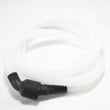
If the hose is brittle, split, or won’t flush clear, replace it with the dishwasher drain hose 807117001. If the pump is jammed, noisy, or not pumping, replace it with the drain pump a A00126401.
| What you notice | Most likely cause | What to do |
|---|---|---|
| Water stays in tub, hose looks pinched | Kinked drain hose | Reroute or replace hose |
| Drains slowly, gritty debris in sump | Clogged filter/trap | Clean filter and sump |
| Hums but no water movement | Blocked or failed drain pump | Clear debris or replace pump |
| New install, never drained right | Disposer knockout plug still in | Remove knockout plug |
A dishwasher that cannot pump out water can leave soil redeposited on dishes, create odor, and strain the drain pump and motor over time.
Last updated: January 2026
How old is my Frigidaire dishwasher by serial number?
To estimate the age of your Frigidaire dishwasher model FFID2426TD4A, use the serial number on the product data label to identify the manufacturing date code, then compare it to your purchase or installation date. The FFID2426TD4A owner's manual shows where to record and find the serial number.
Look for the product data label in one of these common spots:
- Along the tub frame at the door opening (visible with the door open)
- On the inner edge of the door
- On a label area referenced in the FFID2426TD4A owner's manual
Frigidaire serial numbers use an internal date code. Once you have the full serial number, use this approach:
- Write down the entire serial number exactly as shown
- Identify the date-code portion (it is embedded within the serial)
- Convert the code to a manufacturing week and year
- Match the year to the correct decade using your purchase/installation timeframe
Use position-based decoding only after you confirm which characters in your serial are the date code.
| What you’re looking for | What it means | How to use it |
|---|---|---|
| Year indicator | Manufacturing year | Match to the correct decade using when you bought the dishwasher |
| Week indicator | Manufacturing week (01 to 52) | Estimate the month (lower weeks are earlier in the year) |
Knowing the manufacturing week and year helps us narrow down the correct parts and revisions for your dishwasher, especially for electrical and water-handling components.
Last updated: January 2026





