Installation guide
 Owner’s manual
 Error Codes


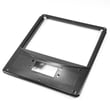
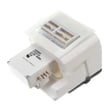
How to fix sy ef code?
The SY EF error code on a Frigidaire LFSS2312TF2 side-by-side refrigerator points to a problem with freezer airflow, most often the evaporator fan circuit or frost buildup restricting air movement. We start with a safe power reset, then check for fan operation, ice blockage, and wiring.
Quick fix steps (in order)
- Unplug the refrigerator for 5 to 10 minutes, then plug it back in (use the safe unplugging guidance in the LFSS2312TF2 owner’s manual).
- Listen for the evaporator fan in the freezer; it should run when the unit is cooling.
- Check freezer vents and the back freezer panel for heavy frost or ice that could block airflow.
- Make sure doors close and seal fully; warm air leaks can drive frost buildup.
- If the code returns, inspect the evaporator fan area for ice hitting the blade.
- If you find damaged wiring or the fan will not run, plan a repair rather than repeated resets.
What to check and what it usually means
| What you notice | What it points to | What we do next |
|---|---|---|
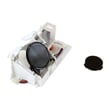
| Fan is silent, freezer still cold-ish | Evaporator fan motor not running | Test/replace the Frigidaire refrigerator evaporator fan motor 242077705 |
| Loud rubbing or ticking from freezer | Ice contacting fan blade | Defrost/clear ice; inspect the refrigerator evaporator fan blade 5308000010 |
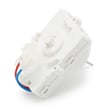
| Heavy frost on back freezer panel | Defrost system issue | Check defrost components such as the refrigerator defrost bi-metal thermostat 5303918214 |
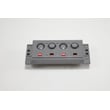
| Code clears briefly after reset then returns | Intermittent fan, wiring, or control issue | Inspect connectors; if needed, diagnose the refrigerator electronic control A01078804 |
Why it matters
When freezer airflow drops, the refrigerator section warms up even if the freezer seems “okay.” Fixing the SY EF cause quickly helps protect food temperatures and prevents repeated frost buildup that can strain the cooling system.
Helpful DIY reference
For model-specific code meaning and related checks, use Frigidaire refrigerator error codes.
Last updated: January 2026
How to reset a Frigidaire refrigerator?
For the Frigidaire LFSS2312TF2 side-by-side refrigerator, the most reliable reset is a power reset: unplug the refrigerator for 5 minutes, then plug it back in. If you need to restart cooling without unplugging, press and hold the On/Off button on the temperature control panel for 3 seconds.
Reset options for LFSS2312TF2
- Power reset (clears many control glitches): unplug for 5 minutes, then restore power.
- Cooling system off/on (does not remove power): press and hold On/Off for 3 seconds to turn cooling off, then hold it again for 3 seconds to turn cooling back on.
- Mechanical-control models (not typical for this model family): turning both temperature controls to “0” stops cooling but still leaves power to lights and electronics.
- After any reset: allow temperatures to stabilize for 24 hours before making more adjustments.
If you are trying to reset a filter light (common mix-up)
A “reset” request is often about the water filter status indicator, not the whole refrigerator. On this model family, you reset the filter status by pressing and holding the Water Filter button on the dispenser control panel for 3 seconds until the indicator changes status.
| What you want to reset | What to do | What to expect |
|---|---|---|
| Control board glitch or odd display | Unplug for 5 minutes | Display and controls reboot |
| Cooling turned off accidentally | Hold On/Off 3 seconds | Cooling resumes; temps recover over hours |
| Water filter status light | Hold Water Filter 3 seconds | Status indicator resets |
Why it matters
A true power reset reboots the electronic control and can clear temporary errors, while the On/Off button only disables cooling (lights and other electrical components can still stay powered). For exact button locations and display behavior, follow the LFSS2312TF2 owner's manual.
Related help
- If you are seeing a code or flashing display, use Frigidaire refrigerator error codes to identify the issue before replacing parts.
- If you are replacing the filter, follow how to replace the water filter in a Frigidaire refrigerator and use the correct refrigerator water filter WF3CB.
Last updated: January 2026
How to troubleshoot a Frigidaire refrigerator?
For a Frigidaire LFSS2312TF2 side-by-side refrigerator, we troubleshoot by confirming power, correcting temperature settings, checking door sealing and airflow, and cleaning the condenser. If the display is flashing or cooling is still poor after basic checks, use the LFSS2312TF2 owner’s manual troubleshooting chart to narrow the cause.
Quick checks (most common fixes)
- Make sure the unit is plugged in and the outlet has power; reset a tripped breaker if needed.
- Confirm the freezer control is not set to OFF or 0.
- Allow 24 hours after changing settings for temperatures to stabilize.
- Check that doors close fully; clean the gasket sealing surfaces.
- Avoid overpacking; blocked vents reduce airflow between compartments.
- Clean condenser coils; dirty coils make the refrigerator run too long and cool poorly.
Troubleshoot by symptom
| Symptom | What it usually points to | What to do next |
|---|---|---|
| Not cooling well | Airflow restriction, dirty condenser, door not sealing | Clear vents, clean coils, inspect gasket |
| Runs too long | Hot room, frequent door openings, gasket leak, dirty condenser | Reduce door openings, clean gasket, clean coils |
| Compressor won’t run | Control set OFF/0, defrost cycle, power issue | Verify settings and power; wait through defrost |
| Flashing temperature display | Control detected a performance problem | Follow the manual guidance; service diagnosis may be needed |
Water and ice related checks (if cooling seems OK but dispensing is off)
- If water spurts or sputters after filter work, that is normal while air purges.
- Flush the dispenser for about 4 minutes after replacing the filter.
- Reset the filter status by holding the Water Filter button for 3 seconds (until it changes from red to green).
- Replace a clogged filter on schedule; we recommend the refrigerator water filter WF3CB for this model.
Why it matters
Basic checks like door sealing, condenser cleaning, and correct control settings prevent long run times, temperature swings, and ice maker issues. They also help you avoid replacing parts such as the electronic control or fan motor when the real problem is airflow or maintenance.
Last updated: January 2026