Owner’s manual










What is the average lifespan of a Samsung dryer?
A Samsung dryer typically lasts 10 to 15 years. For your Samsung DV210AEW dryer, consistent airflow and basic care (especially lint and vent maintenance) are what most often push real-world life toward the high end of that range; see the DV210AEW owner’s manual for care and safety guidance.
- Vent restriction and lint buildup (heat stress and longer run times)
- Overloading (extra strain on the drum belt, rollers, and motor)
- Heat management (cycling components working harder than normal)
- Install quality (crushed or improper ducting reduces airflow)
- Usage frequency (multiple loads daily shortens service life)
- Clean the lint screen every load.
- Inspect and clean the vent duct and outside hood regularly.
- Keep loads balanced; avoid packing the drum tight.
- Stop using the dryer if you notice burning smells or repeated overheating.
- Follow the venting cautions in the manual (avoid flexible plastic ducting).
| Item | Typical expectation | What you’ll notice when it’s wearing out |
|---|---|---|
| Dryer overall | 10 to 15 years | More noise, longer dry times, more service calls |
| Wear parts (belt, rollers) | 3 to 8 years | Thumping/squealing, drum not turning smoothly |
| Heating system parts | 5 to 12 years | No heat, overheating, clothes still damp |
A dryer that takes longer to dry usually runs hotter and longer, which accelerates wear on key components like the heater circuit and drum support system. Keeping airflow strong is the simplest way to protect performance and extend the life of your DV210AEW.
For troubleshooting symptoms that can appear as the dryer ages, use our Samsung dryer error codes reference.
Last updated: February 2026
How to tell if Samsung dryer thermal fuse is bad?
On the Samsung DV210AEW dryer, a bad thermal fuse typically leaves the dryer dead (won’t start) or running with no heat. The reliable way to tell is a continuity test with a multimeter; a good fuse shows continuity and a blown fuse shows no continuity.
- Dryer won’t start even though the door is latched and the control responds
- Dryer runs but clothes stay cold and damp (no heat)
- Cycle stops early because the dryer overheats and shuts down
- You recently had poor airflow (clogged lint screen or vent)
- Unplug the dryer (and shut off gas on gas models).
- Access the thermal fuse location using the steps in the DV210AEW owner’s manual.
- Remove at least one wire from the fuse terminal.
- Set the multimeter to continuity or the lowest ohms setting.
- Touch a probe to each terminal:
- Good fuse: continuity (beep or near 0 ohms)
- Bad fuse: no continuity (no beep or OL/infinite)
A thermal fuse usually blows because the dryer overheated. Fix the airflow problem first so the new fuse does not blow again.
- Clean the lint filter
- Inspect and clean the exhaust duct and outside vent hood
- Confirm you are using 4-inch rigid or stiff-walled metal venting (not plastic flex duct)
- Avoid overloading; heavy loads restrict tumbling and airflow
If airflow is good but overheating continues, these parts are common suspects:
| Part | What it affects | When it’s likely |
|---|---|---|
| Dryer high-limit thermostat DC47-00018A | Limits heater temperature | Dryer overheats or cycles heat erratically |
| Dryer thermistor DC32-00007A | Senses temperature | Temperature control is inaccurate |
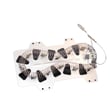
| Samsung dryer heating element DC47-00019A | Produces heat | No heat or overheating from internal shorts |
A blown thermal fuse is a safety cutoff. Replacing it without correcting venting and temperature-control issues often leads to repeat failures, longer dry times, and overheating.
Last updated: February 2026
How to tell if a Samsung dryer heating element is bad?
If your Samsung dryer model DV210AEW runs but doesn’t heat, the heating element is a top suspect. We confirm a bad element by checking for a broken coil and testing the element for proper resistance and for a short to the metal housing; either failure means replacement is needed (see the DV210AEW owner's manual).
- Dryer tumbles normally but clothes stay cold and damp
- Cycle seems to run, but drying takes much longer than normal
- No heat on any heated cycle (not just one setting)
- You’ve already ruled out “Air Fluff” or other no-heat settings
- Lint filter and venting are clean, but drying performance is still poor
- Disconnect power (unplug the dryer or switch off the breaker).
- Access the heater terminals (follow the access steps in the manual).
- Visual check: look for a broken or burned coil.
- Continuity/resistance test (multimeter):
- Place one probe on each heater terminal.
- A good element shows measurable resistance; an open circuit (no continuity) indicates a failed element.
- Ground fault test:
- Probe from a heater terminal to the metal heater housing.
- Any continuity to the housing indicates the element is shorted and must be replaced.
Your DV210AEW manual calls out several basics that can mimic a bad heater, especially venting and settings.
- Confirm a heated cycle is selected (not Air Fluff)
- Check the home breaker/fuses (electric dryers can run with one leg of power missing)
- Clean the lint filter
- Inspect and clean the exhaust duct; use 4-inch rigid metal ducting
- Make sure the outside exhaust hood opens freely
If testing shows the heater is bad, the correct replacement is the Samsung dryer heating element DC47-00019A. If the heater tests good, heat problems often trace to temperature sensing or safety cutoffs.
| What failed | What you’ll usually see | Example part for DV210AEW |
|---|---|---|
| Heating element | No heat; open or shorted element | DC47-00019A |
| Thermal cut-off thermostat | No heat; safety opened | DC47-00016A |
| High-limit thermostat | Overheating protection trips | DC47-00018A |
| Thermistor | Erratic heat or poor temperature control | DC32-00007A |
A failed heating element stops proper drying, but restricted airflow can also cause overheating that repeatedly trips safety devices. Verifying airflow and testing with a meter prevents repeat failures and restores normal dry times.
Last updated: February 2026