 Owner’s manual



How to reset spin cycle on Samsung washer?
To reset the spin on your Samsung WA40J3000AW washer, we recommend stopping the cycle with Start/Pause, then running a Spin or Rinse+Spin cycle again after redistributing the load and confirming the lid is fully closed. If the washer still will not spin, do a quick power reset.
- Press Start/Pause to stop the washer.
- Wait a few moments for the lid lock to disengage.
- Open the lid and redistribute the load (avoid one heavy item by itself).
- Close the lid firmly (the washer will not spin with the lid open).
- Select Spin or Rinse+Spin, then press Start/Pause.
- If needed, unplug the washer for 2 to 5 minutes, plug it back in, and retry.
These checks address the most common causes of a “stuck” or canceled spin on this model.
- Unbalanced load: If the washer detects imbalance, it can stop spinning; redistribute and restart.
- Washer not level: Adjust the leveling legs so the cabinet does not rock.
- Drain problem: If the washer cannot drain well, it may not reach full spin.
- Too small a load: One or two items can go off-balance and end the cycle too wet.
- Oversudsing: Use HE detergent and the right amount.
| What you notice | What it usually means | What we do next |
|---|---|---|
| Tub is full of water and won’t spin | Not draining fast enough | Run Spin to force a drain; check drain hose for kinks |
| Washer bangs or walks during spin | Out-of-balance or not level | Redistribute load; level the washer |
| Cycle stops and clothes are very wet | Spin speed too low or imbalance | Choose a higher spin speed; rebalance |
A Samsung top-load washer like the WA40J3000AW uses lid-lock and balance checks before and during spin. Fixing load balance, leveling, and draining prevents repeated spin interruptions and reduces vibration and wear.
- Use the WA40J3000AW user manual for the correct Spin and Rinse+Spin cycle steps and troubleshooting guidance.
- If you suspect a drain issue (slow drain, standing water), the drain system components (like the pump and drain hose) are common service points.
Last updated: February 2026
Is the Samsung Model WA40J3000AW stackable?
No. The Samsung WA40J3000AW is a top-load washer, and top-load washers are not designed to be stacked with a dryer. For safe installation clearances and placement details (including alcove or closet setups), follow the WA40J3000AW owner's manual.
Use these quick checks to avoid ordering stacking parts that will not fit:
- If the lid opens upward from the top, it is a top-load washer (not stackable).
- If the door opens from the front, it is a front-load washer (often stackable with a kit).
- Look for “alcove or closet installation” guidance in the manual; that is different from stacking.
- Check required dimensions and clearances before moving the washer into place.
- Keep the washer on a solid, level floor to reduce vibration and walking.
Most owners of the WA40J3000AW save space using side-by-side or vertical shelving, not stacking.
| Goal | Best option | Why it works |
|---|---|---|
| Save floor space | Place washer and dryer side-by-side | Maintains safe access to the washer lid |
| Add storage | Install shelving above the washer | Keeps detergents accessible without blocking the lid |
| Reduce vibration | Level the washer and balance loads | Helps prevent movement during spin |
Stacking a dryer on a top-load washer blocks lid access and creates an unstable setup. Following the correct Samsung installation requirements helps prevent excessive vibration, noise, and cabinet damage over time.
Last updated: February 2026
What causes a twin tub washing machine not spinning?
A washer that will not spin is usually being stopped by a lid lock safety condition, an unbalanced load, or a drain problem. On the Samsung WA40J3000AW, the washer will not spin unless the lid is closed and the unit can drain properly; start with the checks in the WA40J3000AW owner's manual.
- Make sure the lid is fully closed; press Start/Pause and wait a moment for the lid lock to engage or disengage.
- Run Spin only; if it will not drain first, correct the drain issue before expecting spin.
- Redistribute the load (one bulky item or a very small load can stop spin).
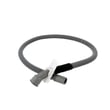
- Straighten the drain hose; remove kinks and confirm the hose end is secured in the standpipe or tub.
- Reduce suds; use HE detergent and avoid over-dosing.
If the washer cannot drain, it often will not spin. Also, poor drain setup can cause slow draining.
| Item to check | What “good” looks like | What it causes when wrong |
|---|---|---|
| Standpipe height | About 39 in / 99 cm | Slow drain, no drain, no spin |
| Drain hose routing | No kinks, not crushed, secured | Drain restriction, stopping before spin |
| Floor support | Solid, level surface | Excess vibration, repeated unbalance |
After the basic checks, these symptoms commonly indicate a failed component:
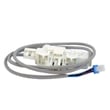
- Hums but will not drain or spin: drain pump issue (consider washer drain pump assembly dc97-19289f).
- Stops and shows unbalance behavior repeatedly: suspension wear (consider Samsung washer suspension rod DC97-05280W).
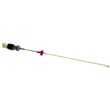
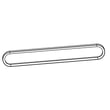
- Spins weakly, squeals, or slips under load: belt wear (consider washer drive belt DC66-10170B).
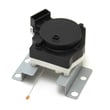
- Will not start spin with lid closed: lid lock problem (consider washer door lock assembly dc34-00025e).
Spinning depends on safe lid locking, stable load balance, and fast draining. Fixing the root cause prevents wet loads at the end of the cycle, reduces vibration, and helps protect the control board, clutch, and tub components.
Last updated: February 2026
What is the capacity of the WA40J3000AW?
The Samsung WA40J3000AW top-load washer has a 4.0 cu. ft. capacity. This capacity helps you size loads correctly so you get good cleaning performance without frequent out-of-balance spins; confirm cycle and loading guidance in the WA40J3000AW owner's manual.
A 4.0 cu. ft. washer is designed for medium-to-large household loads. For best results, load items loosely so water and detergent can circulate.
- Fill the tub loosely; do not pack items down
- Keep bulky items (comforters, jackets) balanced with a few smaller items
- Use the correct water level and cycle for the fabric type
- If the washer bangs or stops to rebalance, reduce the load size
- Run Self Clean regularly to keep the tub fresh (per the manual)
The WA40J3000AW manual also lists the cabinet dimensions, which are different from wash capacity.
| Spec type | What it tells you | WA40J3000AW value |
|---|---|---|
| Wash capacity | How much laundry the tub is designed to handle | 4.0 cu. ft. |
| Width | Fit in your laundry space | 27.0 in |
| Depth | Clearance behind the washer | 29.3 in |
| Height | Fit under shelves or cabinets | 43.9 in |
Using the right load size protects key components such as the suspension system and drive parts, improves rinse performance, and reduces vibration during the 700 RPM spin.
Last updated: February 2026
Why is my Samsung WA40J3000AW not filling with water?
If your Samsung WA40J3000AW washer is not filling, the most common causes are a closed water faucet, kinked or incorrectly connected fill hoses, or the washer detecting a “no fill” condition (often shown by a Tap Cold (no fill) indicator). Start with the water supply and hose connections, then move to inlet screens and controls.
- Confirm both HOT and COLD faucets are fully open.
- Make sure the fill hoses are not twisted, bent, or kinked.
- Verify the hoses are connected to the correct HOT and COLD inlets.
- If you are not using the HOT hose, install the hot-side water intake cap and select Tap Cold temperature.
- Unplug the washer for 2 minutes, then retry a Normal cycle.
Use the setup steps in the WA40J3000AW user manual to confirm:
- Rubber washers are seated inside the hose couplings.
- Connections are tight and not leaking.
- Hoses are new (old hoses can collapse internally and restrict flow).
Many “no fill” complaints come from debris in the small screen filters at the washer’s inlet ports.
Basic approach:
- Turn off water.
- Remove hoses.
- Carefully clean screens (do not puncture them).
- Reconnect and test.
If the washer senses an unsafe condition, it may pause filling.
| Symptom | What it usually points to | What to do |
|---|---|---|
| Tap Cold (no fill) indicator | Water not reaching the washer | Recheck faucets, hoses, inlet screens |
| Lid not fully closed | Lid switch/lock not satisfied | Close lid firmly; restart cycle |
| Intermittent fill | Loose connection or restricted screen | Tighten couplings; clean screens |
If water supply and screens are good but the washer still will not fill, the next most common suspect is the water inlet valve (not listed in the parts shown here). If the washer fills but will not drain, focus on the drain system; the washer drain pump assembly dc97-19289f is a common fix for drain failures.
A no-fill condition is usually a simple supply or hose issue. Fixing that first prevents unnecessary part replacement and helps avoid leaks, electrical hazards from water leakage, and cycle interruptions.
Last updated: February 2026





