Installation guide
 Owner’s manual
 Error Codes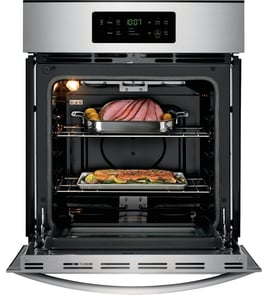



How to reset a Frigidaire wall oven?
To reset your Frigidaire wall oven model FEB786CEBG, turn the oven off and restore power with a brief power reset (breaker off, then back on). After power is restored, recheck basic functions like Bake and Broil using the steps in the FEB786CEBG owner's manual.
- Cancel/Stop reset: Press CANCEL to stop an active function (including self-clean).
- Power reset: Turn the circuit breaker OFF for about 1 minute, then turn it ON.
- Control lockout check: If the panel shows OFF when you press keys, toggle Lockout by pressing BAKE/COOK TIME and STOP TIME together (some models).
- Self-clean lock check: If the display shows LOCKED, wait for the oven to cool; the door opens only after LOCKED clears.
A reset restores the electronic control, but it will not fix a failed component. Use these checks to narrow it down:
- Confirm the oven has power (display on, interior light works).
- Try Bake at 350°F; the lower element should begin heating.
- Try Broil; the upper element should begin heating.
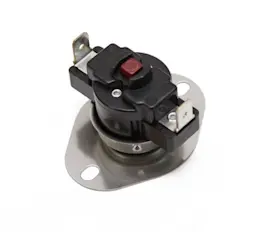
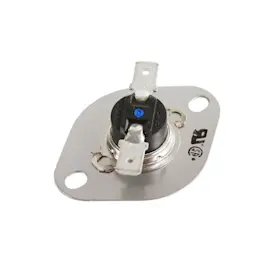
- If the oven heats erratically or shows temperature-related errors, the oven temperature sensor is a common cause.
| Symptom after reset | What it usually points to | What we do next |
|---|---|---|
| Display works, but temps are inaccurate | Temperature sensing issue | Test/replace the sensor probe 316217002 |
| No heat in Bake or Broil | Power supply, wiring, or control issue | Check breaker, wiring connections, then diagnose components |
| Door will not open after Clean | Normal lock cooldown or latch issue | Wait for LOCKED to clear; inspect latch if it never unlocks |
Resetting clears a temporary control glitch and stops active cycles, but repeated error codes or no-heat symptoms usually mean a part (like a temperature sensor, latch, or wiring connection) needs attention so the oven can heat safely and accurately.
Last updated: January 2026
What is the code F3 on a Frigidaire wall oven?
On the Frigidaire FEB786CEBG wall oven, error code F3 indicates the electronic oven control is detecting a temperature-sensing fault, most commonly related to the oven temperature sensor circuit. Clear the code with CANCEL, then check the sensor wiring and connections; if it returns, service is needed.
- Press CANCEL to stop the beeping and clear the display.
- Let the oven cool completely.
- Turn off power at the breaker before touching any wiring.
- Check the sensor harness connection at the sensor and at the control for looseness, corrosion, or heat damage.
- Restore power and test; if F3 comes back, plan a repair.
In this model family, F1 and F3 are “failure modes” the control uses when it detects a fault condition. F3 is typically triggered by a problem in the oven temperature sensor circuit.
| Likely cause | What you may notice | Typical fix |
|---|---|---|
| Loose or damaged sensor wiring | F3 appears intermittently | Reseat/repair harness connections |
| Failed temperature sensor | Oven heats erratically or shuts down | Replace the sensor |
| Control issue (less common) | F3 returns immediately after clearing | Professional diagnosis and repair |
If your troubleshooting points to the sensor circuit, the part most commonly tied to F3 is the oven temperature sensor.
When the control cannot trust the temperature feedback, it may stop heating or heat incorrectly. Addressing F3 quickly helps prevent poor baking results and protects the oven from overheating conditions.
- Use the FEB786CEBG owner’s manual for the exact keypad steps and what the control expects during fault conditions.
- If you need code definitions beyond what’s on the display, use Frigidaire self-cleaning wall oven error codes to match symptoms to likely causes.
Last updated: January 2026
Does Frigidaire make wall ovens?
Yes. Frigidaire manufactures built-in electric wall ovens, and model FEB786CEBG is one of them. For this model, the electrical supply requirement is a single-phase 120/240V or 120/208V, 60 Hz circuit on a dedicated line, as specified in the installation instructions.
Frigidaire wall ovens are commonly available in these configurations:
- Single wall ovens (one oven cavity)
- Double wall ovens (two oven cavities)
- Electric wall ovens with electronic or manual controls
- Models with self-clean on some versions
The installation instructions for FEB786CEBG call out key requirements that apply to safe operation and proper fit.
- Use a separate, grounded branch circuit protected by a circuit breaker or time-delay fuse
- Supply is single-phase 120/240V or 120/208V AC, 60 Hz
- Secure the oven to the cabinet using properly installed anti-tip (mounting) screws
- Do not lift the oven by the door handle
- These ovens are not approved for stackable or side-by-side installation
For the full wiring notes, cabinet cutout guidance, and diagrams, use the FEB786CEBG installation guide.
After installation, the instructions recommend verifying basic operation.
| Mode | What you should see | What it confirms |
|---|---|---|
| Bake | Lower element heats during a bake cycle | Bake heating circuit is working |
| Broil | Upper element heats on broil | Broil heating circuit is working |
| Clean (some models) | Upper element heats during self-clean | Self-clean heating operation |
For control steps and normal operation details, use the FEB786CEBG manual.
Wall ovens must match your cabinet opening and electrical supply. Confirming the correct voltage and securing the oven with anti-tip screws helps prevent installation problems and supports safe, reliable cooking performance.
Last updated: January 2026