 Owner’s manual



What is the capacity of the WA40J3000AW?
The Samsung WA40J3000AW is a top-load washer with a 4.0 cu. ft. capacity. That capacity helps you size loads correctly so the washer can agitate, rinse, and spin efficiently without leaving clothes overly wet or causing out-of-balance shaking. For cycle and usage details, use the WA40J3000AW owner's manual.
How to use the 4.0 cu. ft. capacity in real life
We recommend loading by volume and movement, not by weight. You should see clothes tumble and circulate, not packed tightly.
- Fill the basket loosely (do not compress items)
- Keep loads evenly distributed around the washplate
- Wash bulky items (blankets, comforters) one at a time when possible
- Use the right water temperature and cycle for soil level
- If the washer bangs or walks, stop and rebalance the load
Load sizing guide (quick reference)
These are practical, everyday examples for a 4.0 cu. ft. top-load washer.
| Load type | Typical examples | What to watch for |
|---|---|---|
| Small | A few shirts, light items | Clothes should move freely |
| Medium | Mixed clothing for 1-2 people | Avoid wrapping items into a tight ball |
| Large | Towels or jeans (not packed) | Rebalance if the tub thumps in spin |
| Bulky | Blanket or comforter | If it floats or shifts, reduce items |
Why capacity matters
Correct load size reduces strain on key components like the suspension system and spin basket, improves rinse performance, and helps prevent drain and spin complaints. If you are shopping for replacement parts that support proper operation (for example, a worn suspension rod), you can order model-matched parts from the list for WA40J3000AW or search by model at Sears PartsDirect.
Last updated: February 2026
Why is my WA40J3000AW not filling with water?
If your Samsung WA40J3000AW washer isn’t filling, the most common causes are a closed water faucet, kinked supply hoses, or clogged inlet screens at the hose connections. We also check for a “Tap cold (no fill)” indicator when hot and cold hoses are not connected correctly; see the WA40J3000AW owner's manual.
Quick checks that fix most “no fill” problems
- Confirm both HOT and COLD faucets are fully open.
- Make sure the water supply hoses are not twisted or bent.
- Verify the hose couplings are tight and the rubber washers are seated.
- If you are not using the HOT hose, install the water intake cap and select Tap Cold.
- Unplug the washer for 2 minutes, then retry a Normal cycle.
Clean the inlet screens (high-impact step)
The manual calls out cleaning the hose filter screens when filling problems happen. Turn off both faucets, remove the hoses at the washer, and rinse the small screen filters at the inlet ports to clear sand, scale, or debris.
What you’ll typically see
| Symptom | Most likely cause | What to do |
|---|---|---|
| No water at all | Faucet off, hose kinked, clogged screens | Open faucets, straighten hoses, clean screens |
| Fills very slowly | Partially clogged screens, low supply pressure | Clean screens, confirm strong flow at faucets |
| “Tap cold (no fill)” light/indicator | Hot/cold hoses not connected as expected | Correct hose connections, choose Tap Cold if applicable |
When a part is likely needed
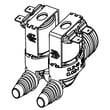
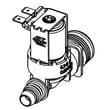
If faucets are on, hoses are clear, and screens are clean but the washer still won’t fill, the inlet valve can be sticking or electrically failed. For this model, a common replacement is the washer water inlet valve assembly DC62-00311F. You can order model-matched parts from the parts list for WA40J3000AW, or search by model on Sears PartsDirect.
Why it matters
A washer that can’t fill will stop the cycle and can also lead to poor cleaning because the machine never reaches the correct water level for agitation and rinsing.
Last updated: February 2026
What is the most common problem with Samsung washing machines?
The most common problems we see on Samsung washers, including the Samsung WA40J3000AW, are spin and drain complaints: clothes stay wet after the final spin or water remains in the tub. These issues usually come from load balance, leveling, or a restriction or failure in the drain system.
What to check first (fast, no-parts steps)
- Redistribute the load; avoid washing one bulky item by itself.
- Confirm the washer is level and stable on the floor.
- Check the drain hose for kinks, crushing, or an overly deep standpipe.
- Look for small items (coins, socks) that can block draining.
- Run a rinse and spin cycle with an empty tub to compare behavior.
Symptom-to-cause guide
| Symptom | Most likely cause | What we do next |
|---|---|---|
| Clothes still wet | Unbalanced load, weak suspension | Rebalance load; inspect suspension rods |
| Water left in tub | Clog, drain pump problem | Clear restriction; test/replace pump |
| Banging or walking | Not level, worn suspension | Level washer; replace suspension parts |
| Slow or no fill | Supply issue, inlet valve sticking | Clean screens; test inlet valve |
Model-specific specs that affect these problems
WA40J3000AW is rated for 20 to 116 psi water pressure and up to 700 rpm spin. Low water pressure can cause long fills; excessive vibration can prevent a strong final spin. Use the WA40J3000AW owner's manual for operating and safety details.
Parts that commonly fix spin or drain issues
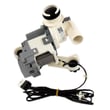
- Drain system: washer drain pump assembly dc97-19289f
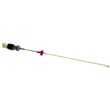
- Excessive shaking: Samsung washer suspension rod DC97-05280W
- Fill problems: washer water inlet valve assembly DC62-00311F
Why it matters
Spin and drain problems lead to rewashing, odors from standing water, and extra wear on the tub and drive system. Fixing the root cause restores cleaning performance and helps prevent repeat failures.
You can order replacement parts from the parts list for WA40J3000AW, or search by model number on Sears PartsDirect.
Last updated: February 2026
Is the Samsung 4.5 front load washer any good?
Yes, Samsung washers in this size class are a solid choice for many households because they handle bulky loads well and can run quietly when installed level and loaded correctly. For your specific model, Samsung WA40J3000AW is a top load washer (not a front load), so “good” comes down to cleaning results, vibration control, and reliable draining; see the WA40J3000AW owner's manual for model-specific cycles and care.
Quick reality check: top load vs. front load
Front load pros and cons (door boot care, odor prevention, pedestal options) do not apply the same way here. With WA40J3000AW, satisfaction is driven most by setup, load balance, and water flow.
- Level the cabinet and confirm all feet are firmly on the floor
- Load evenly; mix items to prevent off-balance spinning
- Use the right detergent amount to reduce residue and odors
- Keep the lid area dry and run periodic cleaning cycles
Key specs for WA40J3000AW (fit and hookups)
| Spec | Value |
|---|---|
| Width | 27.0 in (68.6 cm) |
| Height | 43.9 in (111.7 cm) |
| Depth | 29.3 in (74.4 cm) |
| Water pressure | 20 to 116 psi |
| Max spin speed | 700 rpm |
Common complaints and the most likely fixes
Many “not good” experiences trace back to correctable issues.
- Banging or walking: re-level, reduce load size, redistribute bulky items
- Slow fill: fully open both supply valves; clean inlet screens
- Won’t drain or drains slowly: check for a kinked hose; a weak pump is also common (see washer drain pump assembly dc97-19289f)
- Error codes: match the code to the symptom using Samsung top load washer error codes
Why it matters
A properly leveled top load washer protects the suspension, reduces noise, and improves spin performance. Good loading habits also prevent out-of-balance stops and help clothes come out cleaner.
If you need parts for WA40J3000AW, order from the parts list for this model or search by model number on Sears PartsDirect.
Last updated: February 2026



