Installation guide
 Owner’s manual
 Error Codes








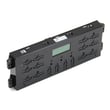
How do I reset my Kenmore electric range?
To reset your Kenmore electric range model 79094153312, turn the range off and cycle power at the home breaker (or unplug it if accessible) for a few minutes, then restore power and reset the clock and any cooking settings. This clears many temporary control glitches.
Quick reset steps (most common)
- Turn all surface element knobs to OFF.
- Turn the range OFF at the circuit breaker (recommended) or unplug the power cord.
- Wait 3 to 5 minutes.
- Restore power.
- Set the clock and reselect any oven function you were using.
For control and clock steps specific to this model series, use the 79094153312 owner's manual.
If the reset was caused by a power outage
Your range is designed to stop during a power failure; when power returns, you typically need to reset the clock and restart the oven function you want. This is normal behavior and not a part failure.
What to check after power is restored
- Confirm the display is on and responds to keypad presses.
- Test Bake at a low temperature for a few minutes.
- Test Broil briefly (do not leave it unattended).
- Verify surface elements heat normally.
When a reset does not fix the problem
If the display is blank, the oven will not heat, or errors keep returning, the issue is usually power supply, a sensor problem, or an electronic control problem.
Common next steps
- Check the home breaker: a range can lose one leg of 240V power and act “half on.”
- If the oven temperature seems wrong, inspect the oven temperature sensor 316490000.
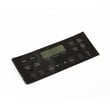
- If the control is unresponsive or keeps faulting, the oven control board 316630003 is a common suspect.
Why it matters
A proper reset helps you separate a one-time electronic glitch from a repeatable failure. That saves time and helps you avoid replacing parts like a control board or temperature sensor unless the symptoms come back.
Quick guide: symptom vs. likely cause
| Symptom after reset | Most likely area to check | Typical action |
|---|---|---|
| Display blank | Power supply, breaker, cord/terminal connections | Verify 240V supply and connections |
| Oven heats poorly | Temperature sensing | Check sensor and wiring |
| Random beeping/errors | Electronic control | Power reset, then diagnose error code |
Last updated: January 2026
Where is the model number on my Kenmore electric stove?
On Kenmore electric range model 79094153312, the model and serial number are on the serial plate located on the lower right front frame of the appliance. An alternate location is under the cooktop. Use the 79094153312 installation guide to confirm the exact serial plate location.
Where to look first (fastest checks)
- Open the oven door and inspect the lower right front frame
- Look for a serial plate (often a silver or white label)
- If you do not see it, check under the cooktop (alternate location)
- Write down both the model and serial numbers exactly as shown
Step-by-step: finding the serial plate safely
- Make sure the range is off and completely cool.
- Open the oven door fully.
- Use a flashlight to scan the lower right front frame.
- If needed, follow the cooktop access guidance in the 79094153312 installation guide and check under the cooktop.
What you will see on the label
| Label item | What we use it for |
|---|---|
| Model number | Matching the correct parts diagrams and replacement parts |
| Serial number | Identifying the production run for certain part variations |
| Electrical ratings | Verifying power requirements during installation or service |
Why it matters
Using the exact model number helps us match the right Kenmore parts the first time, especially for fit-critical items like a control board, bake element, or oven temperature sensor.
Last updated: January 2026
What is the average lifespan of 79094153312?
A Kenmore electric range like model 79094153312 typically lasts 13 years with normal household use and basic maintenance (keeping vents clear, cleaning spills promptly, and avoiding overheating cookware). Using the correct replacement parts and following care guidance helps you reach that service life.
What affects lifespan most
- Heating load and habits: frequent high-heat baking/broiling and long self-clean cycles add wear
- Power quality: loose connections at the terminal block can overheat wiring
- Door seal condition: heat leaks make the oven work harder
- Spills and corrosion: boil-overs can damage surface element receptacles and switches
- Wear items: bulbs, elements, and sensors are normal replacements over time
Quick maintenance checklist (high impact)
- Keep the oven interior and cooktop clean; baked-on residue holds heat and stresses components.
- Confirm cookware sits flat on the element to improve heat transfer and reduce cycling.
- Avoid slamming the oven door; it protects hinges, glass, and the door seal.
- Replace failed wear parts promptly, such as the appliance light bulb, 40-watt 316538904 or a weak bake element.
- Use the cleaning methods and schedules in the owner's manual.
Common parts that determine whether you repair or replace
| Symptom | Often involved part | Example from this model’s parts |
|---|---|---|
| Oven temperature swings, underbakes | Oven temperature sensor | Frigidaire range oven temperature sensor 316490000 |
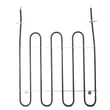
| No bake heat | Bake element | Frigidaire range bake element 316413800 |
| Burner won’t regulate heat | Surface element control switch | Frigidaire range surface element control switch 316436001 |
Why it matters
Knowing the typical 13-year lifespan helps you decide whether a repair is cost-effective. If your 79094153312 is near that age and needs a major control or wiring repair, comparing part cost and labor to the range’s remaining service life keeps the decision practical.
Last updated: March 2026