Installation guide
 Owner’s manual
 Error Codes






How to reset a Frigidaire refrigerator?
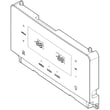
For the Frigidaire FGSS2635TF6 side-by-side refrigerator, the built-in reset is Default Settings: press and hold it for 3 seconds to restore factory settings. For many control and alarm issues, you can also clear the active alarm by pressing MUTE ALARM as described in the FGSS2635TF6 owner's manual.
Reset options on FGSS2635TF6
Use the option that matches what you are trying to fix:
- Factory reset (settings reset): press and hold DEFAULT SETTINGS for 3 seconds.
- Clear door ajar or system alarm: press MUTE ALARM.
- Reset water filter status light: press and hold WATER FILTER for 3 seconds (sets status back to “GOOD”).
- Reset air filter status light: press and hold AIR FILTER for 3 seconds (sets status back to “GOOD”).
- Turn cooling system off/on (not a factory reset): press and hold POWER ON-OFF for 3 seconds to turn cooling off; repeat to turn it back on.
Quick troubleshooting checklist (before and after a reset)
- Confirm both doors fully close; a door left open about 5 minutes triggers the door ajar alarm.
- If the display shows a temperature alarm (such as “HIGH TEMP DETECTED”), let temperatures recover after closing doors and restoring power.
- If ice or water performance is poor, replace the water filter and purge air from the dispenser.
- If ice clumps or jams, empty the bin and use ice at least twice weekly to prevent cubes from sticking.
What each “reset” changes
| Reset action | What it affects | What it does not affect |
|---|---|---|
| Default settings (3 sec) | User settings and set-points | Mechanical issues (fans, compressor, water supply) |
| Mute alarm | Alarm tone and active alarm acknowledgement | The underlying cause of the alarm |
| Water/air filter reset | Filter status indicator | Actual filter condition |
Why it matters
Using the correct reset prevents repeat problems. For example, resetting DEFAULT SETTINGS fixes control-setting glitches, while a door ajar alarm usually needs a door closure or gasket issue addressed, not a factory reset.
Last updated: January 2026
How to troubleshoot a Frigidaire refrigerator?
For your Frigidaire FGSS2635TF6 side-by-side refrigerator, we troubleshoot by confirming the controls are set correctly, checking airflow and door sealing, and then focusing on the ice and water system (filter, supply line, dispenser lock). Use the FGSS2635TF6 user manual to match symptoms to the correct checks.
Quick checks we recommend first
- Confirm the cooling system is ON (not showing “OFF” on the display).
- Verify temperature settings; allow about 24 hours after changes for temperatures to stabilize.
- Make sure doors fully close and gaskets seal all the way around.
- Avoid overpacking; blocked vents reduce airflow and cause warm spots.
- Clean dust from the condenser area; restricted heat release can cause poor cooling.
Ice maker and dispenser troubleshooting (common on side-by-sides)
The manual notes the ice maker can produce about 2.5 to 3 pounds of ice per 24 hours depending on usage and conditions. If ice or water output is weak, focus on water supply and filtration.
- If water dispenses slower than normal, replace the water filter (especially at 6 months or older).
- Check for a kinked supply line behind the refrigerator.
- Confirm the household water shutoff valve is fully open.
- If the dispenser will not dispense ice or water, check whether the control lock is engaged.
- If the ice dispenser motor overheats (paddle pressed too long), wait about 3 minutes for the overload to reset.
| Symptom | Most likely cause | Best next step |
|---|---|---|
| Slow water at dispenser | Clogged or not fully seated filter | Reinstall or replace refrigerator filter assembly EPTWFU01 |
| Small or hollow ice cubes | Restricted water supply | Replace filter; check valve and line for restriction |
| Ice clumping or jamming | Infrequent use or temp swings | Empty bin, dry it, and use ice at least twice weekly |
Filter and odor related troubleshooting
If odors are an issue, the air filter status can be checked and reset from the control panel. When it is time to replace it, use the correct filter for this model: refrigerator air filter EAFCBF.
Why it matters
Most “not cooling,” “no ice,” and “slow water” complaints come from airflow restrictions, door sealing problems, or a restricted water filter or supply line. Fixing those first prevents unnecessary part replacement and restores normal performance faster.
Last updated: January 2026
What does EF stand for on a Frigidaire refrigerator?
On the Frigidaire FGSS2635TF6 side-by-side refrigerator, EF (often shown as SY EF or 5Y EF) points to a problem in the evaporator fan circuit. In most cases, the refrigerator is not moving cold air correctly because of a fan motor issue, wiring problem, or a control-related fault.
What to check first (quick troubleshooting)
- Listen for the evaporator fan: you should typically hear a steady fan sound from the freezer area when the unit is running.
- Check airflow: make sure vents in the freezer and fresh food section are not blocked by food packages.
- Inspect for frost buildup on the freezer back wall; heavy frost can restrict airflow and stress the fan.
- Confirm doors are sealing: a poor seal can cause moisture, frost, and airflow problems.
- Power reset: unplug the refrigerator (or switch off the breaker) for 5 minutes, then restore power.
Common causes and likely fixes
| What’s happening | What it usually means | Typical next step |
|---|---|---|
| Fan is silent and temps rise | Evaporator fan motor not running | Diagnose fan motor and wiring; replace failed component |
| Fan runs but airflow is weak | Frost blockage or air path restriction | Defrost/clear blockage; verify door seal and venting |
| Code returns after reset | Control or circuit issue | Check harness connections; test components; service if needed |
Parts that are often involved
If you confirm the fan is running poorly or making unusual noise, the fan blade can be part of the issue. For this model, we commonly see customers replace the refrigerator evaporator fan blade 5308000010.
For deeper troubleshooting steps and any model-specific display behavior, use the FGSS2635TF6 owner’s manual.
Why it matters
The evaporator fan is what pushes cold air from the freezer evaporator into both compartments. When the fan circuit has a fault, temperatures can climb, ice production can drop, and frost can build up faster.
Last updated: January 2026