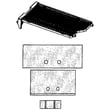
Owner’s manual










How to tell if Samsung dryer thermal fuse is bad?
On our Samsung DV56H9100EG dryer, a bad thermal fuse typically shows up as a dryer that will not run at all, or a dryer that runs but will not heat. The sure way to confirm is a continuity test with a multimeter, then fixing the overheating cause before replacing the fuse. See the DV56H9100EG owner's manual for your model’s access and safety notes.
Quick symptoms checklist
- Dryer will not start (no drum movement)
- Dryer runs but no heat (clothes stay damp)
- Cycle stops early or heat cuts out repeatedly
- Burning smell or unusually hot cabinet (stop using it and check venting)
- Lint buildup around the lint screen housing or exhaust outlet
How to test the thermal fuse (continuity)
- Unplug the dryer (electric shock hazard).
- Access the heating/duct area where the thermal fuse is mounted (panel removal varies by model).
- Pull at least one wire off the fuse terminal.
- Set a multimeter to continuity or ohms.
- Touch probes to the fuse terminals.
What the meter reading means
| Meter result | What it means | What to do next |
|---|---|---|
| Beep or near 0 Ω | Fuse is good | Keep troubleshooting heat/airflow issues |
| No beep or OL/infinite Ω | Fuse is blown | Correct airflow/overheat cause, then replace fuse |
Parts that are commonly involved on this model
Overheating and poor airflow are the usual reasons a thermal fuse opens. Depending on what you find during diagnosis, these parts are often checked together:
- Dryer thermal cut-off fuse, 320-degree f DC47-00015A
- Dryer thermal cut-off thermostat DC47-00016A
- Dryer high-limit thermostat DC47-00018A
- Dryer heating element assembly DC97-14486E
- Vent ducting, lint screen, and blower housing (airflow restrictions)
Why it matters
A thermal fuse is a one-time safety device; if you replace it without fixing the airflow restriction or overheating condition, the replacement fuse can open again quickly. Restoring proper venting helps drying performance and protects the heater circuit.
Last updated: February 2026
How do I reset my Samsung dryer?
For your Samsung DV56H9100EG dryer, the most reliable reset is a power cycle: turn the dryer off, cut power at the breaker (or unplug it) for 5 to 10 minutes, then restore power and start a cycle. This clears many temporary control glitches.
Reset steps (power cycle)
- Turn the dryer OFF.
- Unplug the power cord, or switch the dryer’s circuit breaker OFF.
- Wait 5 to 10 minutes.
- Restore power.
- Press Power, select a cycle, and press Start/Pause.
- If an error returns immediately, stop the cycle and troubleshoot the cause (not just the symptom).
If the dryer still will not run after a reset
These checks solve most “won’t start” complaints after a reset:
- Confirm the door is fully closed; a failed door switch can prevent starting.
- Verify the breaker is fully reset (OFF then ON); electric dryers often use a 2-pole breaker.
- Make sure Control Lock/Child Lock is off (see the control panel instructions in the DV56H9100EG owner's manual).
- Try a different cycle (Timed Dry is a good test) to rule out sensor-cycle behavior.
- If the dryer powers on but will not start, test the door switch circuit.
| Symptom after reset | Most common cause | What to do next |
|---|---|---|
| No lights, no display | No power to dryer | Check breaker, outlet, cord connection |
| Powers on, will not start | Door not sensed closed | Inspect/replace dryer door switch DC64-00828B |
| Starts then stops quickly | Overheat protection or airflow issue | Clean lint screen, venting, and blower housing |
Why it matters
A reset clears the electronic control’s temporary state, but it does not fix underlying problems like a bad door switch, overheating from restricted airflow, or a failing control component. If the issue repeats, diagnosing the root cause prevents repeat shutdowns and protects key parts like the heating system.
Last updated: February 2026
How to tell if a Samsung dryer heating element is bad?
A bad heating element in your Samsung dryer typically shows up as no heat (or weak, inconsistent heat) even though the drum tumbles. On the Samsung DV56H9100EG, we confirm it by unplugging the dryer and testing the heater for continuity and for a short to the metal heater housing; a failed test means the element needs replacement.
Quick symptoms to look for
- Dryer runs but clothes stay cold or take much longer to dry
- Heat starts, then stops early in the cycle
- Burning smell or visible scorching near the heater area
- Breaks, blisters, or a sagging/broken coil if you can see the element
- Repeated overheating shutdowns (often tied to airflow restrictions)
How we test the heating element (safe, reliable method)
- Disconnect power: Unplug the dryer (electric dryers use 240V).
- Access the heater terminals (follow the disassembly steps in the DV56H9100EG owner’s manual).
- Continuity test (multimeter on ohms or continuity):
- Touch one probe to each heater terminal.
- A good element shows continuity (a measurable resistance). An open circuit (no continuity) indicates a bad element.
- Ground fault test:
- Touch one probe to a heater terminal and the other to bare metal on the heater housing.
- You should get no continuity. Continuity to ground indicates a shorted element.
What the readings mean
| Test | What you want | What indicates failure |
|---|---|---|
| Terminal-to-terminal | Continuity (measurable resistance) | No continuity (open) |
| Terminal-to-housing | No continuity | Continuity (short to ground) |
Parts that commonly get replaced with a bad heater
A heating problem is often a heater plus safety devices or airflow issues. For this model, common related parts include:
- Dryer heating element assembly DC97-14486E
- Dryer thermal cut-off thermostat DC47-00016A
- Dryer high-limit thermostat DC47-00018A
- Dryer thermal cut-off fuse, 320-degree f DC47-00015A
Why it matters
A heater that is open will never warm the air, and a heater that is shorted to ground can trip protection devices or cause repeated shutdowns. Fixing airflow (lint screen, vent, blower path) at the same time helps prevent the new heater from overheating.
Last updated: February 2026
How to find part number for Samsung dryer?
For your Samsung dryer model DV56H9100EG, the fastest way to get the correct part number is to match the part to the exact model number from the ID tag, then look up the part by name in the parts diagram and list in the DV56H9100EG owner's manual. This prevents ordering a similar looking part that will not fit.
Where to find the model and serial tag
On most Samsung front-load dryers, the model and serial label is in one of these spots:
- On the front frame behind the door (open the door and check the cabinet opening)
- On the rear panel of the dryer cabinet
- Occasionally on the side panel near the back edge
If the label is worn, take a clear photo with your phone and zoom in; the model number is what we use to ensure compatibility.
How to look up the correct part number (simple process)
Use this workflow to avoid mix-ups between similar Samsung dryers:
- Confirm the model number is DV56H9100EG (letters and numbers must match exactly).
- Identify the part by function and location (example: drum support roller, thermistor, door switch).
- Cross-check the part in the exploded-view diagrams and parts list.
- Verify the part number before ordering.
Common examples for this model include the dryer thermistor DC32-00007A and the dryer heating element assembly DC97-14486E.
Quick reference: model number vs part number
| What you are looking at | Example | What it’s used for |
|---|---|---|
| Model number | DV56H9100EG | Identifies the exact dryer version |
| Part number | DC97-14486E | Identifies the exact replacement part |
| Part name | Dryer heating element assembly | Describes what the part does |
Why it matters
Samsung dryers often have multiple revisions that look alike. Using the exact model number (DV56H9100EG) and then matching the part number from the diagram prevents fit issues, wiring mismatches, and repeat repairs.
Last updated: February 2026
What is the average lifespan of a Samsung dryer?
A Samsung dryer typically lasts 10 to 15 years. For your Samsung DV56H9100EG, lifespan depends most on airflow (lint and venting), load size, and heat control; consistent cleaning and avoiding overheating keeps the drum, motor, and heating system running longer.
What affects dryer lifespan the most
- Airflow and venting: A restricted vent makes the dryer run hotter and longer.
- Lint control: Cleaning the lint screen every load reduces strain on the blower and heater.
- Overloading: Heavy loads wear the drum support rollers and drive system faster.
- Heat stress: Repeated overheating can trip or damage thermostats and thermal fuses.
- Electrical supply: Loose power connections can cause intermittent operation and component stress.
Quick maintenance checklist (best ROI)
- Clean the lint screen every load.
- Check and clean the exhaust duct and outside hood regularly.
- Keep loads to a reasonable size so clothes tumble freely.
- Stop using the dryer if you smell burning or notice excessive heat.
- Follow the care and cleaning schedule in the DV56H9100EG owner's manual.
Common “wear items” that can shorten life
If the dryer gets noisy, takes too long to dry, or overheats, these parts are often involved:
| Symptom | Common cause | Example part for DV56H9100EG |
|---|---|---|
| Thumping/squealing | Worn drum support rollers | Dryer drum support roller dc97-16782a |
| Long dry times | Poor airflow or weak blower | Dryer blower wheel DC67-00180B |
| Overheating/no heat | Heat safety parts opening | Dryer high-limit thermostat DC47-00018A |
Why it matters
A dryer that runs with restricted airflow or overheating does not just dry slower; it accelerates wear on the heating element assembly, thermostats, and drum support system. Keeping airflow strong is the simplest way to reach the 10 to 15 year range.
Last updated: February 2026
Is it worth replacing a heating element in a Samsung dryer?
Yes, it’s usually worth replacing the heating element in a Samsung dryer like model DV56H9100EG when the dryer still tumbles normally and the rest of the machine is in good shape; a heating repair typically costs far less than replacing the entire dryer. Use the DV56H9100EG manual to confirm access steps and safety guidance before servicing.
When replacing the heating element is the right call
A failed element is common, but we recommend checking the heat circuit basics first so you don’t replace the wrong part.
- The drum turns and airflow feels strong, but clothes stay cold or take too long to dry
- The dryer runs, then shuts off early (overheat protection can trip)
- You’ve already cleaned the lint screen and verified the vent is clear
- You can test the element and thermostats with a multimeter (power disconnected)
- The dryer is otherwise reliable (no repeated control or motor issues)
Quick cost and decision guide
| Situation | Typical outcome | What we recommend |
|---|---|---|
| Dryer heats intermittently or not at all, tumbles fine | Often a heat-circuit part | Test element, thermal cut-off, and thermistor before buying parts |
| Dryer is 10+ years old with multiple recent failures | Repairs can stack up | Compare total repair cost vs. replacement |
| Poor airflow or clogged vent | Overheating can blow safety parts | Fix venting first, then replace failed heat-safety parts |
Parts that can mimic a bad heating element
On DV56H9100EG, a no-heat symptom is often caused by a safety device or sensor opening the circuit.
- Dryer heating element assembly DC97-14486E (the heater itself)
- Dryer thermal cut-off thermostat DC47-00016A (opens if temperatures get too high)
- Dryer high-limit thermostat DC47-00018A (limits heater temperature)
- Dryer thermistor DC32-00007A (temperature sensor used for control)
Why it matters
Replacing the heating element without correcting airflow problems (lint buildup, crushed vent, long vent run) can cause the new heater or thermal cut-off to fail again. A quick vent inspection and basic electrical tests protect your time and parts budget.
Last updated: February 2026