 Installation guide
 Owner’s manual
 Error Codes




How to reset LG electric stove?
To reset your LG LRE30755SB electric range, we recommend doing a full power reset: turn the range circuit breaker OFF for 1 minute, then turn it back ON. If the display shows PF after an outage, reset the clock and any timed cooking settings using the steps in the LRE30755SB owner's manual.
Quick reset steps (most common fixes)
- Turn OFF the range breaker (or unplug the cord if accessible).
- Wait 60 seconds (for a deeper reset, wait 5 minutes).
- Restore power.
- If PF appears, set the time of day again.
- If an F- error code appears, press CLEAR/OFF, let the oven cool 1 hour, then try again.
If you are resetting because the oven will not heat
A reset can clear a temporary control glitch, but repeated no-heat symptoms usually point to a failed heating circuit.
Common checks:
- Confirm the breaker is fully reset (flip OFF, then ON).
- Try BAKE and BROIL; note whether either one heats.
- If an F-7 (no heating) code appears, plan on troubleshooting the heating system.
- If the oven overheats or shows F-9, stop using it until it is checked.
| Symptom on display | What it usually means | What to do next |
|---|---|---|
| PF | Power outage occurred | Reset clock and reprogram cooking |
| F- plus a number | Function error code | CLEAR/OFF, cool 1 hour, retry |
| No code, no heat | Heating circuit issue | Check bake/broil performance |
Parts that can be involved (when heat problems repeat)
If the range keeps losing heat or throws heating-related codes, a safety device can open to protect the oven.
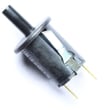
- Range safety thermostat 6930W1A003X (can interrupt heating if it trips)
- Wiring connections and harness plugs (loose or heat-damaged)
- Electronic control or relay issues (less common, but possible)
Why it matters
A proper reset clears PF conditions and temporary control faults; it also helps you confirm whether you have a one-time power event or an ongoing heating failure that needs repair.
Last updated: February 2026
Where is the serial number on LG Electric Range?
On the LG LRE30755SB electric range, the serial number is printed on the model and serial tag. You’ll typically find this tag on the back of the range on a metal label; pull the range forward and look near the upper rear panel area.
How to find it quickly
- Turn the range off and let it cool completely.
- Carefully slide the range forward (protect the floor and avoid stressing the power cord).
- Look for a metal or white rating label on the back panel.
- Write down both the model number and serial number exactly as shown.
- Use the serial number when ordering LG parts or scheduling service.
Other common label locations (if you don’t see it on the back)
Depending on how your range is installed, the tag can also be visible:
- Along the frame behind the oven door opening
- Near the storage drawer opening (after removing the drawer)
- On a side frame rail (visible when the range is pulled out)
What you’ll see on the tag
| Item on label | What it’s used for | Example (format) |
|---|---|---|
| Model number | Confirms the exact product version | LRE30755SB |
| Serial number | Identifies your specific unit | Letters and numbers |
| Electrical rating | Helps match power requirements | Volts/amps |
Why it matters
We use the serial number to match the correct diagrams and compatible parts for your exact LG range configuration. That helps prevent ordering the wrong surface element, oven door glass, or wiring components.
For diagrams and model-specific details, use the LRE30755SB owner's manual.
Last updated: February 2026
Why is my LG electric oven not working?
If your LG LRE30755SB electric range oven is not working, the most common causes are a power interruption (PF on the display), a control setting or error code (F- plus a number), or a failed heating or safety component. Start with the reset steps in the LRE30755SB owner's manual.
Quick checks we recommend first
- Confirm the range has power; check the house breaker or fuses.
- If PF is showing, reset the clock and any timed cooking settings.
- If you see F- plus a number, press CLEAR/OFF, let the oven cool for 1 hour, then try again.
- Make sure the oven controls are set correctly for Bake or Broil (not delayed or canceled).
- If the error code returns, disconnect power at the breaker before any inspection.
What the display is telling you
| Display message | What it usually means | What to do next |
|---|---|---|
| PF | Power outage occurred | Reset time and reprogram cooking functions |
| F- + number | Function error code | CLEAR/OFF, cool 1 hour, retry; if it repeats, cut power and service |
| No display | No power to range | Check breaker, cord/terminal block, outlet |
Parts that commonly cause “oven not working”
If power and settings check out, these are frequent failure points on electric ranges:
- Bake element or broil element not heating
- Oven temperature sensor out of range
- Electronic control board or relay issue
- Wiring connection problem (burned or loose)
- Overheat protection opening; on this model, a safety device such as the range safety thermostat 6930W1A003X can stop heating when temperatures get unsafe
Why it matters
An oven that will not heat is often a simple reset or power issue, but repeated F- codes or intermittent heating points to a control or safety problem. Addressing it early helps prevent uneven cooking and repeat shutdowns.
Last updated: February 2026




